How to label data for RF-DETR Semantic Segmentation training
Before you can train a computer vision model, you need labeled data on which to train your model. The more accurate the labels, or annotations, are, the higher the performance the model will achieve.
Overview
RF-DETR Semantic Segmentation assigns a class to every pixel in an image. Unlike instance segmentation, it does not tell objects apart, so it maps areas rather than counting things. That suits scenes like land cover from a drone, road surfaces or crop rows. This guide shows how to label that with Roboflow Annotate, then train RF-DETR Semantic Segmentation in Roboflow or export your labels to train it yourself.
Roboflow Annotate runs in your browser and is free to start. Roboflow is SOC 2 Type 2 compliant and used by over 2 million developers.
To label data for RF-DETR Semantic Segmentation, you will:
- Create a semantic segmentation project and upload images
- Open an image in Roboflow Annotate
- Draw a region for every class
- Label faster with Smart Polygon
- Train RF-DETR Semantic Segmentation or export your data
Step 1: Create a project and upload images
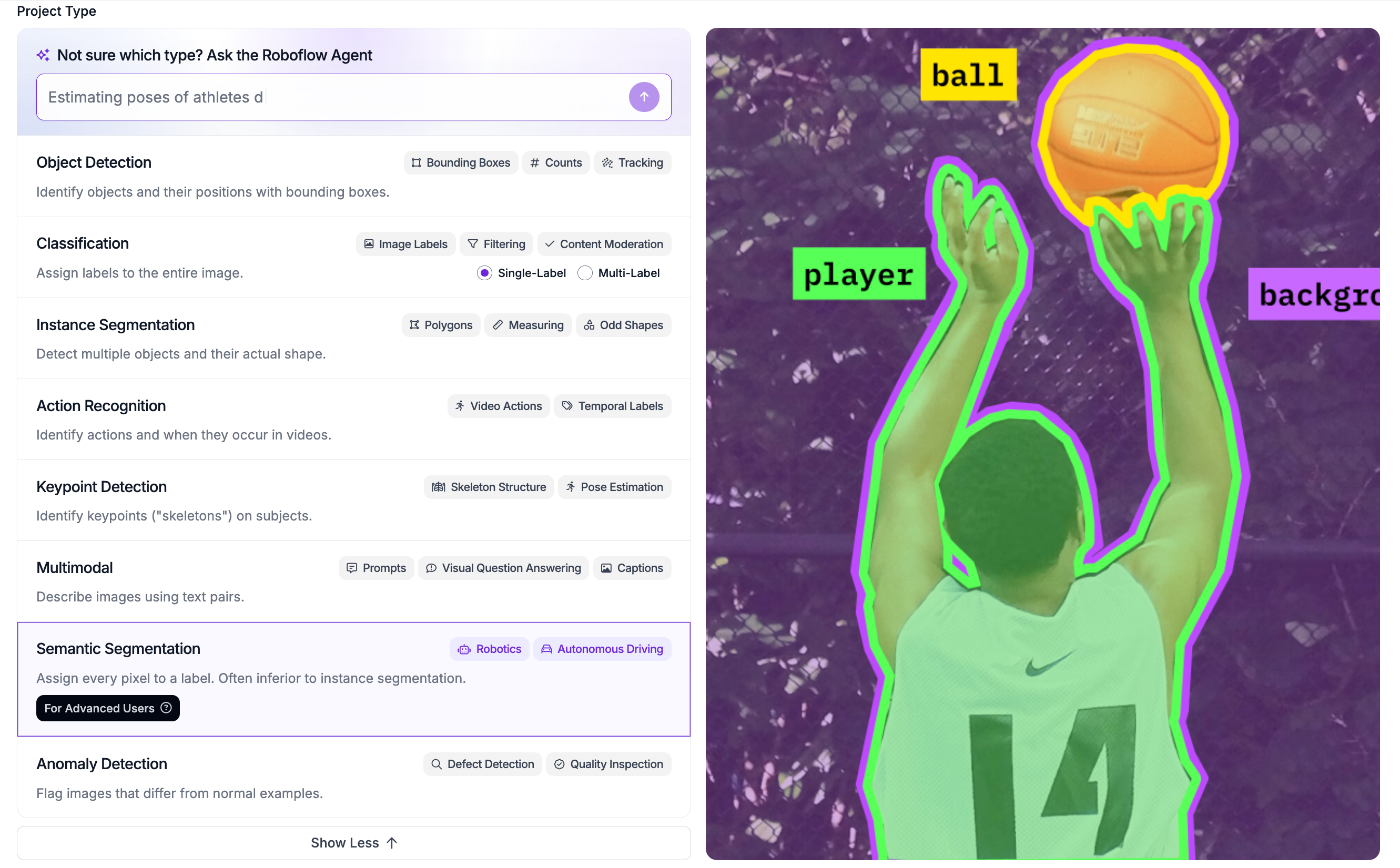
Create a free Roboflow account, then create a new project. Give it a name and choose Semantic Segmentation as the project type. It is under "Show More" in the list of types:
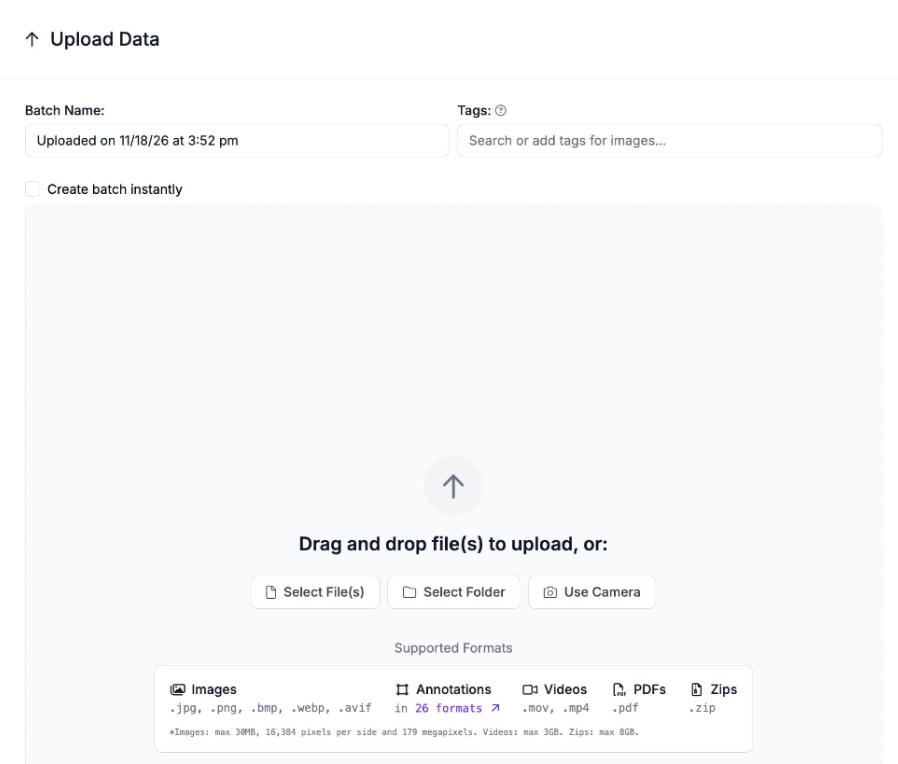
Next, upload your images. Drag them onto the Upload Data page, or select files or a whole folder. If you already have labels, upload the annotation files with your images to review or fix them in Roboflow Annotate:
Step 2: Open an image
Click any image in your project to open it in Roboflow Annotate:
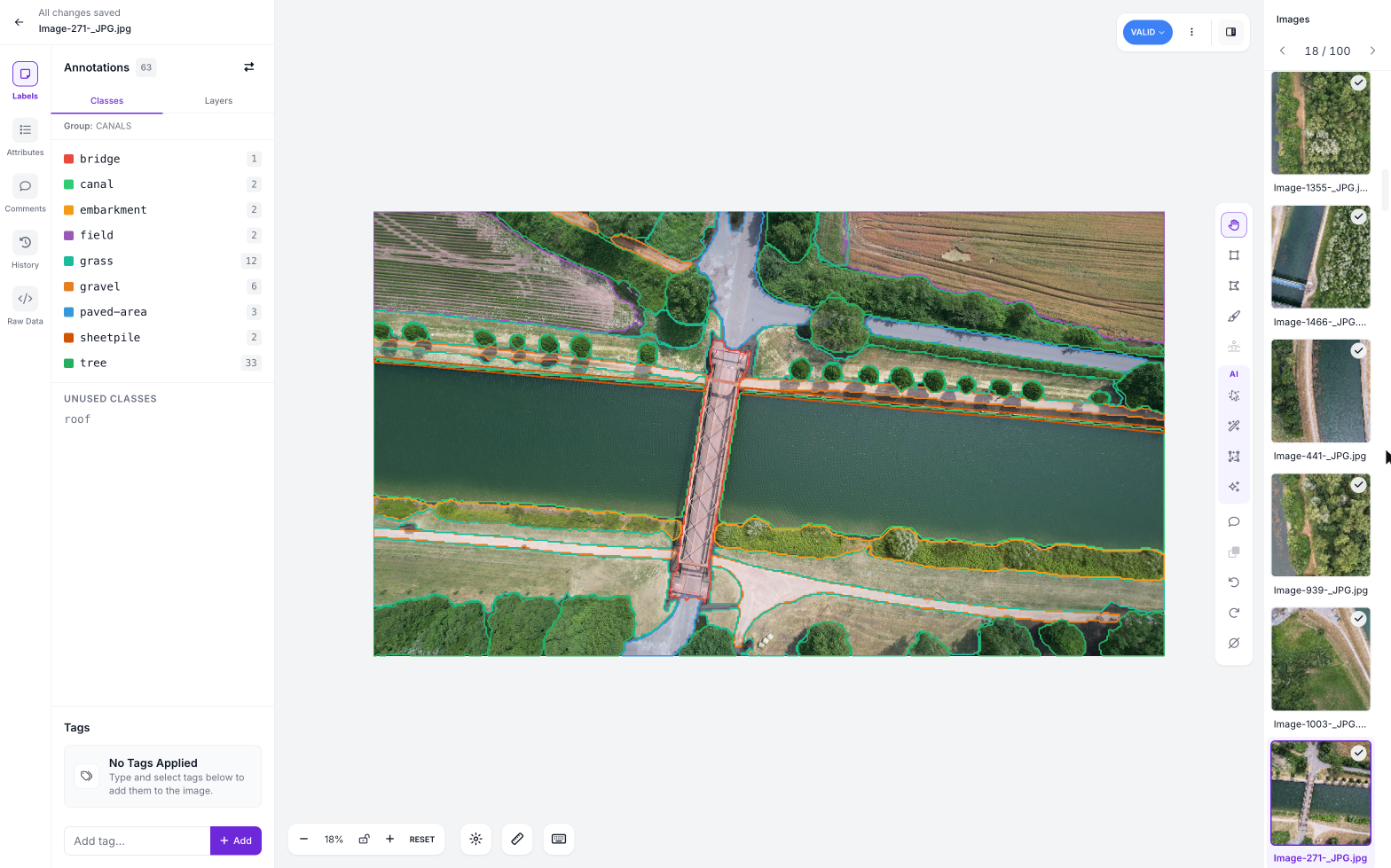
Your project's classes are listed on the left. In a semantic segmentation project, every region you draw becomes pixels of its class when you export or train, so ten trees drawn as separate shapes all become tree pixels.
Step 3: Draw a region for every class
Select the polygon tool, or press P, and click around the edge of a region to place points. Click the first point again to close the shape, then pick its class from the list, or type a new class name. For soft or irregular edges, like foliage or water, use the brush tool (U) to paint a pixel mask instead.
Cover everything in the image that belongs to one of your classes. Where regions overlap, the one on top decides the class of those pixels. Check the order in the Layers tab, so a bridge drawn over the canal stays a bridge.
Follow the edges closely: RF-DETR Semantic Segmentation learns where one class ends and the next begins. Our labeling best practices cover more tips.
Step 4: Label faster with Smart Polygon
Smart Polygon (opens in a new tab) outlines a region from a single click, using Segment Anything. Press S, click the region, and add or remove areas with more clicks until the outline fits. It is the fastest way to trace large areas like water, fields or tree cover:
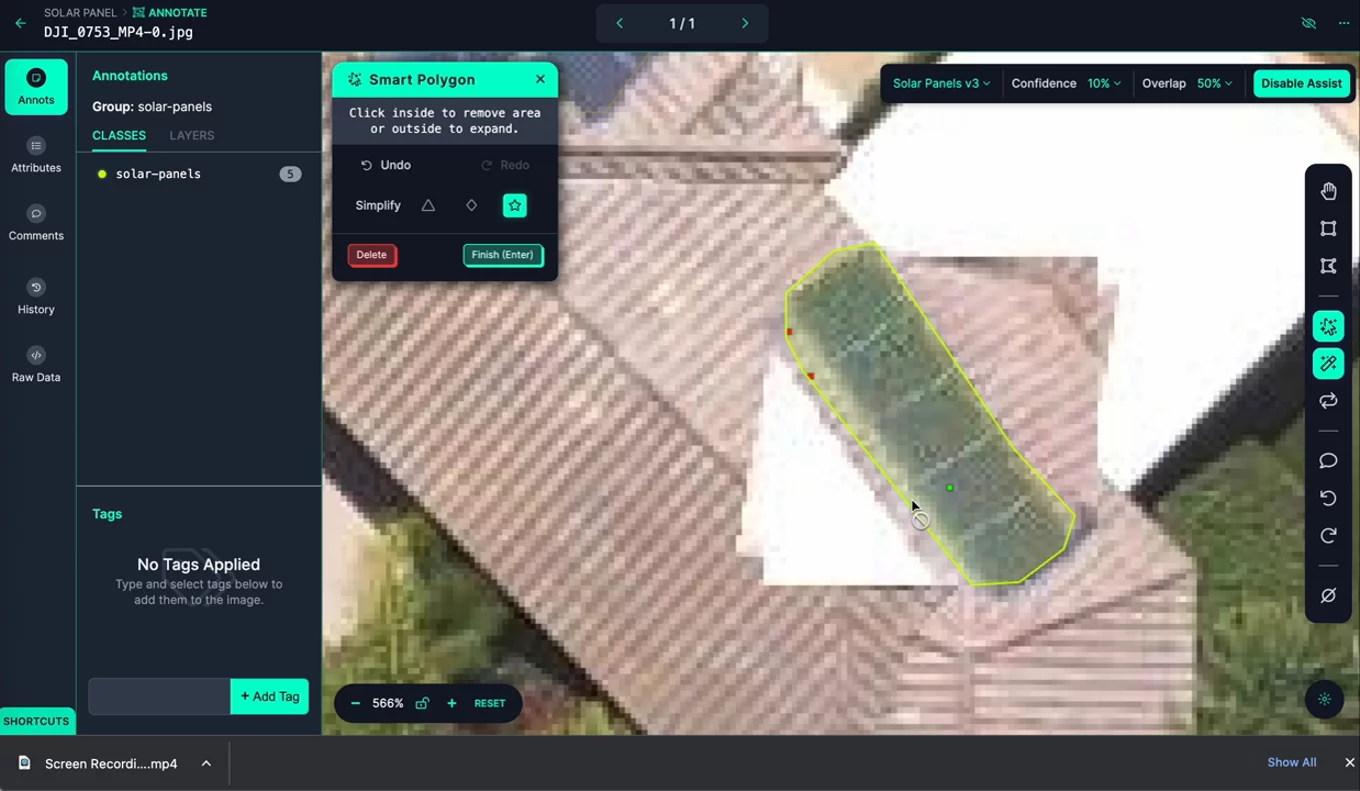
Auto Label does not label semantic segmentation projects, so Smart Polygon is the tool that saves the most time here.
Step 5: Train RF-DETR Semantic Segmentation or export your data
When your images are labeled, generate a dataset version. Then open Train in your project, click "Custom Training", and choose "Roboflow RF-DETR". The Train a Model guide (opens in a new tab) walks through each option.
To train RF-DETR Semantic Segmentation on your own hardware instead, export the version as PNG Mask: one mask image per photo, with each class in its own color.
Roboflow scores semantic segmentation models with mean Intersection over Union (mIoU): how much each predicted region overlaps the one you labeled, averaged over your classes.