Visual Intelligence Summit: Oct 22 in San Francisco Get your ticket

Convert annotation formats

How to Convert OIDv4 TXT to COCO Run-Length Encoding RLE

In this guide, we show you how to convert data between the OIDv4 and COCO RLE formats for free. You can use your converted data to train models and other models that support the COCO RLE format.

OIDv4 TXT

The format returned by the OpenImages Dataset v4 ToolKit.

Below, learn the structure of OIDv4 TXT.

img0001.txt
helmet 0.0 73.041386 355.2 463.235188
person 2.56 95.46632500000001 86.4 213.357589
helmet 123.52 26.9102 826.24 594.5815520000001

COCO Run-Length Encoding (RLE)

A version of the COCO JSON format with segmentation masks encoded with run-length encoding.

Below, learn the structure of COCO Run-Length Encoding (RLE).

JSON
{
    "info": {
        "description": "Exported from Darwin",
        "url": "n/a",
        "version": "n/a",
        "year": 2022,
        "contributor": "n/a",
        "date_created": "2022/07/03"
    },
    "licenses": [
        {
            "url": "n/a",
            "id": 0,
            "name": "placeholder license"
        }
    ],
    "images": [
        {
            "license": 0,
            "file_name": "2020-02-09--20-26-30(GMT-0700)--18s.mkv-0005.png1920x1080.png",
            "coco_url": "n/a",
            "height": 1080,
            "width": 1920,
            "date_captured": "",
            "flickr_url": "n/a",
            "darwin_url": "https://darwin.v7labs.com/api/images/437470172/original",
            "darwin_workview_url": "https://darwin.v7labs.com/workview?dataset=484903&image=86",
            "id": 290,
            "tag_ids": []
        }
    ],
    "annotations": [
        {
            "id": 8944,
            "image_id": 290,
            "category_id": 8,
            "segmentation": [
                [
                    1550.78,
                    748.65,
                    1548.38,
                    770.21,
                    1638.96,
                    779.7,
                    1640.35,
                    757.28,
                    1640.83,
                    726.62,
                    1557.96,
                    718.72
                ]
            ],
            "area": 4641.607800000347,
            "bbox": [
                1548.38,
                718.72,
                92.44999999999982,
                60.98000000000002
            ],
            "iscrowd": 0,
            "extra": {}
        },
     ]
 }

Step 1: Create a free Roboflow public workspace

Roboflow is a universal conversion tool for computer vision annotation formats. The Public plan is the best way for those exploring personal projects, class assignments, and other experiments to try Roboflow. To convert your dataset, start by creating a free workspace on the Public plan.

Step 2: Upload your data into Roboflow

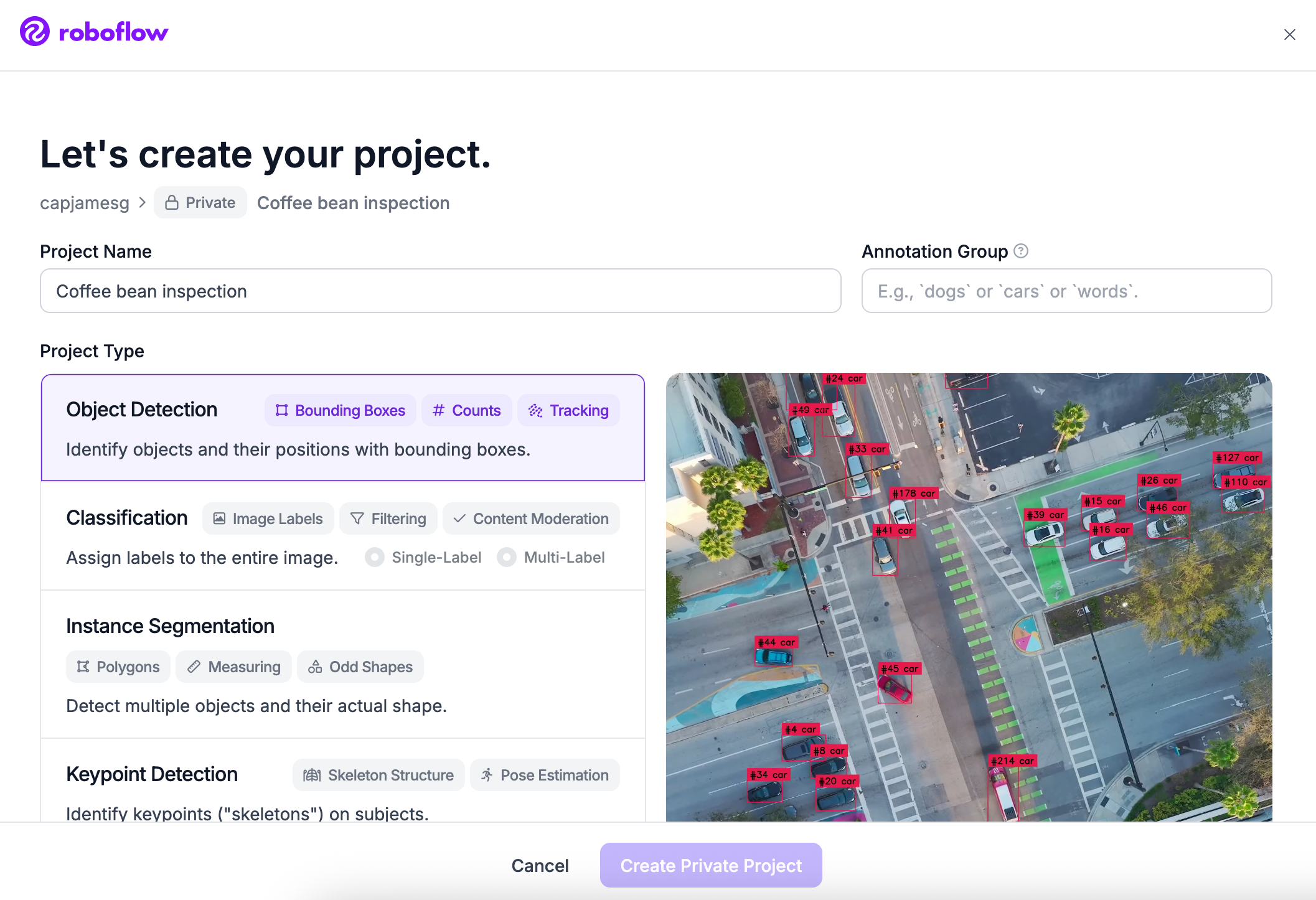
Once your account has been created, click Create New Project.

Roboflow's create project form, with Object Detection selected as the project type

Upload your data to Roboflow by dragging and dropping your OIDv4 TXT images and annotations into the upload space.
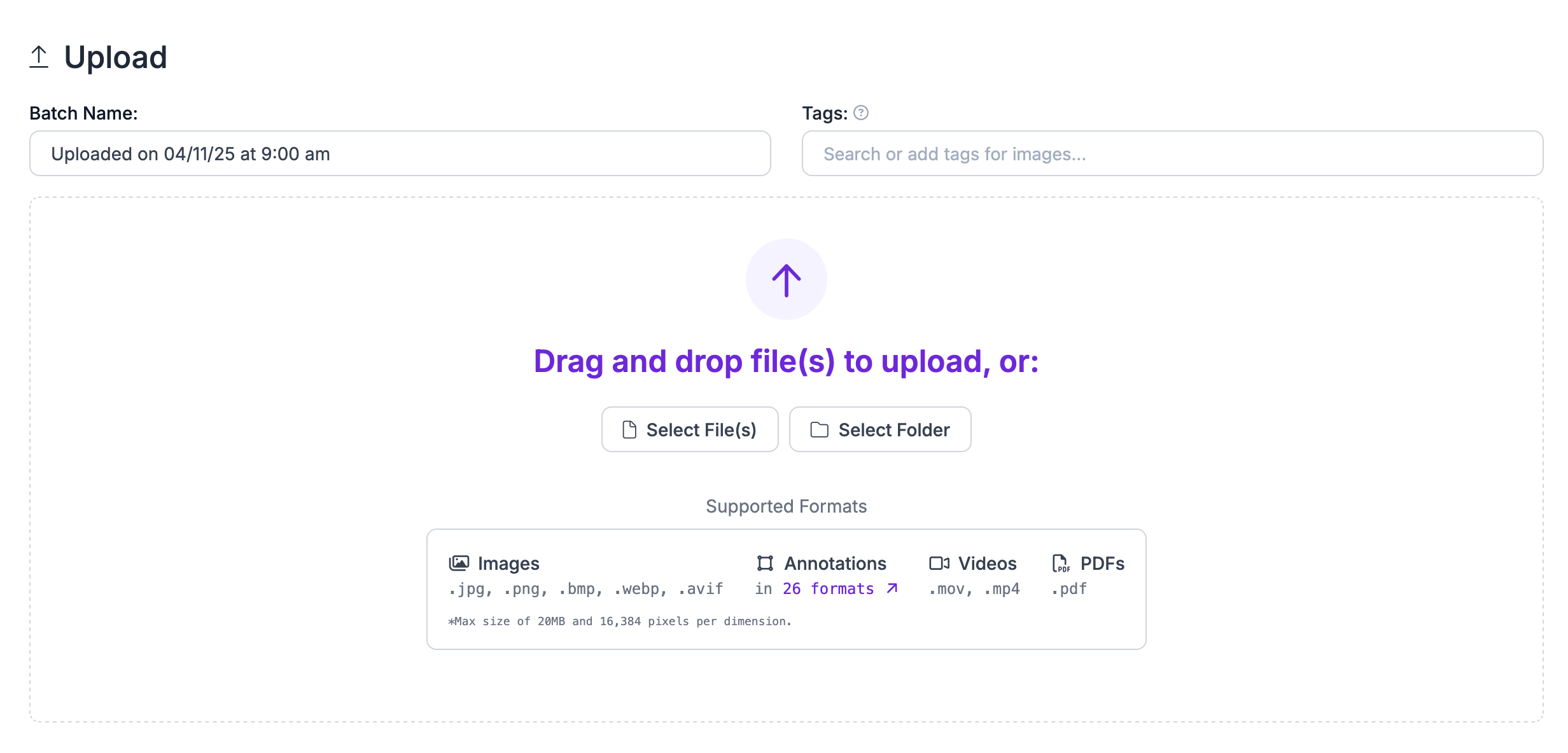
Roboflow's upload page, with a drag-and-drop area for images, annotations, videos and PDFs

Step 3: Generate Dataset Version

Next, click "Generate New Version" to generate a new version of your dataset:
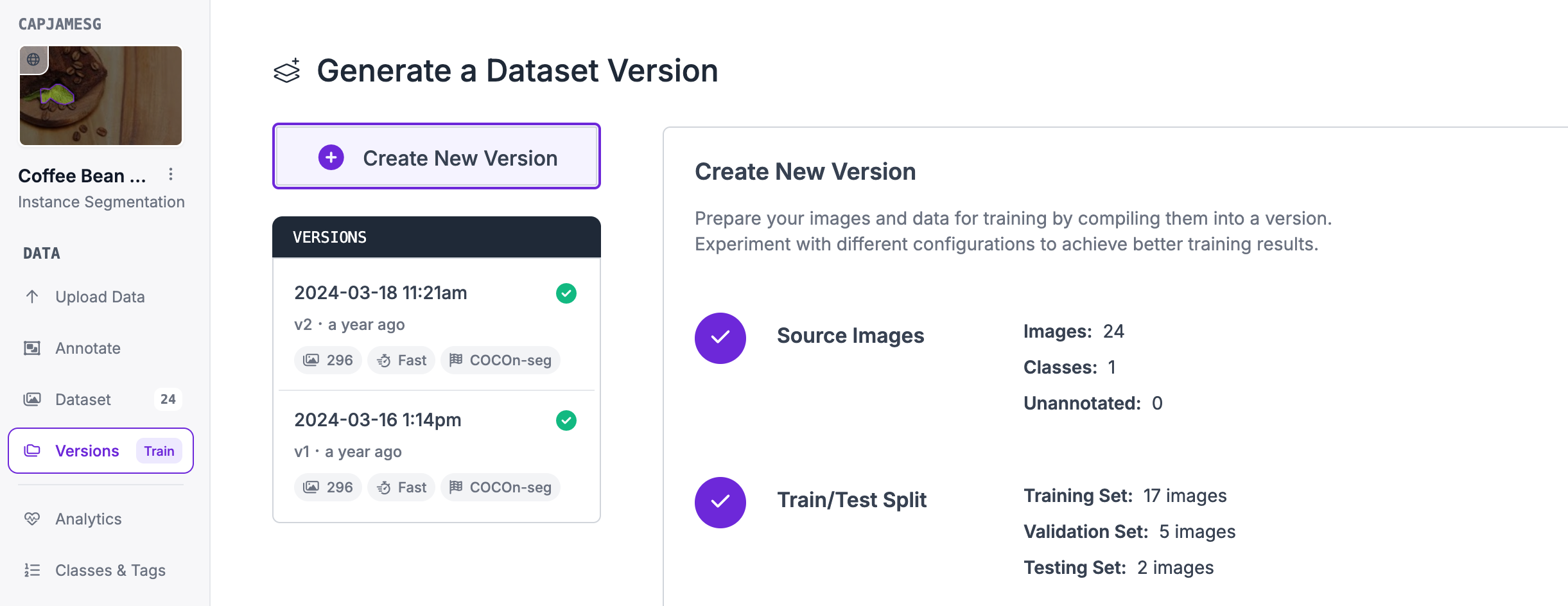
Roboflow's Generate a Dataset Version page, showing the source images and train/test split for a new version

You can then apply any preprocessing or augmentation steps to your dataset:
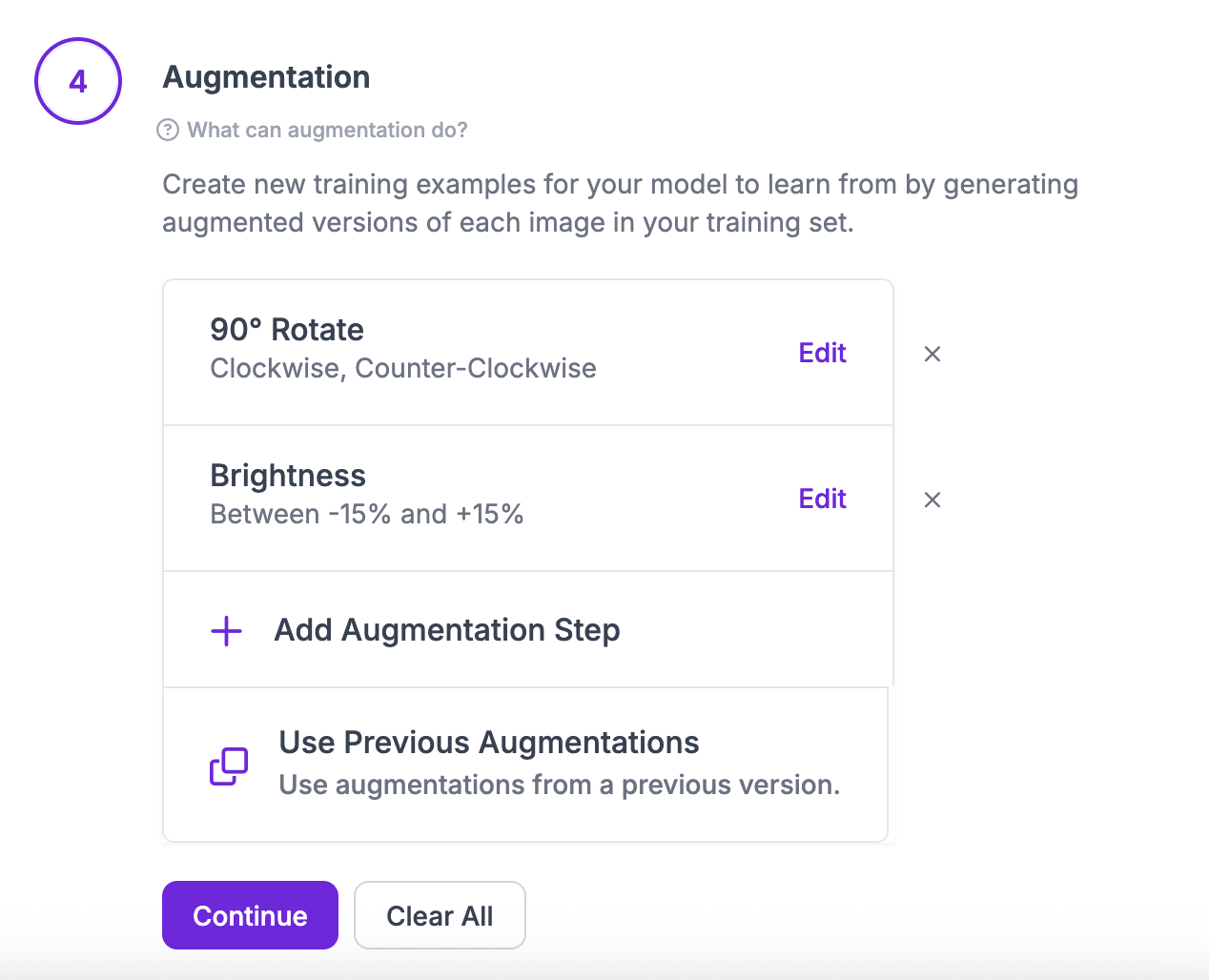
The augmentation step of a new dataset version, with 90° Rotate and Brightness added

Step 4: Export Dataset Version

After generating, you will be prompted to Export your dataset. You can choose to receive your dataset as a .zip file or a curl download link. Choose COCO Run-Length Encoding (RLE) when asked in what format you want to export your data. You will see a dropdown with various options like this:
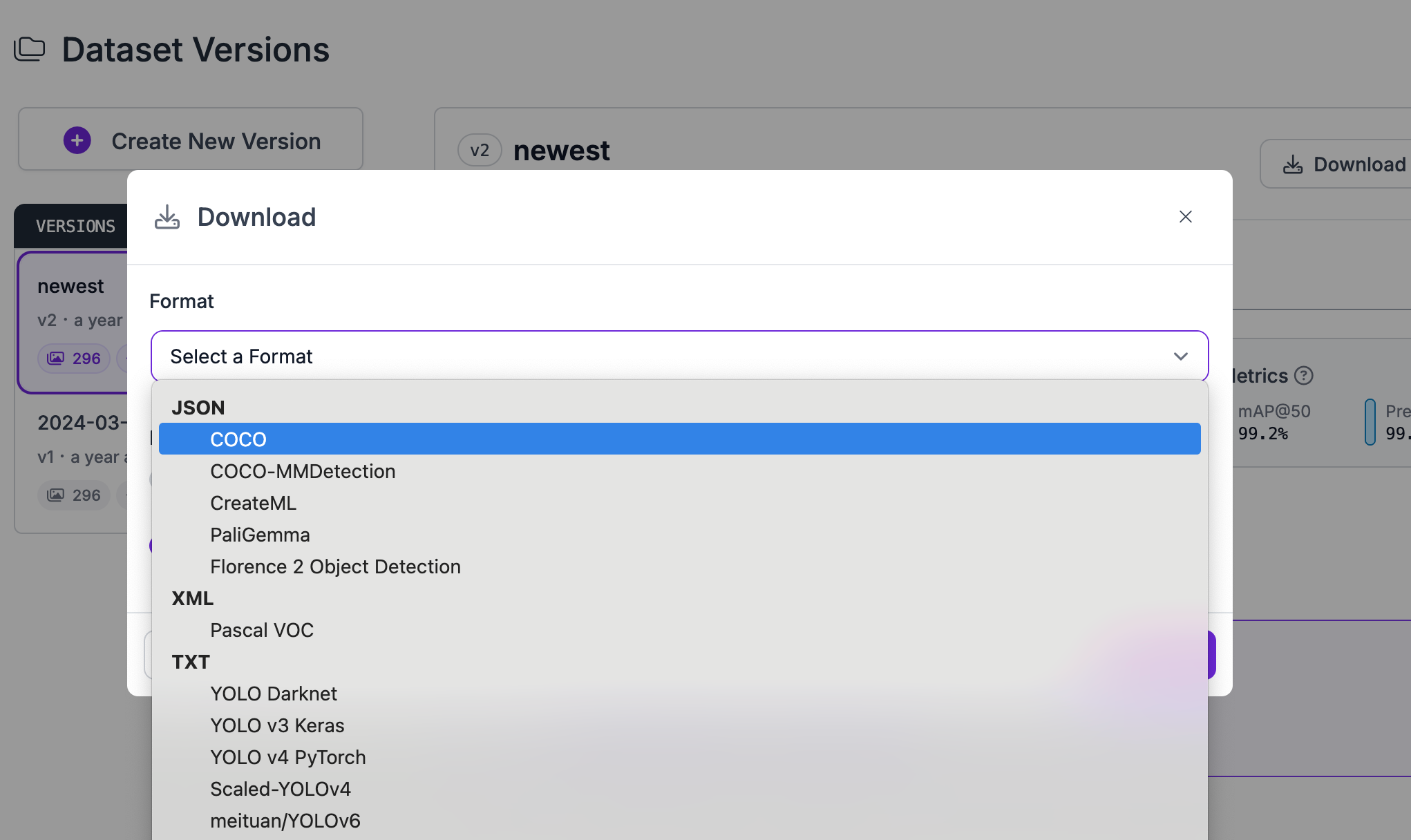
Roboflow's Download dialog, with the export format list open and COCO highlighted

Congratulations, you have successfully converted your dataset from OIDv4 TXT format to COCO Run-Length Encoding (RLE) format!

Video Tutorial

Convert Computer Vision Annotation Formats Tutorial

Want to dive deeper into converting annotation formats with Roboflow? In the tutorial below, we explore how to convert your data in the Roboflow dashboard. We also discuss rejecting annotations and train-test-validation splits.

Frequently Asked Questions

Yes! It is free to convert OIDv4 TXT data into the COCO Run-Length Encoding (RLE) format on the Roboflow platform.

If you have between a few and a few thousand images, converting data between these formats will be quick. But, the time it takes to convert between data formats increases with the more images you have.

Show guide

Convert other formats to COCO Run-Length Encoding (RLE)

Start where you are

Speak with an AI expert

Our team will help you start solving business problems on the first call.

  • Solution architecting
  • Live demonstration
  • Pricing and specifications
  • Feasibility assessment

Over 16,000 organizations build with Roboflow.

Rivian
Pella
Chobani
USG Corporation
BNSF Railway
American Woodmark
Outcomes
Patrick Industries
Peer Robotics
Create Roboflow Workspace