Visual Intelligence Summit: Oct 22 in San Francisco Get your ticket

Maximo Visual Inspection is locked to IBM's suite and IBM's models, Roboflow lets you build your own

IBM Maximo Visual Inspection alternatives? Over 2 million engineers create datasets, train models, and deploy to production with Roboflow.
Why are enterprises choosing Roboflow?

The turnkey solution for vision AI. Create datasets, train models, and deploy to production.

  • Modern models, your choice

    Train RF-DETR, YOLO26, and other current architectures on your own images, then export the weights and run them anywhere.

  • No suite, no OpenShift

    Sign up in a browser and start today. Deploy to a Jetson, a server, or the cloud without a Maximo entitlement or a Red Hat cluster.

  • Vision sub-agents for frontier models

    Every trained model is exposed over MCP so GPT-6 Astra and Gemini can call it when they need to see an asset precisely.

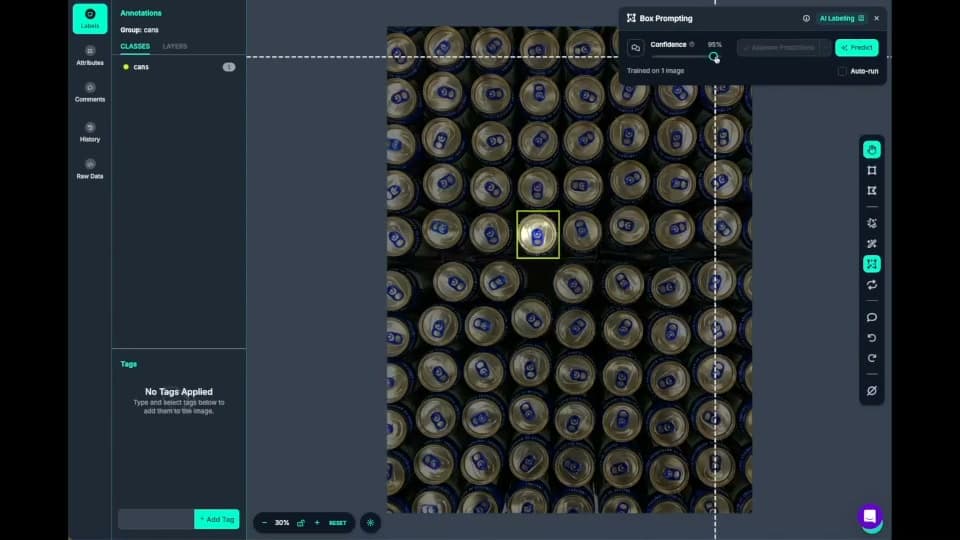
  • Roboflow Annotate labeling cans with AI box prompting

    Fast data labeling

    Label data quickly with a suite of AI-assisted annotation tools to augment human labeling or fully automate your data labeling pipeline.
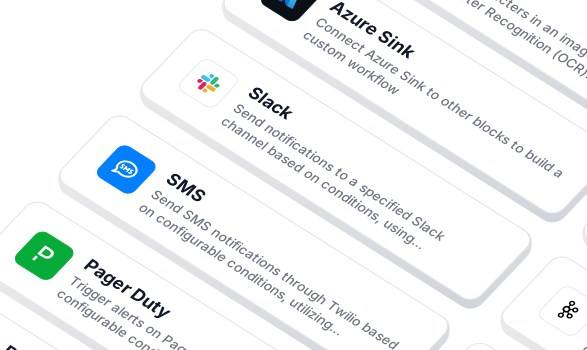
  • Workflow blocks for notifications and integrations

    Build vision AI applications with ease

    Use a low-code open source platform to simplify building and deploying vision AI applications.
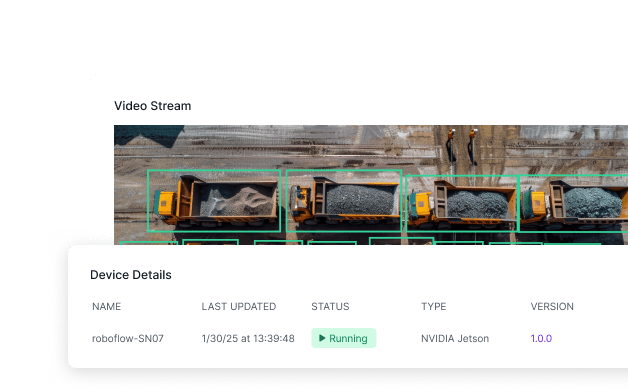
  • A video stream with detections and its NVIDIA Jetson device running

    Edge deployment

    Cloud and edge deployments (NVIDIA Jetson, Raspberry Pi, or mobile devices) for real-time, on-premise inference.
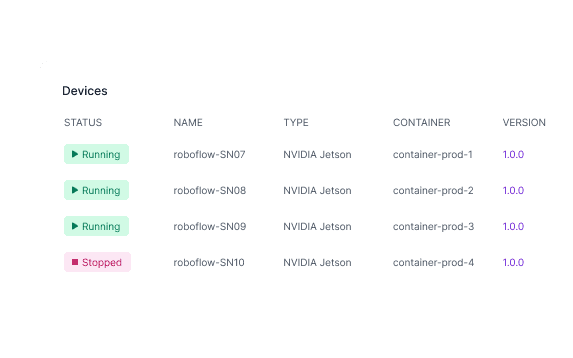
  • A list of NVIDIA Jetson devices and their status

    Devices for every scenario

    Software, compute, cameras: all the tools you need to deploy vision AI.
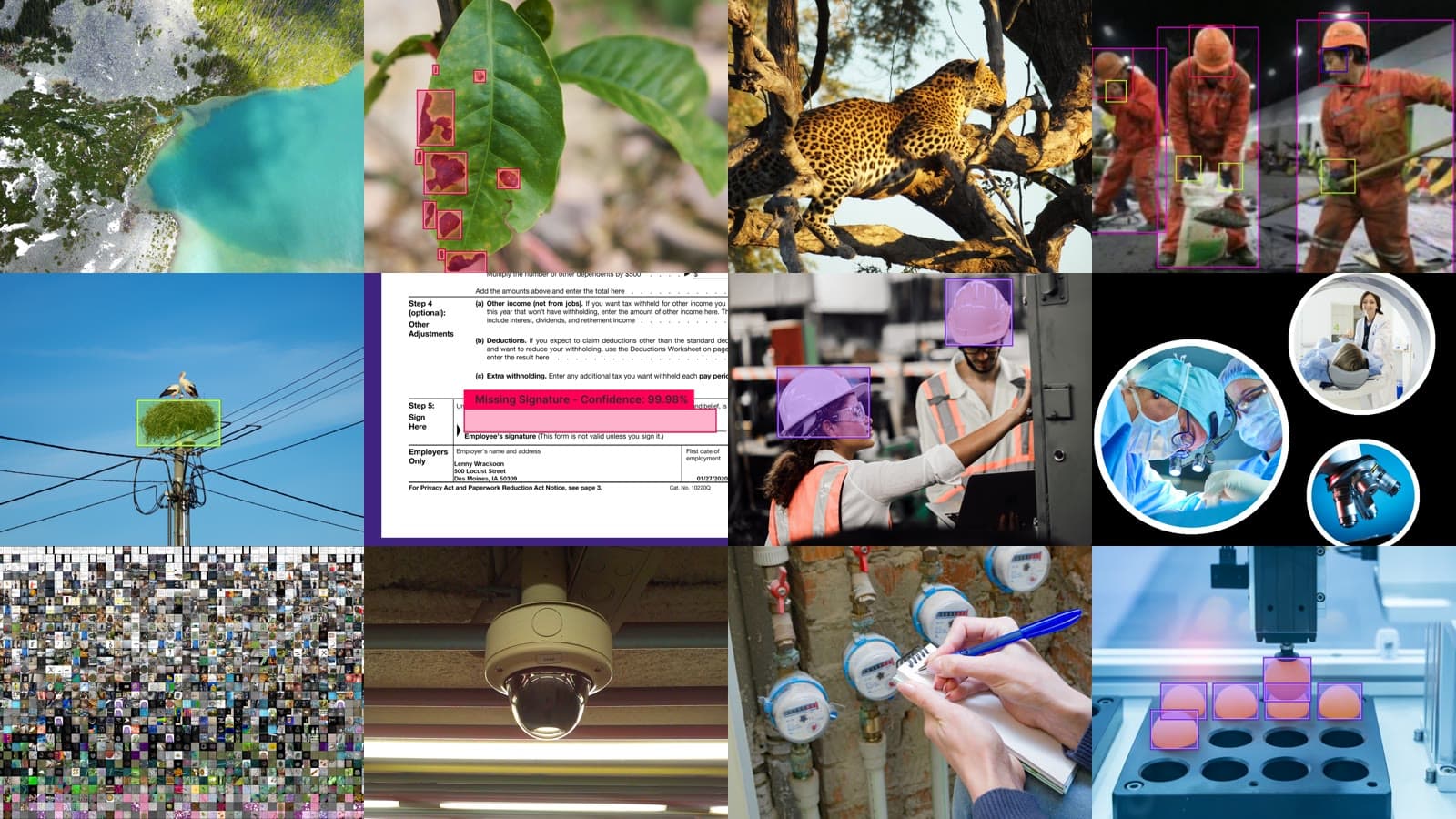
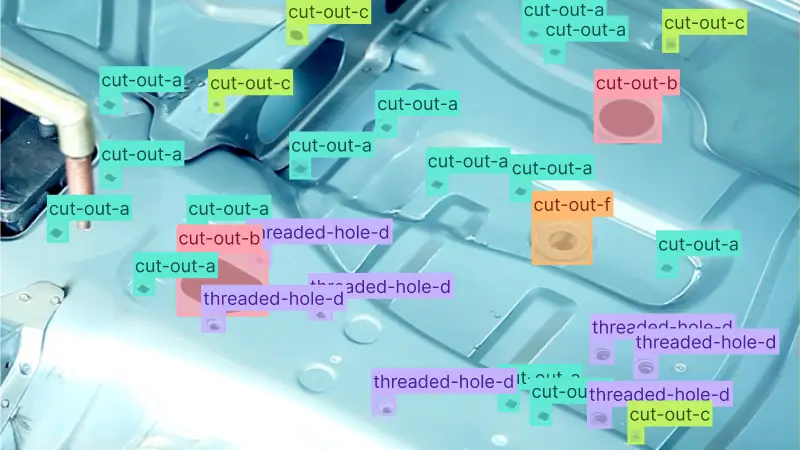
  • Photos from datasets across industries

    Datasets and models for every industry

    Access thousands of datasets and pre-trained models to kickstart your computer vision projects.
  • Logos of OpenAI, Microsoft, Meta, Anthropic, Google and Qwen

    Flexible model licensing

    Choose from a range of licensing options to fit your needs, whether for commercial use, private deployment, or collaboration across teams.

Ready to move from Maximo Visual Inspection to Roboflow?

  • Import your datasets

    Export images and labels from MVI and upload them to Roboflow; Auto Label with GPT-6 Astra and Gemini fills in the rest.

  • Deploy with Roboflow

    Run on an NVIDIA Jetson, an air-gapped server, or the Roboflow AI1 device, and trigger PLCs from Workflows.

  • Automate data labeling

    Use AI labeling in Roboflow to automate 90% of human labeling.

OK I’m ready, how do I use Roboflow?

Roboflow makes it easy to build, train, and deploy custom computer vision models, even if you’re not a machine learning expert.

Speak with an AI expert

Our team will help you start solving business problems on the first call.

Ask us about:

  • Solution architecting
  • Live demonstration
  • Pricing and specifications
  • Feasibility assessment

Over 16,000 organizations build with Roboflow.

  • Rivian
  • Pella
  • Chobani
  • USG Corporation
  • BNSF Railway
  • American Woodmark
Start where you are
Stay connected

Get the Latest in Computer Vision First

Unsubscribe at any time. Review our Privacy Policy.

Compare IBM Maximo Visual Inspection and Roboflow

IBM Maximo Visual Inspection (MVI) is the computer vision application inside IBM Maximo Application Suite. The labeling UI is no-code, but everything around it is not. Standing it up means a Red Hat OpenShift cluster, NVIDIA GPUs, a MAS entitlement, and usually an IBM partner or Maximo integrator to install and configure it. Keeping it useful means the same people: when a fixed-list model (GoogLeNet, Faster R-CNN, YOLO v3, Detectron2) falls short on a new defect or a new camera angle, there is no newer architecture to switch to and no way to bring your own, so tuning becomes an engineering project. Results reach the plant floor only through Maximo Monitor and MQTT, which is one more integration to own. And because models export only to other MVI instances (or Core ML and TensorFlow Lite for three architectures), the work stays inside IBM's suite. The one public Gartner Peer Insights review sums it up: onboarding requires technical experience.

Teams that want to run inspection without an ML team choose Roboflow. GPT-6 Astra is the first foundation model that sees well enough to label production data, so the first pass at labeling happens before anyone on your team has trained anything: describe the classes in plain text, Auto Label with GPT-6 Astra and Gemini does the work, and Smart Polygon handles masks in one click. Training RF-DETR or YOLO26 is a button click. Workflows chains detection, OCR, counting, and PLC output on a drag-and-drop canvas, and the same screen is the line-side HMI where operators flag wrong predictions. Vision Events stores every flagged prediction with its image and sends it straight into the next training set, so the model gets better because a line operator tapped a button, not because a specialist opened a project.

Each trained model is exposed over MCP as a vision sub-agent that GPT-6 Astra and Gemini can call whenever they need to see an asset or a line precisely. And nothing is locked in: the dataset, the weights, the event history, and the deployment are yours to export and move.

Unlike black-box APIs, Roboflow gives you visibility into your model’s performance and the ability to iterate quickly. Teams choose Roboflow because it supports end-to-end development, data privacy, and long-term ownership of their vision systems.

IBM Maximo Visual Inspection vs Roboflow: who does the work

Both let a team label images, train a detection model, and run it at the edge. The difference is who has to be in the room every time the model needs to change, and whether the work you put in can ever leave the vendor's system.

FeatureRoboflowIBM Maximo Visual Inspection
Who stands it upAnyone; sign up in a browser, upload images, start labeling the same dayPlatform engineers plus an IBM partner; Red Hat OpenShift, NVIDIA GPUs, and a MAS entitlement before the first image is labeled
Who labels the dataA quality engineer or an operator; Auto Label with GPT-6 Astra and Gemini does the first pass from a text prompt, Smart Polygon powered by Segment Anything handles masksA person drawing boxes and polygons by hand; auto label only reuses a model you already trained, so someone has to train first
Who trains the modelSame person, one click; RF-DETR, YOLO (v8 / v11 / v26), Detectron2, and more, no ML background requiredNo-code UI, fixed list: GoogLeNet, Faster R-CNN, YOLO v3, Tiny YOLO v3, Detectron2, High Resolution; when one falls short there is no newer option and no custom model import since 8.7
Who keeps it accurateOperators on the line; flag a wrong prediction from the HMI and it lands in the next training set through Vision EventsWhoever owns the dataset; no operator feedback loop documented, corrections mean relabeling and retraining in the console
Who wires it to the lineThe same person, in Workflows; drag-and-drop PLC Reader, PLC Writer, and OPC UA blocks (OPC UA, Modbus TCP, EtherNet/IP)An integrator; PLC triggers over MQTT, results through Maximo Monitor into Manage work orders; OPC UA, Modbus TCP, and EtherNet/IP not documented
Who adds the next use caseSame team, same account; new dataset, new model, new Workflow, deployed to the next cameraSame specialists, more AppPoints; each new station needs GPU capacity on the cluster and a fit inside the fixed model list
DashboardsBuilt in; Vision Events aggregates predictions, images, and metadata from every camera and site, filterable by shift, line, lot, or serial rangeVia Maximo Monitor; a second MAS application to license, configure, and maintain
Sub-agents for frontier models (MCP)Yes, every trained model is exposed over MCP so GPT-6 Astra and Gemini can call it as a specialized vision tool, and agents can query Vision Events history over MCPNo for vision; the MAS 9.2 MCP server targets Maximo Manage APIs, not inspection models
Can you take the model with youYes; export weights, datasets, and event history at any timeOnly to another MVI instance, or Core ML and TensorFlow Lite for three architectures; no ONNX or PyTorch export documented
Can you take the data with youYes; export in any standard annotation formatMVI zip; built for import into another MVI instance
Camera supportAny RTSP, USB, GigE, or industrial camera, plus the Roboflow AI1 device with integrated camera and lightingRTSP/IP, USB, GigE Vision (Basler), image folders, and video via MVI Edge; iPhone camera via MVI Mobile
Edge deploymentYes, NVIDIA Jetson, x86 servers, Roboflow AI1, fully offline; open-source inference server runs on hardware you already ownYes, MVI Edge on x86 or ARM64 with an NVIDIA GPU required, Docker or Podman, managed from the central Edge Manager
Self-serve sign-up and free tierYesNo; product tour and demo request; 12-month minimum on SaaS
Time to first modelDays, on your own images, starting the same dayGated on standing up OpenShift, GPUs, and MAS; the one Gartner Peer Insights review notes onboarding requires technical experience
API and SDKYes, Python SDK, REST API, MCP server, public docsREST API with API keys; open-source Python client and CLI (IBM/vision-tools) last pinned to MVI 8.5
Open sourceYes, supervision and inference librariesClient only; the platform is proprietary
ComplianceSOC 2 Type II, HIPAA with BAAs, PCI DSSMAS SaaS holds FedRAMP Moderate for Manage and Mobile; IBM states Visual Inspection authorization is in process; SOC 2 scope for MVI not published
Air-gapped deploymentYes, Docker-based offline installYes, on customer-managed OpenShift on-premises
PricingPublished plans; free tier; usage you can see before you signAppPoints; Inspection Essentials SaaS on AWS Marketplace at $46,412 per year per unit of 5 devices, 12-month non-cancellable

The key differences

Maximo Visual Inspection assumes you have, or will hire, people who administer OpenShift, size GPUs, configure MAS, and wire MQTT into Monitor, and it assumes you will keep them, because the models and the data are built to stay inside the suite. Roboflow assumes the person who understands the parts is the person who should own the model, and gives them the tools to do it without an ML team.

  • Getting started: MVI starts with an infrastructure project. Roboflow starts with a browser tab and a folder of images, on a free plan, the same afternoon.
  • Labeling without a specialist: MVI's auto label can only reuse a model you already trained, so the first dataset is drawn by hand. Roboflow's Auto Label starts from GPT-6 Astra and Gemini, so a quality engineer types the class names and reviews the result instead of drawing every box.
  • Tweaking without a specialist: when an MVI model misses a new defect, the fix is more hand labeling and a retrain inside a model list that has not changed in years. In Roboflow an operator flags the miss from the HMI, the flagged image goes into the next training set through Vision Events, and retraining on RF-DETR or YOLO26 is one click for the same engineer who built it.
  • Integration without an integrator: MVI reaches the line through MQTT into Maximo Monitor, which is a second application to license and configure. Roboflow's Workflows canvas has PLC Reader, PLC Writer, and OPC UA blocks, so the person who built the model also connects it to the PLC and builds the operator screen.
  • Frontier model integration: Roboflow exposes each trained model over MCP, so GPT-6 Astra or Gemini can hand off precise visual tasks to a sub-agent that knows your assets, and can query Vision Events for questions like which site had the most flagged predictions this month. The same frontier models that labeled the data end up calling the model it produced. MVI has no generative AI or MCP surface for vision.
  • Leaving: MVI exports models to other MVI instances, and datasets as MVI zips. Roboflow exports weights, datasets in standard formats, and event history at any time, so the work your team put in is portable and there is no lock-in to price against at renewal.

Maximo Visual Inspection fits enterprises standardized on Maximo with a platform team to run it. Roboflow fits teams who want the quality engineer, not an ML department, to build, tune, and own their vision models, from the first defect detection station to every camera and drone in the fleet, with Vision Events tracking the results and frontier models calling the models over MCP.

Roboflow

End-to-end computer vision platform (annotate, train, deploy)

IBM Maximo Visual Inspection

Computer vision application inside IBM Maximo Application Suite

Scale & Ecosystem

Roboflow

  • 2,000,000+ developers on the platform
  • 1,000,000+ public datasets on Roboflow Universe
  • 100,000+ pre-trained models hosted publicly
  • 25,000+ organizations building with the platform, including more than half of the Fortune 100 (publicly cited: Rivian, Chobani, USG, Pella)
  • One platform for inspection, assembly verification, logistics, safety, and every other vision use case in the plant or the field

IBM Maximo Visual Inspection

  • Part of IBM Maximo Application Suite, IBM's enterprise asset management platform; lineage runs from PowerAI Vision to Visual Insights to MVI
  • Publicly named users include Verizon, Sund & Bælt, AMRC, and nybl (power-line inspection); most references are asset inspection with drones and field cameras rather than production lines
  • Delivered largely through IBM partners and Maximo integrators, who also handle installation, upgrades, and integration; a single Gartner Peer Insights review as of September 2026
  • No public catalog of datasets or pre-trained models beyond seven bundled base models for transfer learning

Product Capabilities (Computer Vision)

Roboflow

  • Native support for object detection, instance and semantic segmentation, image classification, keypoint detection, OCR, depth estimation, and multimodal tasks
  • Train on your own images with RF-DETR, YOLO (v8 / v11 / v26), Detectron2, and other current architectures, then retrain as parts, lighting, and defects change; pick, swap, and export model weights
  • Auto Label uses foundation models (GPT-6 Astra, Gemini) to label images for classes you define in a text prompt; Smart Polygon creates one-click polygon annotations powered by Meta AI's Segment Anything
  • Every trained model is exposed over MCP as a specialized vision sub-agent that GPT-6 Astra and Gemini can call; Roboflow Workflows chains detection, OCR, business logic, and PLC output into a single pipeline
  • Vision Events stores every prediction, image, and operator correction from every deployment in one searchable dashboard, filterable by shift, line, lot, or serial range; flagged events feed straight back into training
  • Roboflow AI1 packages onboard AI compute, integrated lighting, and an industrial camera into a plug-and-play inspection device

IBM Maximo Visual Inspection

  • Image classification, object detection, polygon segmentation via Detectron2, video action detection, and an anomaly-optimized detection model; OCR and barcode reading in the iPhone app
  • Training limited to IBM's fixed list (GoogLeNet, Faster R-CNN, YOLO v3, Tiny YOLO v3, Detectron2, High Resolution); SSD is inference-only since 9.1 and custom model import has been unsupported since 8.7, so there is no path to a newer architecture when accuracy stalls
  • Auto label reuses a model you already trained at a confidence threshold you set; no foundation-model or zero-shot labeling, so the first dataset is labeled by hand
  • Export as MVI zip, Core ML (GoogLeNet, YOLO v3, Tiny YOLO v3), TensorFlow Lite, or TensorRT on Edge; no ONNX or PyTorch export documented
  • No generative AI or foundation models inside MVI; the MAS 9.2 MCP server targets Maximo Manage APIs, not inspection models
  • No operator feedback loop documented; improving a deployed model means relabeling and retraining in the console

Developer Experience

Roboflow

  • Free tier: sign up and start labeling, training, and deploying today without talking to sales or standing up infrastructure
  • Line-side HMI built on Workflows, with a visual drag-and-drop canvas for chaining detection, OCR, counting, and PLC output without code; operators flag wrong predictions from the same screen
  • PLC Reader, PLC Writer, and OPC UA blocks speak OPC UA, Modbus TCP, and EtherNet/IP, configured by the same person who trained the model
  • Trained models are served over MCP so frontier models can call them as tools, and the Vision Events skill lets agents query event history in natural language
  • Open-source supervision library and open-source inference server, self-hostable on hardware you already own; Python SDK plus REST/HTTP APIs and public documentation for the teams that do have engineers

IBM Maximo Visual Inspection

  • No self-serve sign-up or free tier; IBM offers a product tour and a booked demo, and the SaaS package carries a 12-month non-cancellable term
  • No-code web UI for datasets, labeling, training, and deployment, but only after OpenShift, NVIDIA GPU drivers, storage classes, and MAS are administered by a platform team
  • PLC triggers arrive over MQTT; results route to Maximo Monitor and on to Manage work orders through condition monitoring, an integration typically built by a Maximo partner; OPC UA, Modbus TCP, and EtherNet/IP not documented
  • REST API with API-key auth and an Apache-2.0 Python client and CLI (IBM/vision-tools) whose README references MVI 8.5
  • Documentation is IBM Docs plus partner blogs; no MCP server for vision and no open-source inference runtime

Enterprise & Security

Roboflow

  • SOC 2 Type II compliant
  • HIPAA-compliant infrastructure with BAAs available
  • PCI DSS (SAQ A and AOC) compliance
  • Deployment options: managed cloud, customer VPC, on-premises, and fully air-gapped / offline (Docker-based) with no cloud dependency to keep inference running
  • Published plans; pricing scales with usage you can see before you sign
  • Export your data, model weights, and event history at any time, so there is no lock-in to price against

IBM Maximo Visual Inspection

  • MAS SaaS achieved FedRAMP Moderate in 2026 for Manage and Mobile; IBM states Visual Inspection authorization is still in process
  • SOC 2 and ISO 27001 scope for MVI specifically not published on pages reviewed; MAS SaaS inherits IBM Cloud and AWS controls
  • Deployment options: SaaS on AWS or IBM Cloud, Azure Red Hat OpenShift, on-premises OpenShift, and customer-managed clusters for air-gapped sites; every option requires NVIDIA GPUs (16 GB VRAM minimum per partner guidance)
  • Licensing by AppPoints (historically 45 per MVI install plus per-user tiers); Inspection Essentials SaaS listed at $46,412 per year per unit of 5 devices, 10,000 inferences per hour, and 500 GB
  • Datasets export as MVI zip and models are portable only to other MVI instances or three Core ML-supported architectures, so switching vendors means starting the labeling over

Sources: roboflow.com, docs.roboflow.com, blog.roboflow.com, security.roboflow.com, universe.roboflow.com, github.com/roboflow, ibm.com/products/maximo/asset-inspection, ibm.com/products/maximo/pricing, ibm.com/docs (Maximo Visual Inspection), ibm.com/support (MVI service updates), ibm.com/new/announcements, aws.amazon.com/marketplace, github.com/IBM/vision-tools, apps.apple.com, gartner.com/reviews, and IBM partner documentation. Figures reflect publicly available information as of September 2026.