Frame Grabber vs GigE

Choose how your cameras connect. Roboflow runs on the images either way.

GigE Vision cameras plug into a standard Ethernet port and run up to 100 m on network cable. Frame grabbers are PCIe cards for CoaXPress and Camera Link cameras that need more bandwidth, lower latency, and tighter sync. Train a vision model in Roboflow and run it on images from either. Over 2 million developers build with Roboflow.
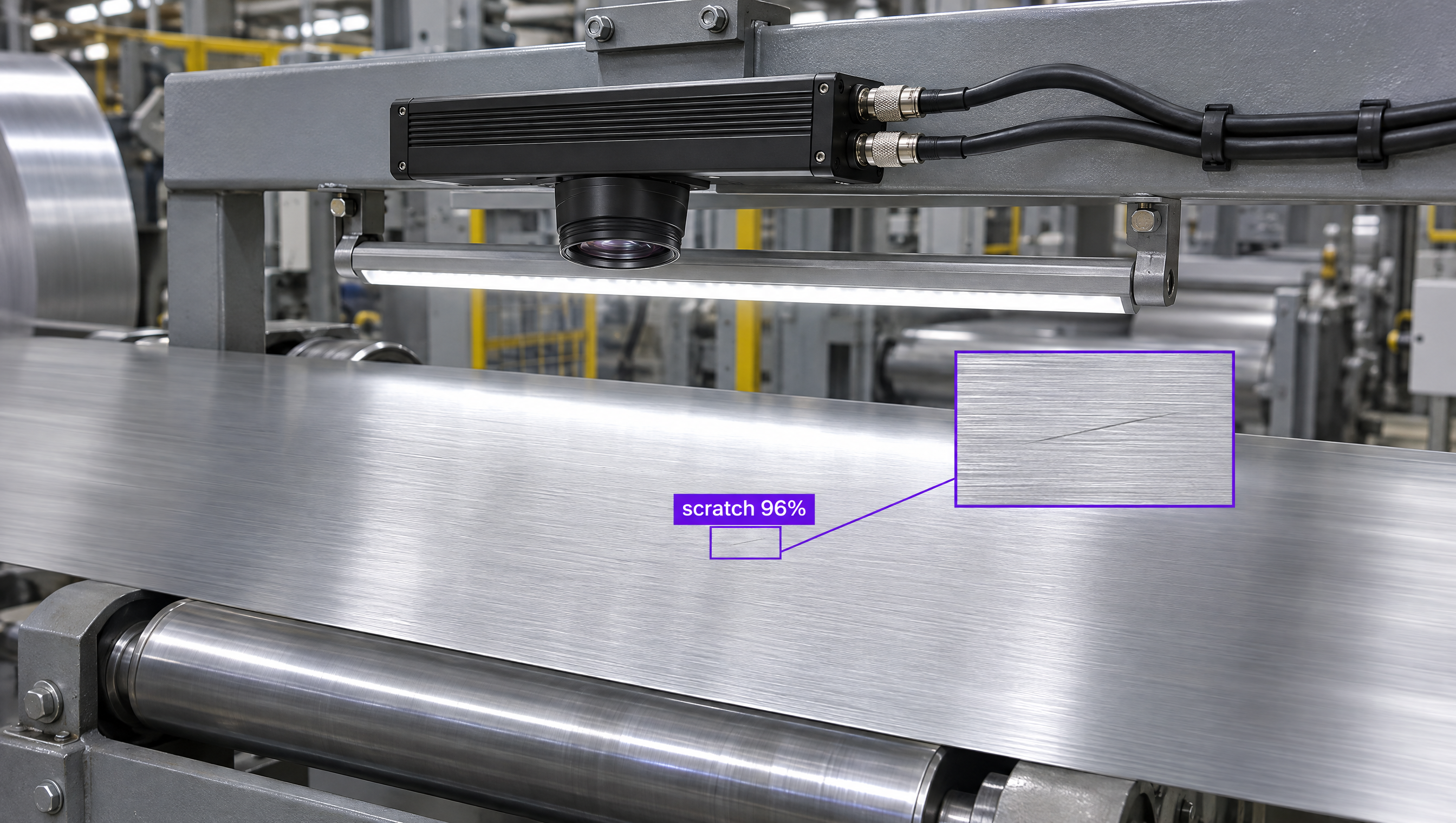
Machine vision cameras on an inspection line sending images to a vision AI model.

Why are companies choosing Roboflow?

Roboflow is enterprise vision AI infrastructure, used by more than half of the Fortune 100, with SOC 2 Type II, HIPAA, and air-gapped deployment. Create datasets, train models, and deploy to production.

  • One Model, Any Camera Interface

    Train once in Roboflow and run the same model on images from GigE, USB, or frame-grabber cameras.

  • Basler and LUCID Built In

    Roboflow devices find Basler cameras on GigE or USB and LUCID GigE cameras, and add them as streams.

  • Runs Next to the Line

    Process images on an edge device or industrial PC at the machine, with TensorRT acceleration on NVIDIA hardware.

Which interface fits your inspection?

Roboflow runs the same model on images from either, so you can pick the interface each station needs.

  • GigE Vision: Standard Ethernet, Long Cables

    Up to 1 Gbit/s, or 10 Gbit/s on 10GigE, over cables up to 100 m with no extra card. Best for most inspection stations.

  • Frame Grabber: Bandwidth and Precision

    CoaXPress 2.0 carries up to 12.5 Gbit/s per cable with latency in microseconds. Best for high-resolution, high-speed, or tightly synchronized cameras.

  • Both: Mixed Lines

    Use GigE for most stations and a frame grabber where one camera needs the most bandwidth or exact triggering.

OK I’m ready, how do I use Roboflow?

Roboflow makes it easy to build, train, and deploy custom computer vision models, even if you’re not a machine learning expert.

Talk to a Vision AI engineer about your camera setup

Not sure which interface your inspection needs? Bring Roboflow your cameras and use case and we'll show you a model running on your images on the first call.

Ask us about:

  • A plan for connecting your GigE, CoaXPress, or Camera Link cameras
  • A live demo of a model trained on your own images
  • Roboflow hardware that runs models next to your line
  • Your trained model served over MCP, so frontier models can call it

Over 80,000 organizations build with Roboflow.

  • Rivian
  • Pella
  • Chobani
  • USG Corporation
  • BNSF Railway
  • American Woodmark
Start where you are

Compare Frame Grabbers and GigE Vision

GigE Vision and frame grabbers are two ways to get images from a machine vision camera into a computer. The right one depends on how much data you move and how precisely you need to time it.

GigE Vision cameras connect through a standard Ethernet port, so most PCs need no extra card. They carry up to 1 Gbit/s, or 10 Gbit/s with 10GigE, over network cable up to 100 m, with latency in the millisecond range. That covers many standard inspection tasks at a lower system cost.

A frame grabber is a PCIe card that acquires, buffers, and transfers images into system memory, and higher-bandwidth interfaces such as CoaXPress and Camera Link require one. CoaXPress 2.0 carries up to 12.5 Gbit/s per cable with latency of a few microseconds and precise hardware triggering, which suits high-speed and multi-camera systems such as automated optical inspection. The tradeoff is a higher system cost and shorter cables at full bandwidth.

Whichever interface you choose, Roboflow handles the vision model. Label images with Auto Label, train a model such as RF-DETR (opens in a new tab), Roboflow's open-source detection, segmentation, and keypoints model, and deploy it with Roboflow's open-source Inference server (opens in a new tab), which serves models and Workflows over HTTP, so the application that captures frames from your frame grabber can send them for predictions. On Roboflow devices, you can add Basler and LUCID GigE cameras (opens in a new tab) as streams directly.

Teams can also use Roboflow Workflows to build applications that combine computer vision models with business logic, then run them on Basler and LUCID camera setups, an industrial PC, or NVIDIA Jetson next to your line.

For organizations building production computer vision applications in manufacturing, logistics, electronics, or food processing, Roboflow offers a complete training-to-deployment solution for the cameras you already run.

Frame Grabber vs GigE: Feature by Feature

FeatureFrame Grabber (CoaXPress, Camera Link)GigE Vision
What it isPCIe card that acquires, buffers, and transfers images from CoaXPress or Camera Link camerasCamera interface standard that sends images over Ethernet
Extra hardwareA compatible frame grabber card in the PCA standard Ethernet port; a dedicated network card helps with several cameras
BandwidthCoaXPress 2.0: up to 12.5 Gbit/s per cable, with several links per card; Camera Link HS: 10 Gbit/s per laneUp to 1 Gbit/s (GigE) or 10 Gbit/s (10GigE)
LatencyA few microseconds, deterministic with very low jitter (CoaXPress 2.0)Millisecond range
Cable lengthUp to 40 m at maximum CoaXPress bandwidthUp to 100 m on standard network cable
Sync and triggeringPrecise, hardware-basedDepends on the network
System costHigher, since a frame grabber is requiredLower, on standard hardware
Best forHigh-speed, high-resolution, multi-camera systems such as automated optical inspectionMost inspection stations with moderate latency needs
Works with RoboflowYes, send captured frames to Roboflow Inference over HTTPYes, Roboflow devices connect Basler and LUCID GigE cameras as streams

Which One Should You Choose?

  • Choose GigE Vision for most inspection stations: standard hardware, long cables, and moderate latency.
  • Choose a frame grabber with CoaXPress or Camera Link cameras for very high resolution or speed, or when several cameras need exact sync and triggering.
  • Mix them when most stations run on GigE and one needs more bandwidth.
  • Whichever you pick, train and deploy the vision model with Roboflow and run it on images from every camera on the line.

More on Machine Vision Cameras and Roboflow