Labelbox vs Label Studio

Labelbox and Label Studio help you label. Roboflow takes labels to production.

Labelbox focuses on training data for frontier AI labs, and Label Studio is an open-source labeling tool you connect your own models to. If you're building computer vision on your own images and videos, Roboflow auto labels your classes, trains a model, and deploys it to the cloud or your own hardware. Over 2 million developers build with Roboflow.

Automated optical inspection camera scanning circuit boards on a conveyor belt, detecting a missing component using computer vision.

Why are companies choosing Roboflow?

Roboflow is enterprise vision AI infrastructure, used by more than half of the Fortune 100, with SOC 2 Type II, HIPAA, and air-gapped deployment. Create datasets, train models, and deploy to production.

  • Built for Computer Vision

    Labeling, training, and deployment built around images and video, from the first box to a model in production.

  • AI Labeling Built In

    Auto Label drafts annotations from a text prompt, with no ML backend to host. Your domain experts review the results.

  • From Labels to Production

    Train a model on your dataset, then deploy it through a hosted API, in your VPC, or on edge devices, online or offline.

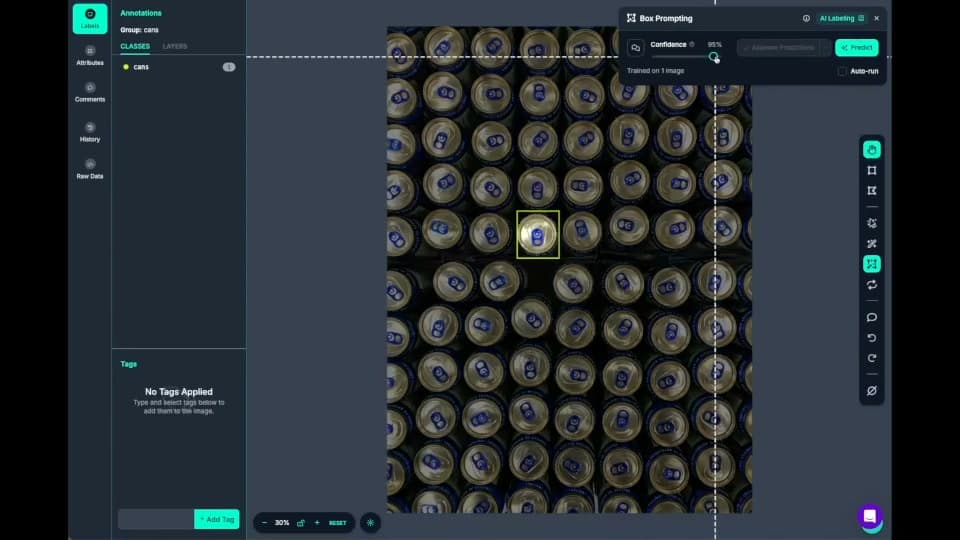
  • Roboflow Annotate labeling cans with AI box prompting

    Fast data labeling

    Label data quickly with a suite of AI-assisted annotation tools to augment human labeling or fully automate your data labeling pipeline.
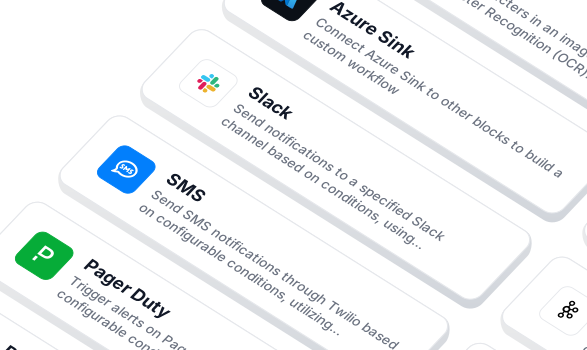
  • Workflow blocks for notifications and integrations

    Build vision AI applications with ease

    Use a low-code open source platform to simplify building and deploying vision AI applications.
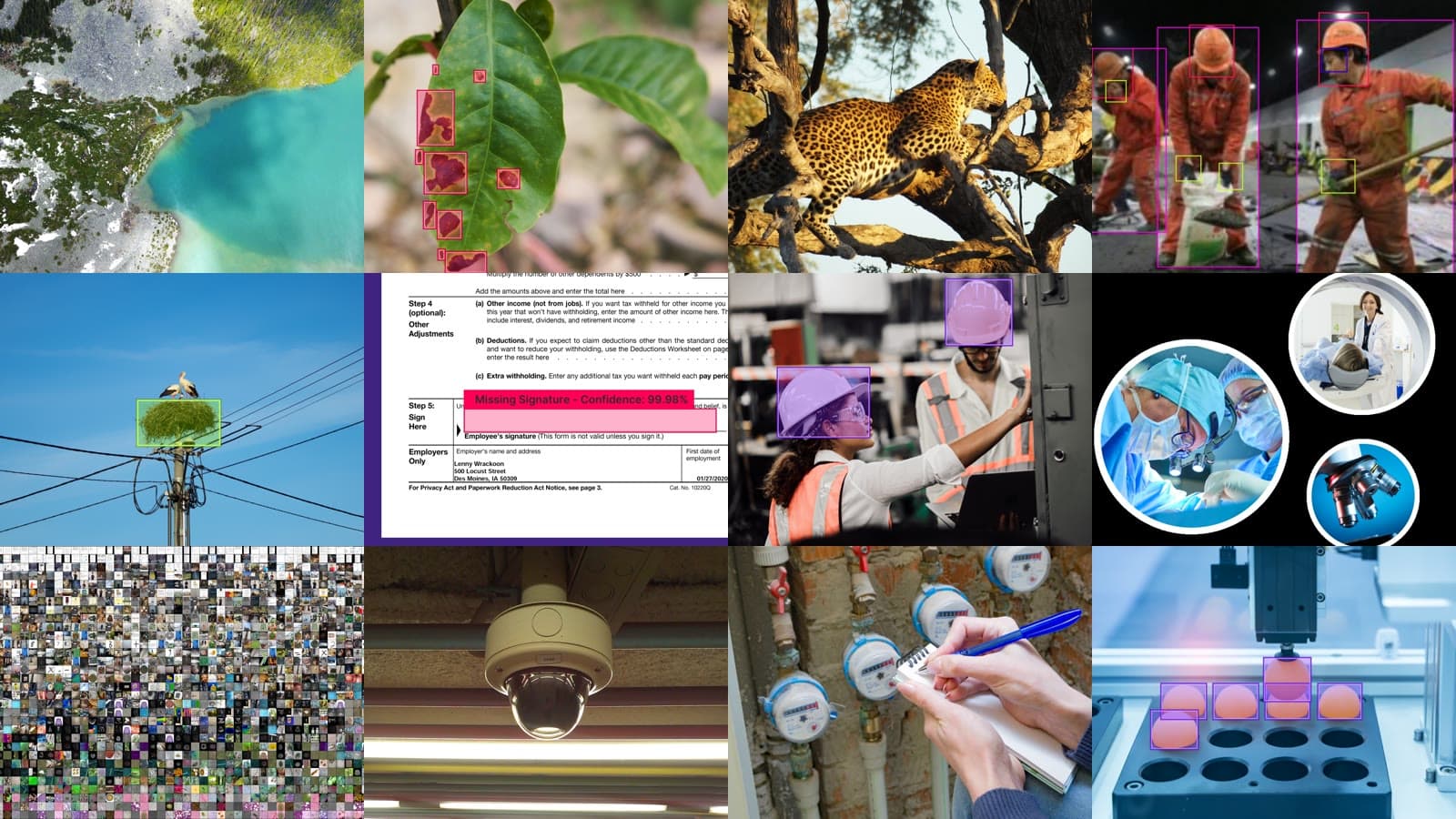
  • Photos from datasets across industries

    Datasets and models for every industry

    Access thousands of datasets and pre-trained models to kickstart your computer vision projects.
  • Logos of OpenAI, Microsoft, Meta, Anthropic, Google and Qwen

    Flexible model licensing

    Choose from a range of licensing options to fit your needs, whether for commercial use, private deployment, or collaboration across teams.

Switching from Labelbox or Label Studio?

  • Import images to Roboflow

    Upload the images and annotations you already have, in COCO, YOLO, or 40+ other formats, and keep labeling in Roboflow.

  • Deploy with Roboflow

    No matter where you train your model, use Roboflow's trusted deployment solutions.

  • Automate data labeling

    Use AI labeling in Roboflow to automate 90% of human labeling.

OK I’m ready, how do I use Roboflow?

Roboflow makes it easy to build, train, and deploy custom computer vision models, even if you’re not a machine learning expert.

Talk to a Vision AI engineer before you pick a labeling tool

Weighing Labelbox and Label Studio? Bring Roboflow your labeling project and we'll show you the path from labels to a deployed model on the first call.

Ask us about:

  • Import of your existing labels in COCO, YOLO, or 40+ other formats
  • A live demo of Auto Label on your own images, reviewed by your team
  • Training and deployment in one platform: cloud, VPC, on-prem, edge, or air-gapped
  • Your trained model served over MCP, so frontier models can call it

Over 80,000 organizations build with Roboflow.

  • Rivian
  • Pella
  • Chobani
  • USG Corporation
  • BNSF Railway
  • American Woodmark
Start where you are

Compare Labelbox, Label Studio and Roboflow

Labelbox, Label Studio, and Roboflow are AI data platforms, but they serve different needs.

Labelbox focuses on training data, expert annotation, reinforcement learning, and model evaluation, particularly for frontier AI labs and enterprises building generative AI systems. Label Studio, from HumanSignal, is an open-source labeling tool for images, video, text, audio, and time series data, which teams can self-host for free or run as a hosted Starter Cloud or Enterprise edition. Roboflow is an end-to-end computer vision platform that enables developers and enterprises to build, train, evaluate, and deploy vision AI applications without managing separate tools for each stage.

Unlike tools primarily focused on producing labeled data, Roboflow combines AI-assisted image and video annotation, dataset management, model training, model evaluation, and production inference in one platform.

Roboflow Auto Label is ready to use without connecting your own ML backend. It drafts annotations from a text prompt, your engineers and domain experts review them, and the reviewed images become a versioned dataset. Train a model such as RF-DETR (opens in a new tab), Roboflow's open-source object detection, segmentation, and keypoint model released under the Apache 2.0 license for commercial use - on it, then deploy through a hosted API or run it on your own hardware with Roboflow's open-source Inference server, fully offline if you need.

Teams can also use Roboflow Workflows to build applications that combine computer vision models with business logic, then deploy them to the cloud, on-premises infrastructure, or edge devices such as NVIDIA Jetson.

For organizations building production computer vision applications in manufacturing, logistics, robotics, healthcare, or retail, Roboflow offers a more complete training-to-deployment solution.

Labelbox vs Label Studio vs Roboflow: Feature by Feature

FeatureRoboflowLabelboxLabel Studio
Main focusComputer vision; labeling, training, and deployment for images and videoFrontier AI labs; RL environments, evals, and expert data for post-training, plus enterprise agentsGeneral-purpose labeling; open-source data labeling, AI evaluation, and human-in-the-loop workflows
Data and task typesComputer vision; object detection, instance and semantic segmentation, classification, keypoints, OCR, depth estimation, and multimodal tasksBroad multimodal; image, video, text, documents, geospatial, audio, conversational text, and HTML, plus LLM evaluation editorsBroad multimodal; images, video, text, documents, audio, time series, and LLM and agent evaluation
Open sourceYes, open-source supervision and inference libraries that run alongside the Roboflow platformSDK only; open-source Python SDK (Apache-2.0); the platform itself is hosted by LabelboxYes, the Community edition is open source (Apache-2.0)
Hosting optionsManaged cloud, customer VPC, on-premises, and fully air-gapped / offlineLabelbox-hosted on Google Cloud, with customer-hosted assets via signed URLs or delegated access; on-premises and air-gapped not documentedSelf-host the Community edition, use hosted Starter Cloud, or run Enterprise in the cloud or on-premises
AI-assisted labelingYes, built in; Auto Label labels the classes you describe in a text prompt; Smart Polygon powered by Meta AI's Segment Anything; Label Assist pre-annotates with your own trained modelsYes; Foundry runs foundation models to generate labels, AutoSegment uses Meta's Segment Anything, and pre-labels from your own models can be imported for reviewVia your own ML backend; LLM pre-labeling in Starter Cloud, full auto-labeling in Enterprise
Labeling team workflowYes, Admin, Labeler, and Reviewer roles with assignment tracking; annotation history with version revertYes, custom labeling and review workflows and a project performance dashboard on Starter and abovePaid editions; quality workflows, task distribution, and roles in Starter Cloud and Enterprise; not in the Community edition
Managed labelingAvailable; a managed labeling service is availableYes; the Alignerr expert network, plus managed labeling with a quality SLA on EnterpriseYes; a separate Data Services offering with domain-expert annotators, priced by scoping call
Dataset toolsBuilt in; dataset versioning, train/valid/test splits, preprocessing, and augmentationCatalog; connects to 25+ cloud sources, with vector and traditional search and curationBasic; projects organize data with cloud storage sync; no augmentation
Export formats40+ formats, including COCO, YOLO, and Pascal VOCJSON; per-data-type JSON exports; COCO, YOLO, and Pascal VOC exports not documentedJSON, CSV, COCO, YOLO, Pascal VOC, and brush masks
Train your own vision modelYes, RF-DETR, YOLO (v8 / v11 / v26), Detectron2, and moreBring your own; custom models plug in for pre-labeling and error analysis; native training not documentedNo; Label Studio does not train or host models
Edge deploymentYes, NVIDIA Jetson, GPU servers, Raspberry Pi, x86, or Roboflow AI1, online or fully offlineNot documentedNo; no model deployment
Self-hosted inference serverYes, open-source inference server for custom and foundation modelsNot documentedFor labeling only; label-studio-ml-backend wraps your own model as a prediction server for pre-labeling
Application builderYes, Roboflow Workflows chains models with business logic and integrationsNot documentedNo
Public datasets and modelsYes, 1,000,000+ datasets and 250,000+ pre-trained models on Roboflow UniverseNot documentedNot documented
ComplianceSOC 2 Type II, HIPAA with BAAs, PCI DSSSOC 2 Type II, HIPAA compliance program, GDPR, and CCPA; PCI DSS and NIST 800-171 also listed on labelbox.comSOC 2 and HIPAA for Label Studio Enterprise; PCI DSS not documented
PricingPublished plans; every plan, including Free, includes self-hosted inference, model weights download, and a private workspaceFree plan (up to 30 users and 50 projects), Starter, and custom-priced Enterprise; labeling services priced per hourFree open-source Community edition; Starter Cloud at $99 a month for up to 12 users ($49 per additional user); custom-priced Enterprise

Which One Should You Choose?

  • Choose Labelbox if you need hosted labeling software across many data types, with expert labeling services, and plan to train models somewhere else.
  • Choose Label Studio if you want a free, open-source labeling tool you can self-host and customize, and your team can run its own ML backend for pre-labeling.
  • Choose Roboflow if you're building computer vision and want labeling, training, and deployment in one place, with your own experts reviewing the labels.

More Comparisons