Keyence and Roboflow

Keyence is built around rule-based machine vision, Roboflow is built on deep learning

Rules work when every part looks the same. When parts, lighting, and defects vary, manufacturers like USG, Pella, and Rivian train deep learning models with Roboflow on the cameras already on their lines.
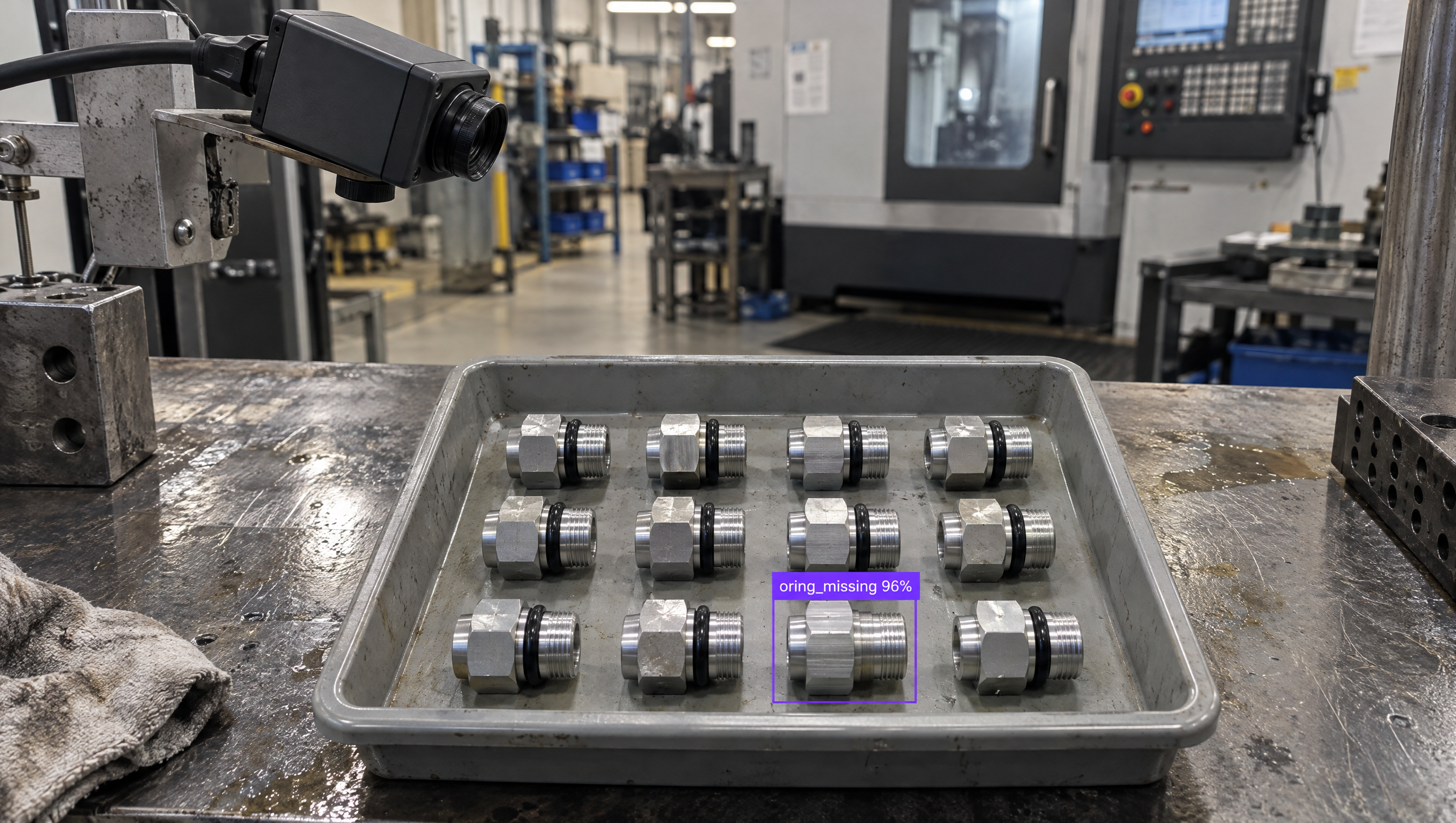
An industrial camera uses AI to inspect metal fittings in a tray, highlighting one with a "missing o-ring".

Why are companies choosing Roboflow?

Roboflow is enterprise vision AI infrastructure, used by more than half of the Fortune 100, with SOC 2 Type II, HIPAA, and air-gapped deployment. Over 2 million engineers use it to create datasets, train models, and deploy to production.

  • Learns from your parts

    Deep learning models train on your own images, so they handle natural variation in finish, lighting, and position instead of breaking on a fixed threshold.

  • Tougher defects, caught

    Find subtle, irregular defects on wood, castings, textiles, food, and textured surfaces, where fixed rules tend to flag good parts and miss bad ones.

  • Any camera, models you own

    Run on the cameras already on your line, choose RF-DETR or YOLO26, and export the weights.

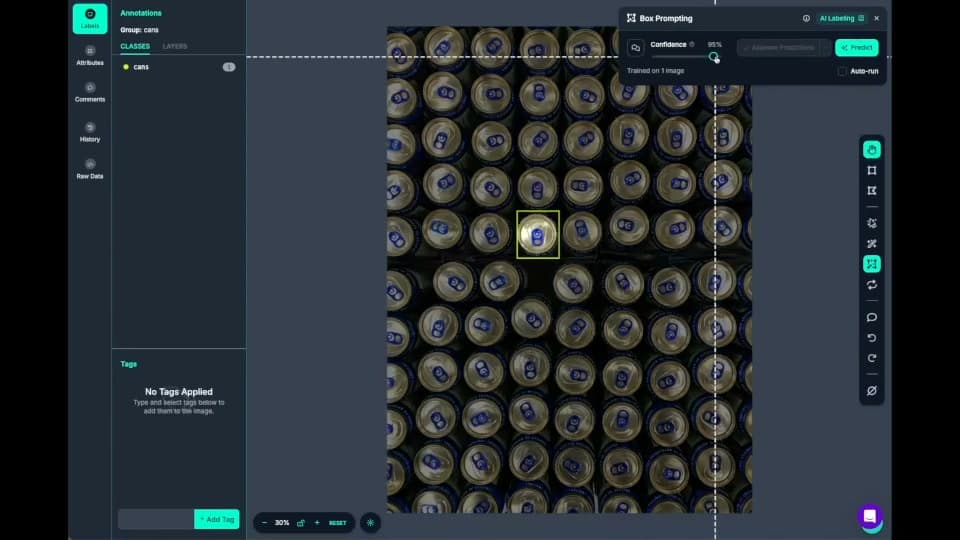
  • Roboflow Annotate labeling cans with AI box prompting

    Fast data labeling

    Label data quickly with a suite of AI-assisted annotation tools to augment human labeling or fully automate your data labeling pipeline.
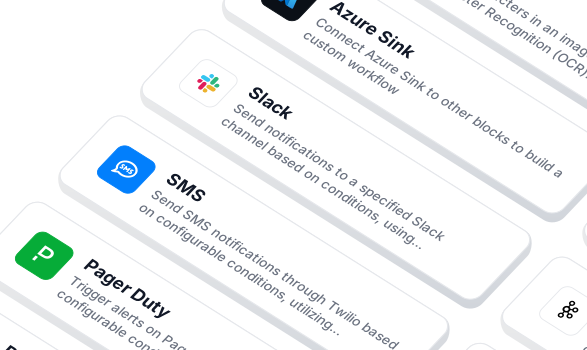
  • Workflow blocks for notifications and integrations

    Build vision AI applications with ease

    Use a low-code open source platform to simplify building and deploying vision AI applications.
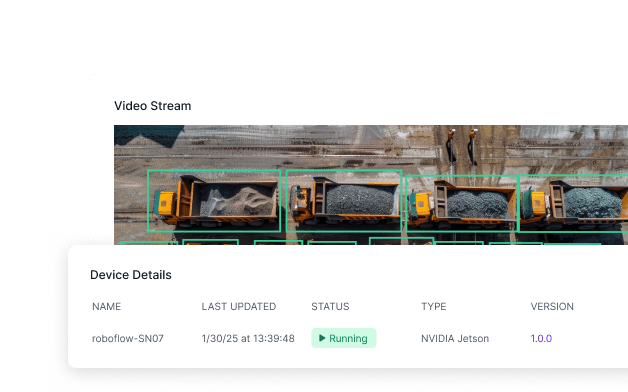
  • A video stream with detections and its NVIDIA Jetson device running

    Edge deployment

    Cloud and edge deployments (NVIDIA Jetson, Raspberry Pi, or mobile devices) for real-time, on-premise inference.
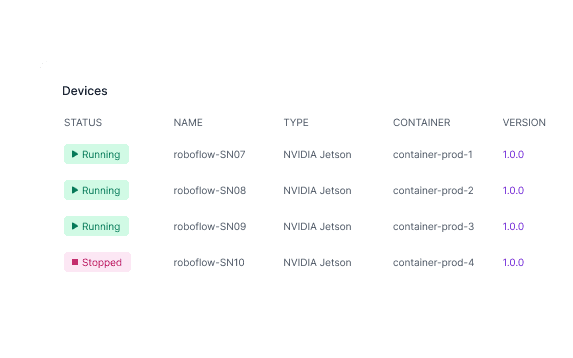
  • A list of NVIDIA Jetson devices and their status

    Devices for every scenario

    Software, compute, cameras: all the tools you need to deploy vision AI.
  • Logos of OpenAI, Microsoft, Meta, Anthropic, Google and Qwen

    Flexible model licensing

    Choose from a range of licensing options to fit your needs, whether for commercial use, private deployment, or collaboration across teams.

Add deep learning to your Keyence line

  • Keep the tools that work

    Keep Keyence measurement and code reading where rules do the job, and send the harder defects to a deep learning model.

  • Train on your Keyence images

    Label images from your Keyence cameras with Auto Label and train a deep learning model in days.

  • Deploy next to the line

    Send frames from your Keyence camera to a Roboflow model on a Jetson or server, and return results to the PLC through Workflows.

OK I’m ready, how do I use Roboflow?

Roboflow makes it easy to build, train, and deploy custom computer vision models, even if you’re not a machine learning expert.

Talk to a Vision AI engineer about inspections rules can't handle

Bring us the defects your Keyence setup keeps missing and we'll map a working solution.

Ask us about:

  • Solution architecture on the cameras and PLCs you choose
  • A live demo on your own line footage
  • Deployment options: edge, on-prem, or air-gapped
  • Pricing compared against your current hardware and licenses

Over 80,000 organizations build with Roboflow.

  • Rivian
  • Pella
  • Chobani
  • USG Corporation
  • BNSF Railway
  • American Woodmark
Start where you are

Compare Roboflow and Keyence

Keyence provides integrated cameras, controllers, and inspection tools for factory automation. Its VS series (opens in a new tab) combines AI with rule-based machine vision. Roboflow gives manufacturers control over the deep learning models behind their inspections: which architecture to use, what examples it learns from, and where it runs.

That control matters when acceptable variation is difficult to describe with fixed rules. Wood grain, casting textures, and irregular defects can make good and bad parts look deceptively similar. With Roboflow, train a detection or segmentation model on representative production images, test where it succeeds and fails, and retrain as new examples arrive. When defective parts are too rare to build a useful training set, Roboflow’s new anomaly detection support lets you train PatchCore or FoundAD on normal parts and flag unusual appearances for review.

For models that need labeled examples, Auto Label drafts annotations from a text prompt for your team to correct. Roboflow Agent helps select models and assemble inspection logic in Workflows. Engineers can also manage datasets, training, and inference through Roboflow’s MCP integration in ChatGPT (opens in a new tab) or their coding assistant.

Roboflow can extend an existing Keyence installation. Train on images archived from supported CV-X or VS systems, then run the model on a Jetson or industrial PC alongside the existing equipment. Enterprise options provide industrial integrations, offline deployment, and engineering support to connect the application with plant systems.

Start by testing the inspection on your own images in a private project on Roboflow’s free plan. Supported model weights are downloadable, and self-hosted inference does not consume Roboflow credits. Your team can keep improving the inspection as parts and defects change, with control over the data, model, and deployment.

Keyence vs Roboflow: Feature by Feature

FeatureRoboflowKeyence
Form factorSoftware platform; runs on the cameras and compute you choose, or the Roboflow AI1 deviceVision hardware with bundled software; VS smart cameras, VS-G, CV-X, and XG-X controllers, plus 3D and line-scan systems
Core approachDeep learning first; train detection, segmentation, classification, and keypoint models on as many of your images as the problem needsRule-based machine vision first; presence, scratch, GD&T measurement, color, count, and code tools, plus AI tools that learn from a few dozen images
Camera supportAny RTSP, USB, GigE, or industrial cameraKeyence cameras; over 30 area camera types on VS-G, up to 8 per controller, plus Keyence line-scan and 3D cameras
Vision tasksObject detection, instance and semantic segmentation, classification, keypoints, OCR, depth estimation, and multimodal tasksAI plus rule-based; AI Segmentation, Detection, Classification, and OCR, plus presence, scratch, GD&T measurement, color, count, and 1D/2D code tools
Train models on your own imagesYes, RF-DETR, YOLO (v8 / v11 / v26), Detectron2, and moreYes, the VS series learns from a few dozen images; VS-G setup is select an image, highlight the defect, and auto-tune
Choose model architectureYes, pick and swap RF-DETR, YOLO (v8 / v11 / v26), Detectron2, and moreNot documented
Industrial integrationsYes, PLC Reader, PLC Writer, and OPC UA blocks speak OPC UA, Modbus TCP, and EtherNet/IPYes, connection guides for Keyence, Rockwell, OMRON, Mitsubishi Electric, and Siemens PLCs; direct links to FANUC, Yaskawa, ABB, KUKA, and Universal Robots
Deployment and offline inferenceYes, managed cloud, customer VPC, on-premises, and fully air-gapped / offline with a Docker-based installOn the line; AI runs on the camera or controller; cloud deployment not documented
Export and own model weightsYesNot documented
Keeping models accurate over timeBuilt in; active learning and operator feedback send flagged images back into training; Vision Events logs every prediction and image; model monitoring on EnterprisePartial; VS-G stores every image on the controller and a settings verification function rechecks past judgments
Sub-agents for frontier models (MCP)Yes, every trained model is exposed over MCP so frontier models can call it as a specialized vision toolNot documented
API and SDKYes, Python SDK, REST API, MCP server, public docs; open-source inference server and supervision libraryNot documented
Support and services24/7, with a support SLA and a named Customer Support Engineer on Enterprise SupportDirect support; Keyence supports customers from selection to line operation, with free trial units, demos, on-site operating instructions, and after-sales support
Collaborative cloud workspacesYes, cloud-native, collaborative workspaces accessible by URLNot documented; setup runs in locally installed Keyence PC software
Open-source CV integrationsYes, native integrations with Hugging Face Transformers, MMDetection, and the broader open-source CV stackNo; software is proprietary and bundled with the hardware
PricingPublished plans; Enterprise adds volume pricing and an uptime SLANot published; price on request through Keyence

Best Keyence Alternatives

Roboflow is the top Keyence alternative for manufacturers that want inspection models they own, on the cameras already on the line. Teams comparing Keyence also look at:

Explore Roboflow for Manufacturing Inspection

Related Roboflow solutions for teams evaluating Keyence: