Launch: Roboflow Integration with Ultralytics HUB
 Trevor LynnPublished Dec 12, 2022
Roboflow and Ultralytics HUB now support a direct integration that connects dataset management with model training and model-assisted labeling. Users can export any Roboflow dataset to Ultralytics HUB for custom YOLOv5 training, then bring the trained model weights back into Roboflow to power Label Assist for annotating under-performing images as part of an active learning loop. The integration formalizes the existing relationship between the two platforms and reduces the manual steps needed to iterate on a computer vision dataset and model together.
Ultralytics, the creators of YOLOv5, and Roboflow now support an integration making it easier to import YOLOv5 models from HUB to Roboflow, export datasets to Ultralytics HUB from Roboflow, and use custom trained model weights for model-assisted data labeling in Roboflow.
This integration builds on the established relationship of Roboflow being the official dataset management and annotation tool for YOLOv5. Roboflow’s integration into Ultralytics HUB is one of many integrations into the Roboflow platform which offers an extensible and interoperable approach to both tools and technologies in computer vision pipelines for customers.
Send Object Detection Datasets Directly to HUB for Custom Model Training
All Roboflow users now have the new Export option to send generated datasets to Ultralytics HUB.

After selecting Ultralytics HUB, users can continue by granting access to connect both accounts.

Users will be able to finish the import process within Ultralytics HUB by following the guided steps and then navigate to the dataset from within Ultralytics HUB at any point.

Use Custom Trained Models from HUB for Model-Assisted Labeling in Roboflow
To use datasets from Roboflow to train custom models in Ultralytics HUB, navigate to the Models page and start training. This is a straightforward Colab notebook with only two steps to follow.
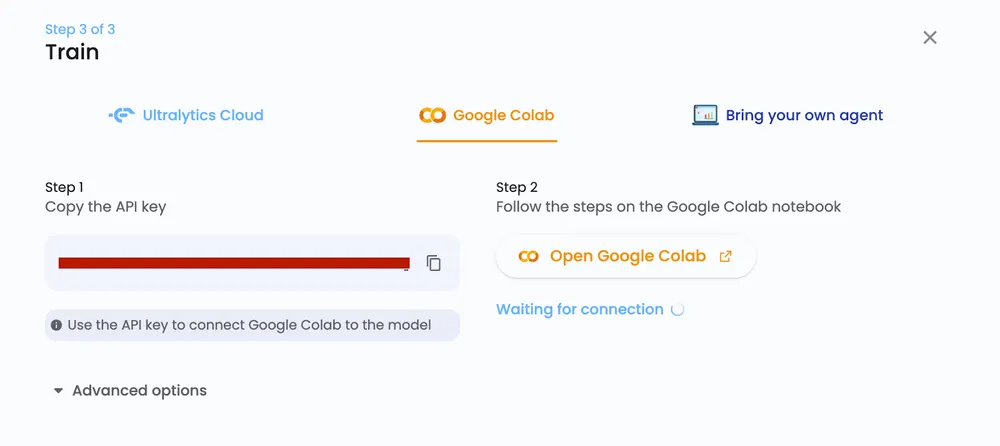
After training is complete, utilize your HUB model for model-assisted labeling with Label Assist (opens in a new tab) and label under-performing images as part of an active learning (opens in a new tab) pipeline between Ultrayltics and Roboflow.
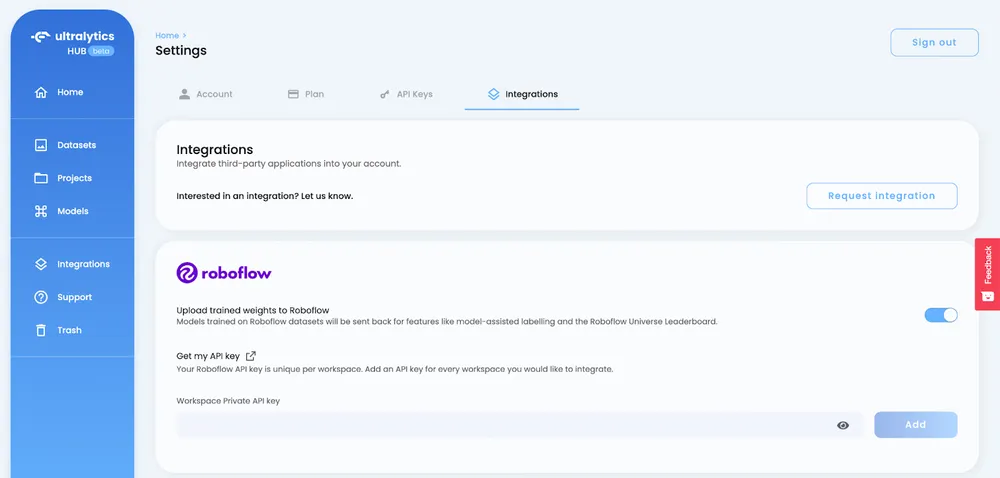
To use your Ultralytics HUB model in Roboflow, navigate to Settings (opens in a new tab) and click on Integrations to insert your Roboflow API key.
If you're training YOLOv5 outside of Ultralytics HUB, you can use the step-by-step YOLOv5 tutorial notebook (opens in a new tab) to train a model and upload weights to Roboflow as well.
The notebook will take you through how to:
- Train YOLOv5 to recognize the objects in your dataset
- Evaluate your YOLOv5 model's performance
- Run test inference to view your model at work
- Upload YOLOv5 model weights to Roboflow
#upload your model's weights back to Roboflow
project.version(dataset.version).upload_model("exp.zip")
The last step in the process is what you'll need to do to upload YOLOv5 weights to your Roboflow project.
Your custom model can be used to apply labels automatically for any new images in your dataset. This helps save time for future annotation jobs and makes it easier to improve your model with new data.
Roboflow and Ultralytics HUB Integration
Using Ultralytics HUB and Roboflow allows you to more easily bring datasets into Ultralytics HUB, train a custom model, and then use those model weights to automate labeling data in Roboflow.
When it comes to building computer vision pipelines, interoperability is important and we hope this new integration gives you and your team the flexibility you need to make your next computer vision project a success!
A note on licensing: YOLOv5 is released under AGPL-3.0, which affects commercial use:
- On Roboflow cloud: a commercial license is included for every user, including the free plan.
- Self-hosted: you need an Enterprise license add-on, or you must open-source your application under AGPL-3.0.
- Permissive alternative: RF-DETR (opens in a new tab) is Apache 2.0, free for commercial use anywhere.