Google Is Back! Gemini 4 Argon Leads Our Vision Benchmark
 Piotr SkalskiPublished Oct 15, 2026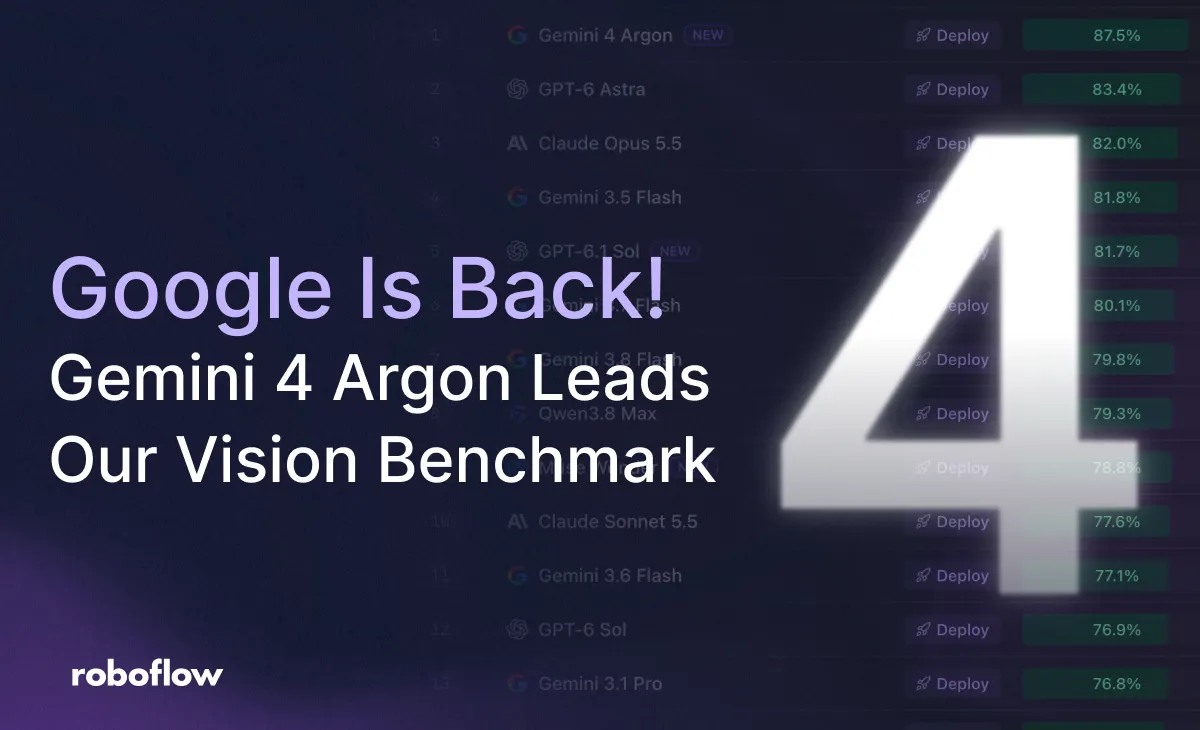
Since we started evaluating vision-language models, Gemini have consistently scored high on our detection and text benchmarks. Recently, however, other research groups have accelerated their progress.
GPT-6 Astra took the lead on most of our benchmarks, trailed by Anthropic and Qwen, which both launched increasingly capable models, including some smaller and quicker variants, resulting in Google slipping in the rankings. With the launch of Gemini 4 Argon, Google returns to the top spot on our overall vision benchmark.
In this post, we will look at what is possible with Argon across object detection, segmentation, and three OCR tasks. We will also test more advanced video use cases. Along the way, we will discuss the prompts, speed, and cost of running these experiments.
Object Detection
Text Prompting
Let's start with object detection using text prompts. We give the model an image and a list of classes, then ask it to return bounding boxes for the objects belonging to those classes.
Detect all objects in this image belonging to these classes:
<class names>

Return only a JSON array with this structure:
[
  {
    "box_2d": [y_min, x_min, y_max, x_max],
    "label": "<class name>"
  }
]

Use only the supplied class names.

Coordinates must be integers normalized to 0–1000,
relative to the image height and width.

Do not include explanations or Markdown.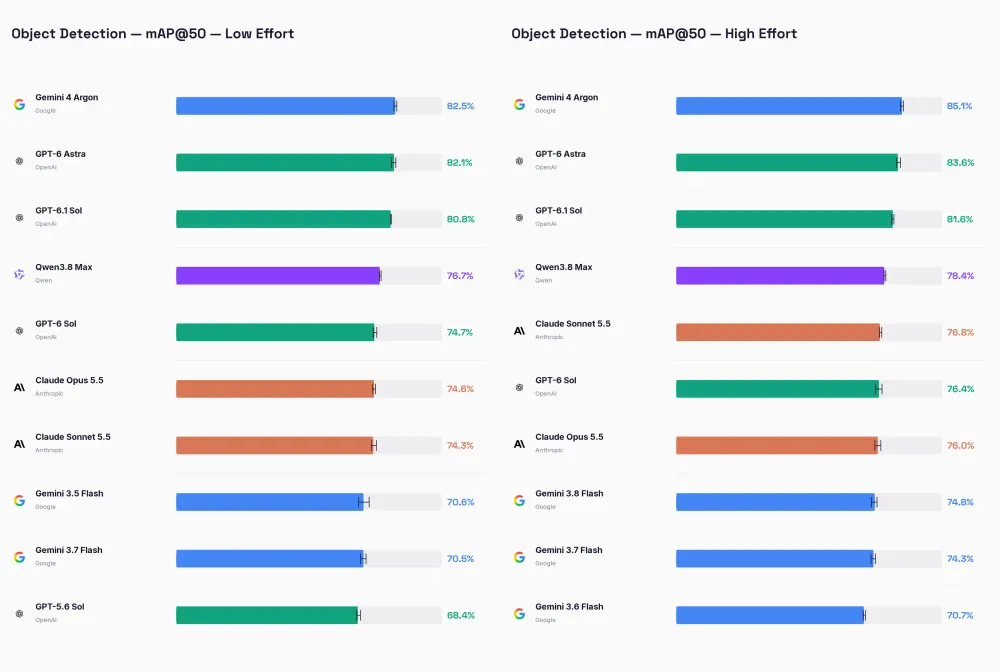
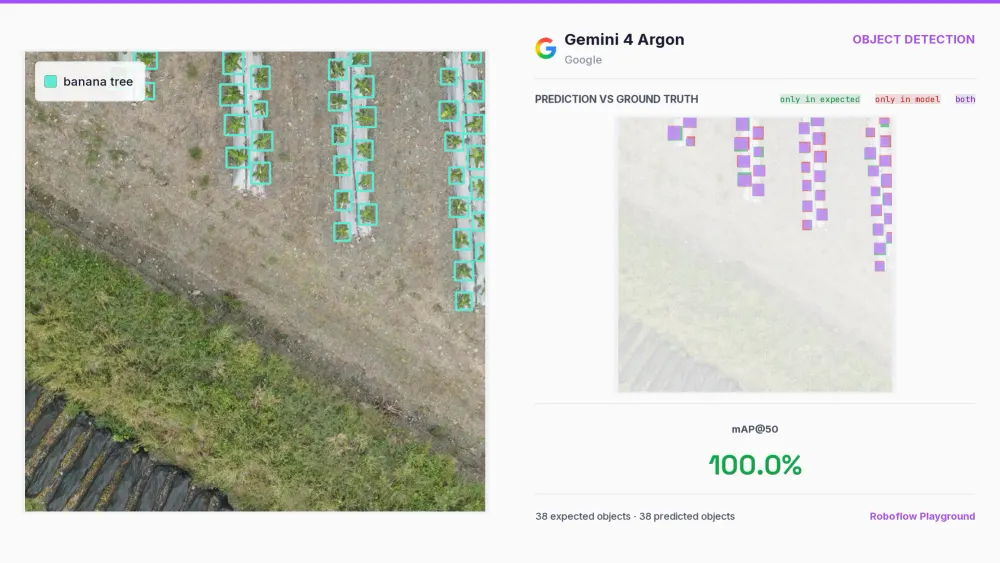
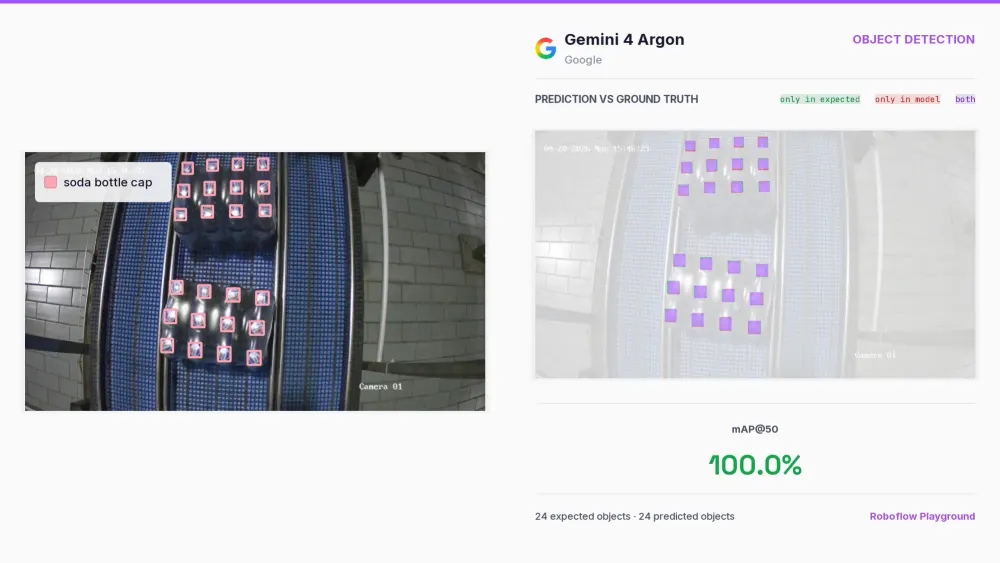
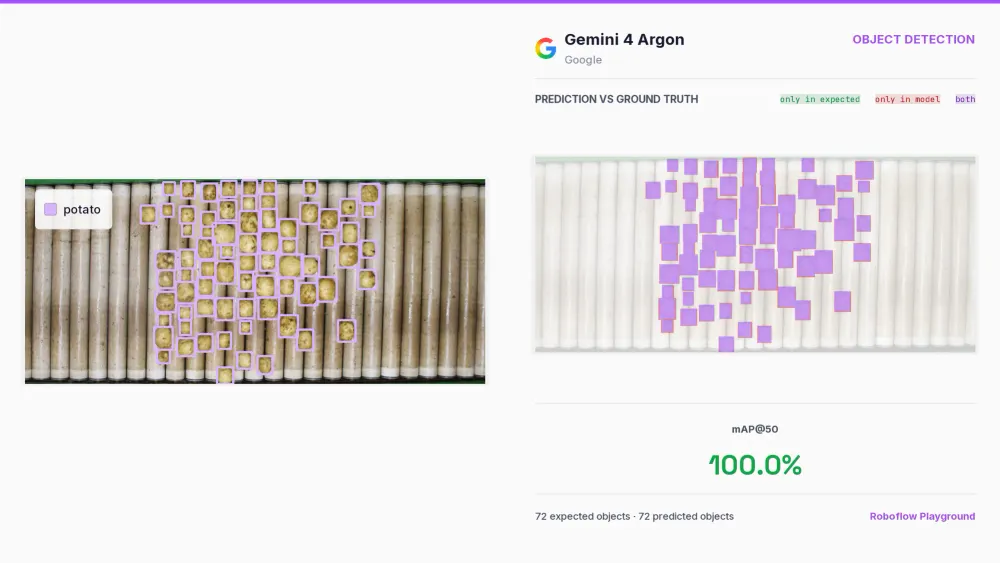
Argon claims the top position on our object detection leaderboard for both low and high effort settings, scoring 82.5% and 85.1% mAP@50, respectively. It outperforms Astra at both effort levels, and improves on the prior best Gemini result by over 10 percentage points for each setting. The model delivers strong results across many object types and varied scenes.
Box Prompting
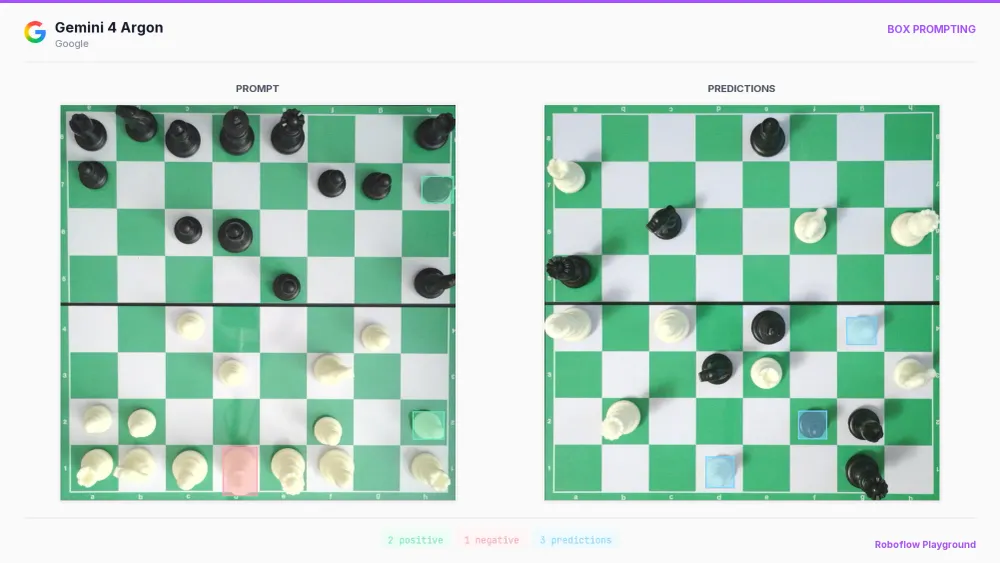
Instead of telling Argon what you want to detect, you can simply show it. Here, you show the model an example of an object and ask it to find more objects of the same kind. We previously explored this with Qwen 3.8 Max and GPT-6 Astra, and Argon performed best.
You can give the example boxes as coordinates in the prompt, or highlight them directly on the image. Positive samples indicate what to find, while negative ones clarify what should be ignored. This is very helpful with classes that are tricky to define in words or when text descriptions are ambiguous.
Find objects matching the positive examples and excluding
the category represented by the negative examples.

Example boxes:
{
  "positive": [<positive boxes>],
  "negative": [<negative boxes>]
}

Exclude the supplied example objects from your predictions.
Infer the target category without naming it.

Return only:
[
  {
    "box_2d": [y_min, x_min, y_max, x_max],
    "label": "object"
  }
]

All input and output boxes use integer coordinates normalized
to 0–1000 relative to the image. Return [] if there are no matches.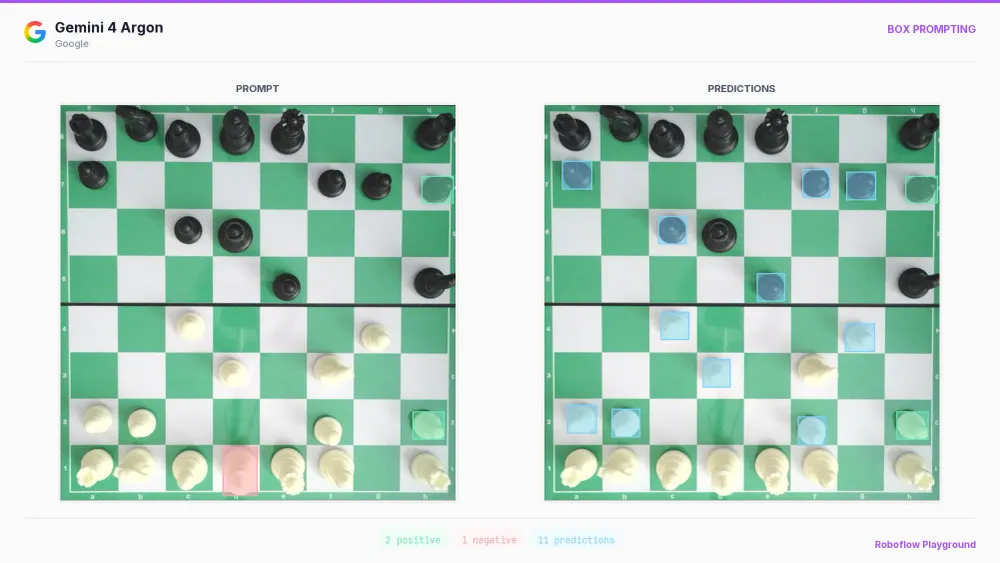
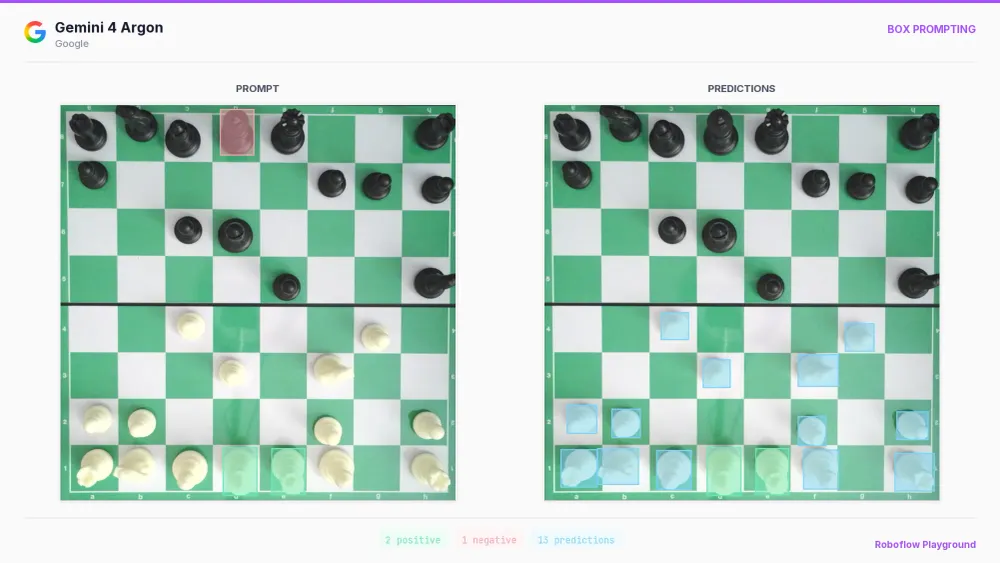
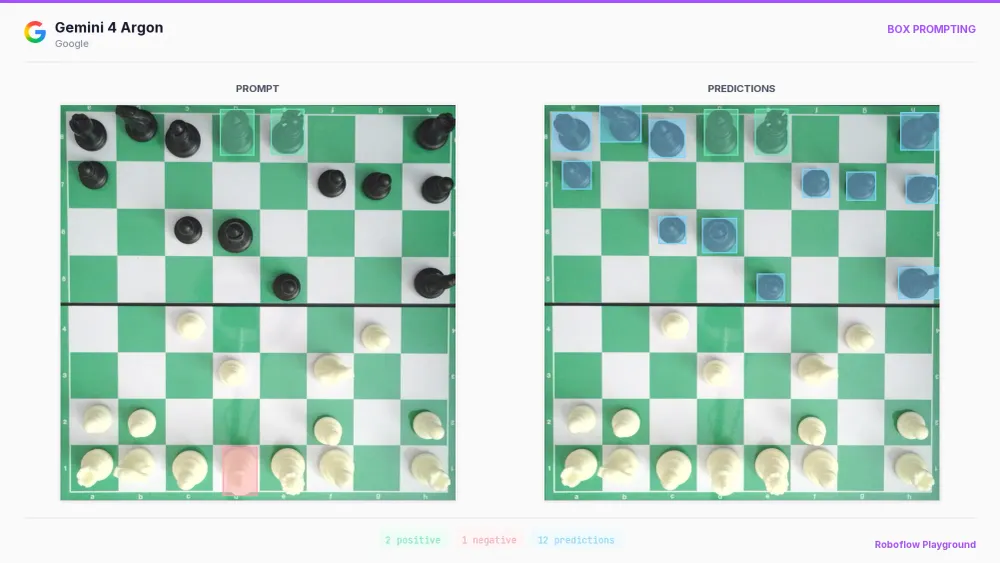
You can provide a reference object in one image and ask the model to find matching objects in another. In the final chess example, we use this approach to detect pawns across images.
Segmentation
Segmentation is a relatively resource-intensive task for VLMs. The model is asked to represent each object as a polygon, meaning it must generate points for all parts of the boundary. Objects with holes or separate parts require extra structure, and outputs can quickly become large.
Even with that limitation, the quality of the masks shows that a lot is possible. The carrots example is particularly interesting because the foreign objects contain holes that need to remain outside the predicted masks.
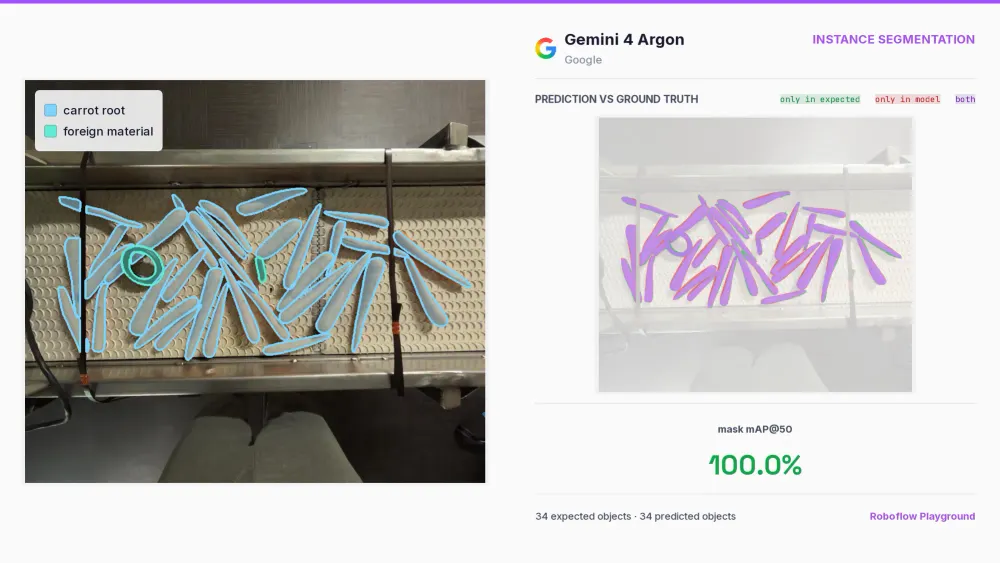
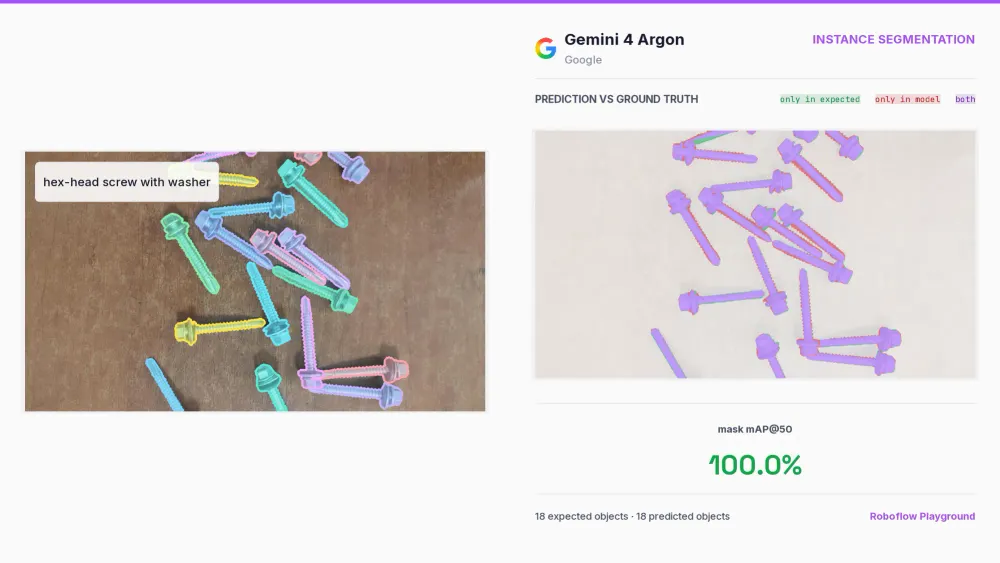
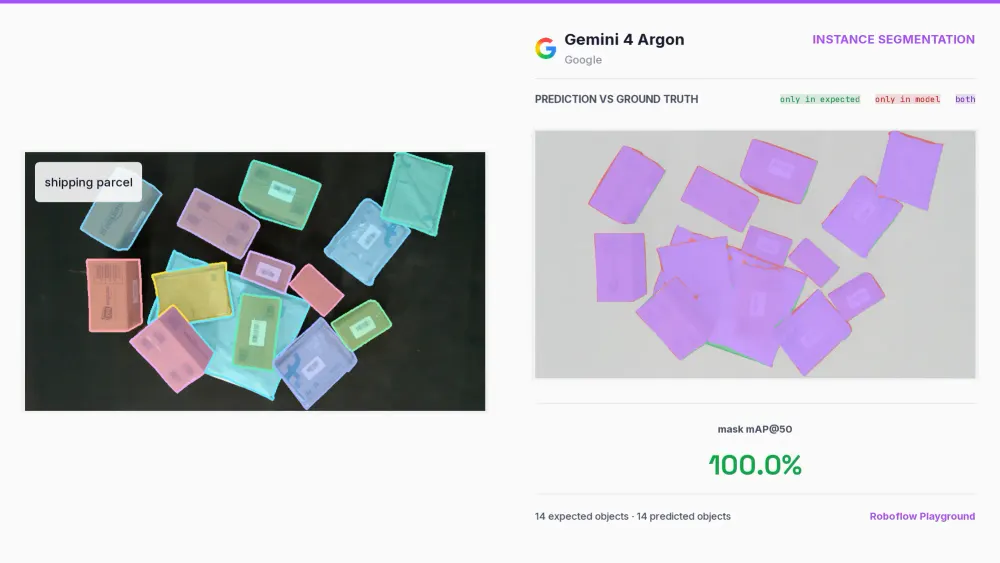
The obvious comparison is prompting SAM 3 with text to get masks. SAM 3 is much faster, but its understanding of complex text prompts can be a limitation, especially when the description requires distinguishing between similar objects. Argon's stronger language understanding makes it useful when specifying what to segment takes more than a simple class name.
OCR
Single String Extraction
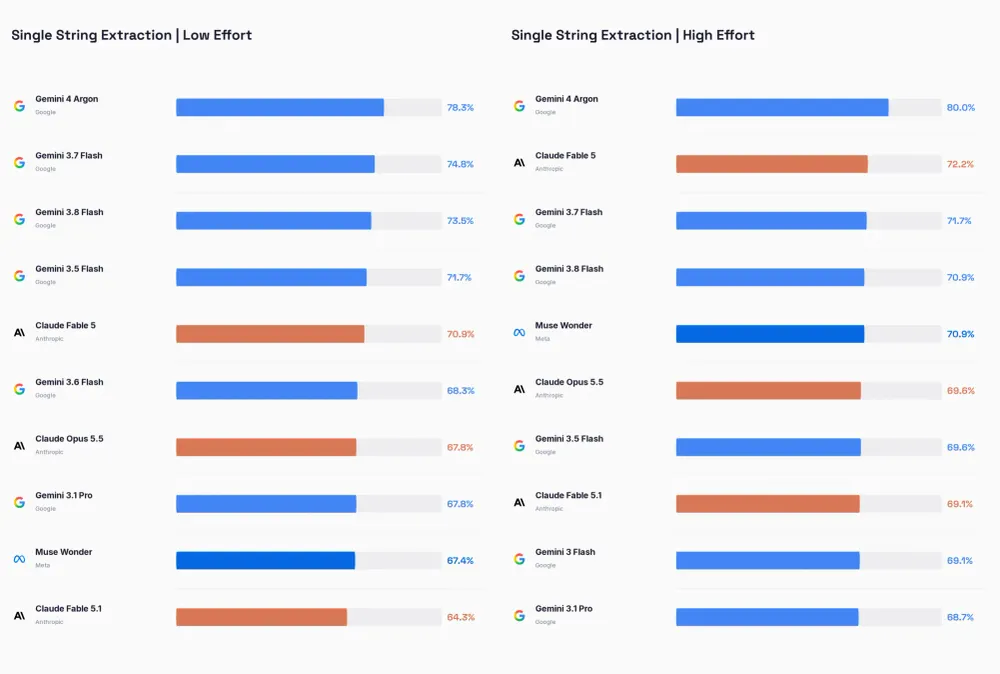
Our first text-oriented task involves extracting a single string. Curiously, this is one area where earlier Gemini models remained strong even once Astra had launched. Argon widens that advantage, achieving 80.0% in high effort mode, versus 71.7% for the previous Gemini best at the same effort setting.
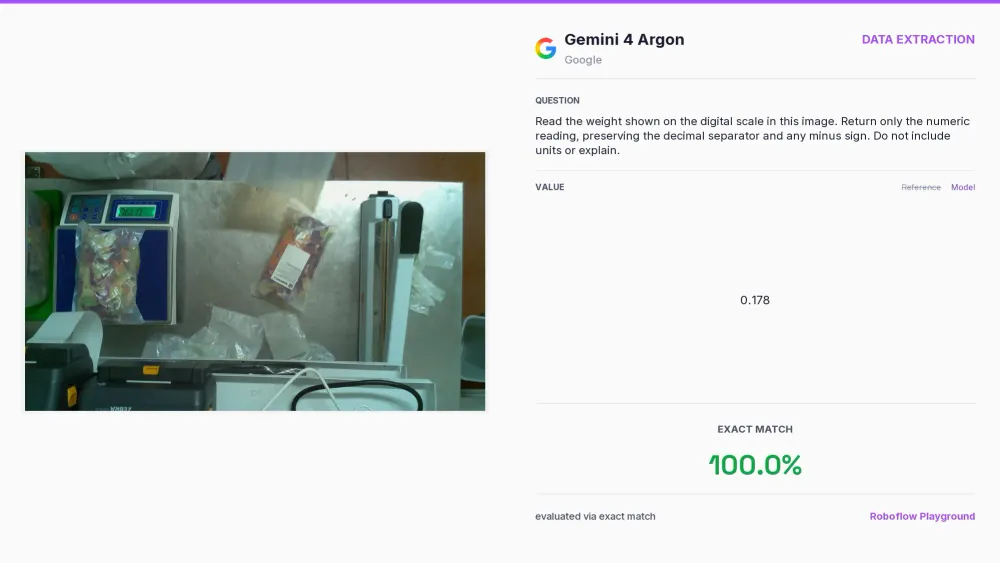
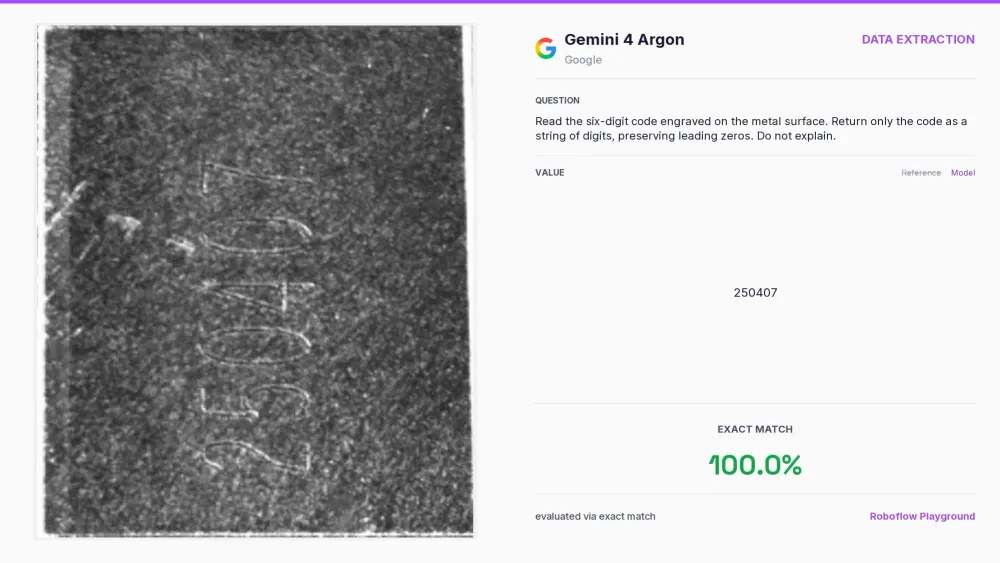
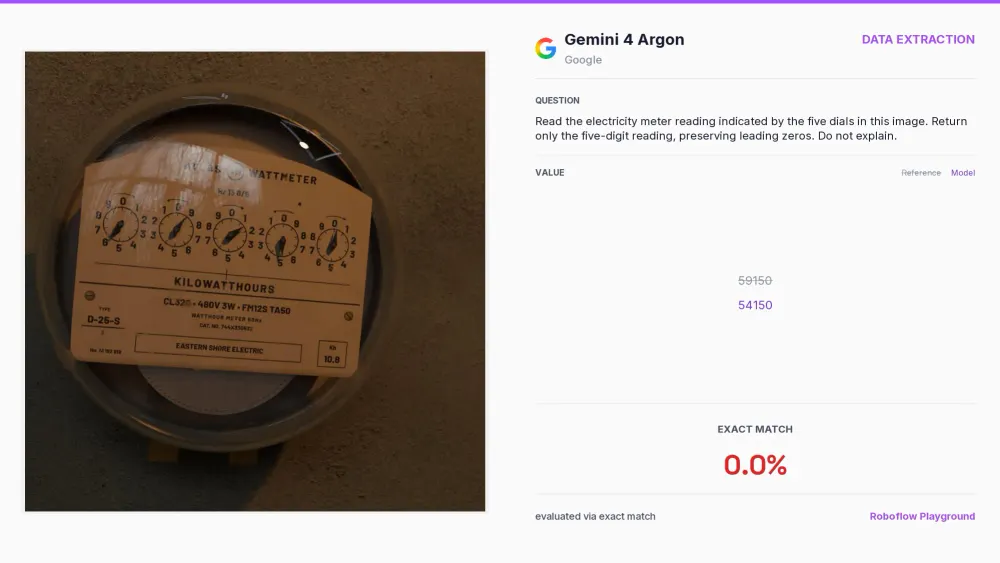
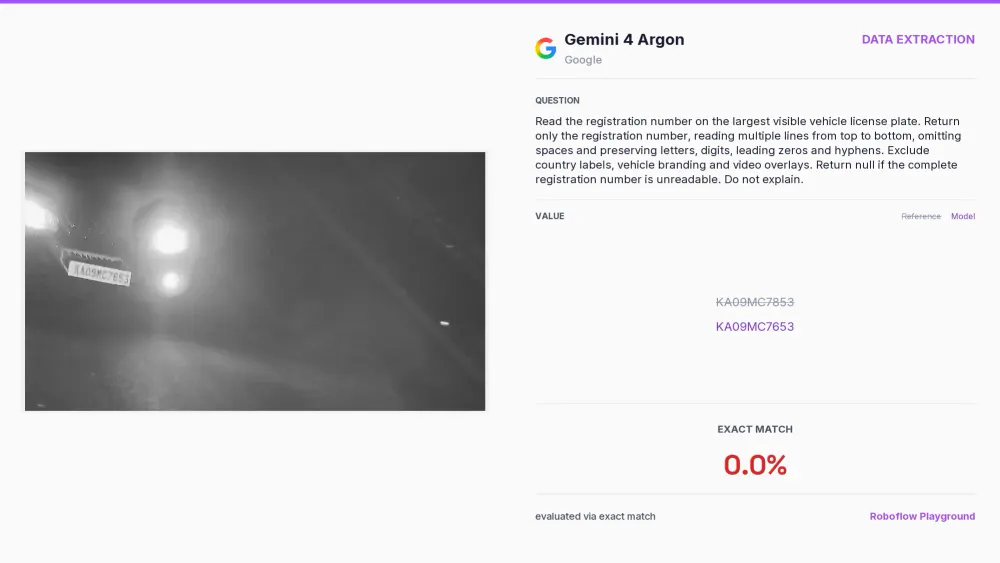
There are still plenty of cases where the model fails. Small, blurred, or difficult-to-read text remains a challenge, as shown by the license plate example. Another source of errors is when reading the image requires reasoning beyond recognizing characters, such as interpreting the individual dials of an electricity meter and combining them into one reading.
JSON Data Extraction
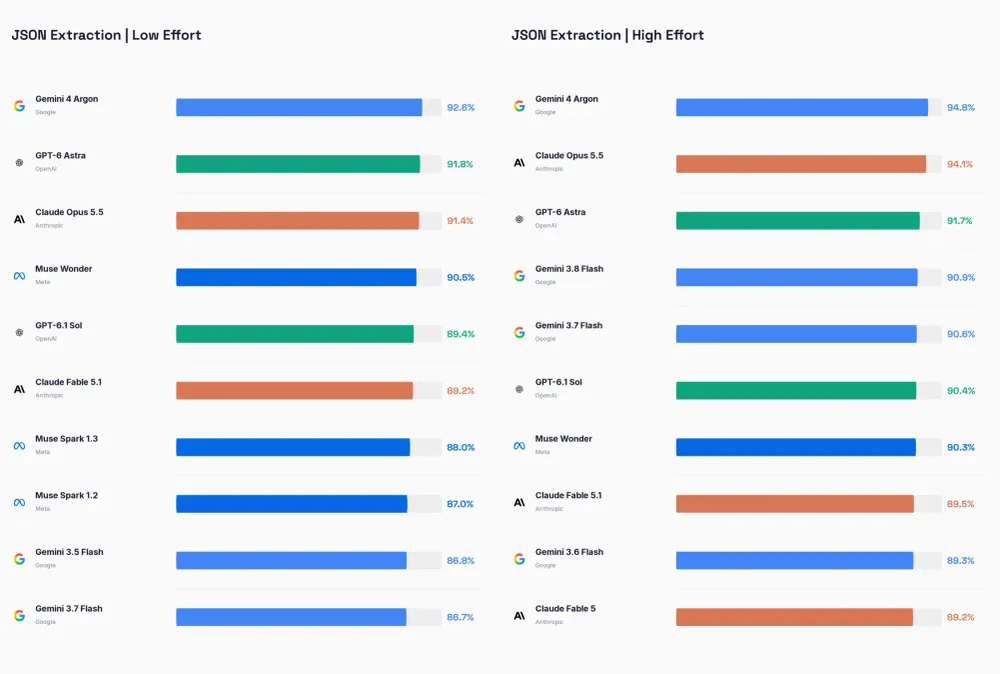
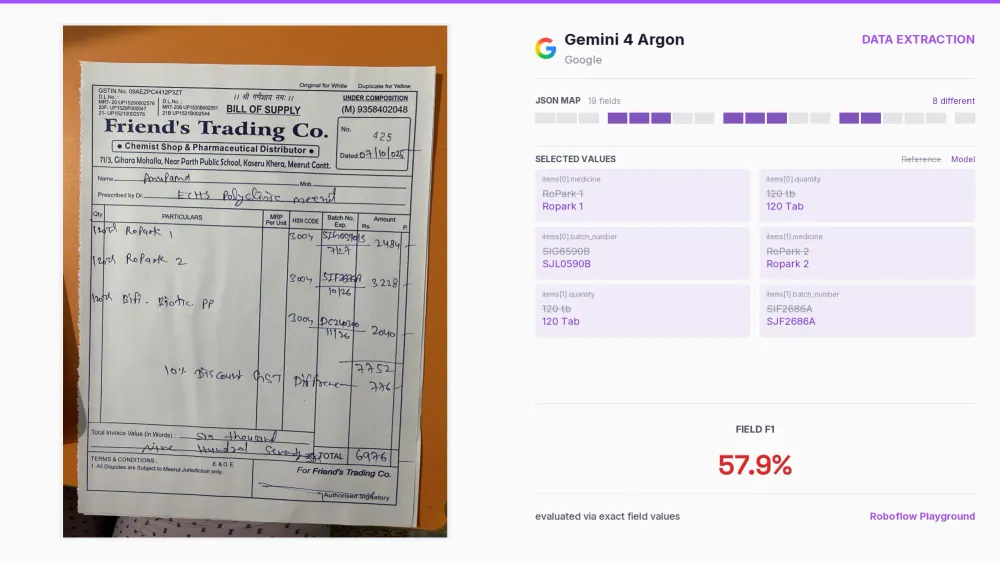
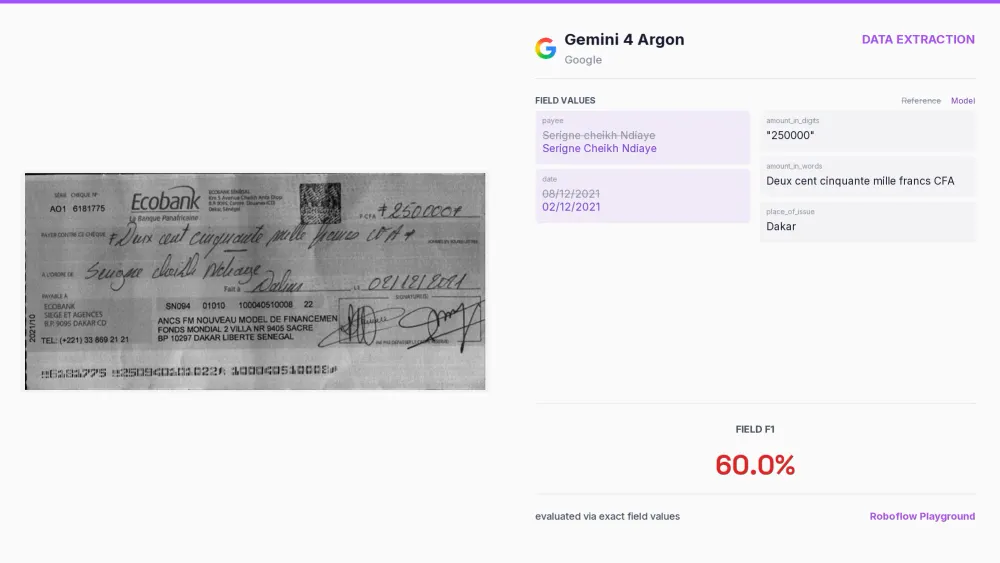
Argon also tops our leaderboard for JSON data extraction, though the gap between leading models is narrower for this task. It reaches 92.6% at low effort and 94.8% at high effort. This is an improvement over previous Gemini models, but those models were already very accurate on this task.
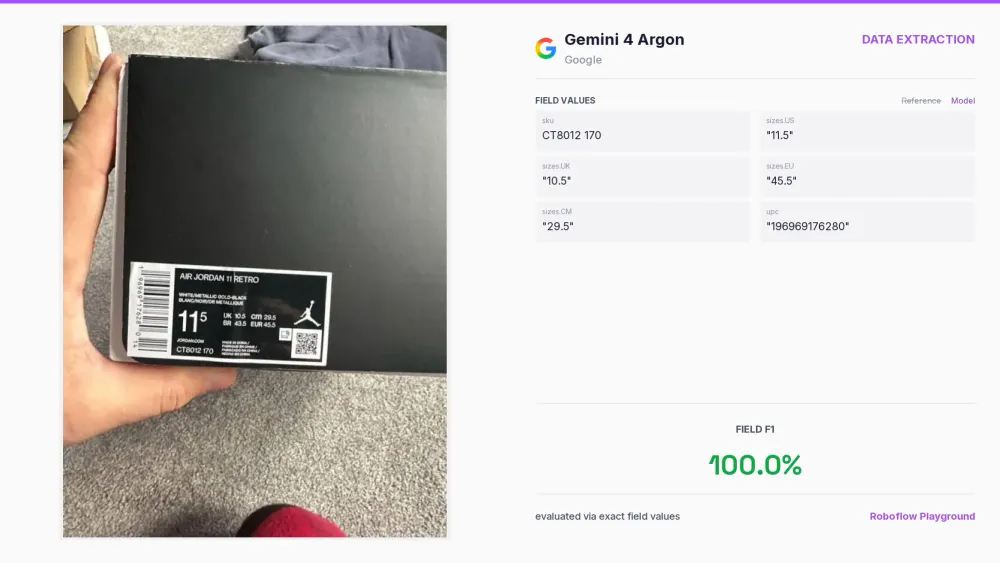
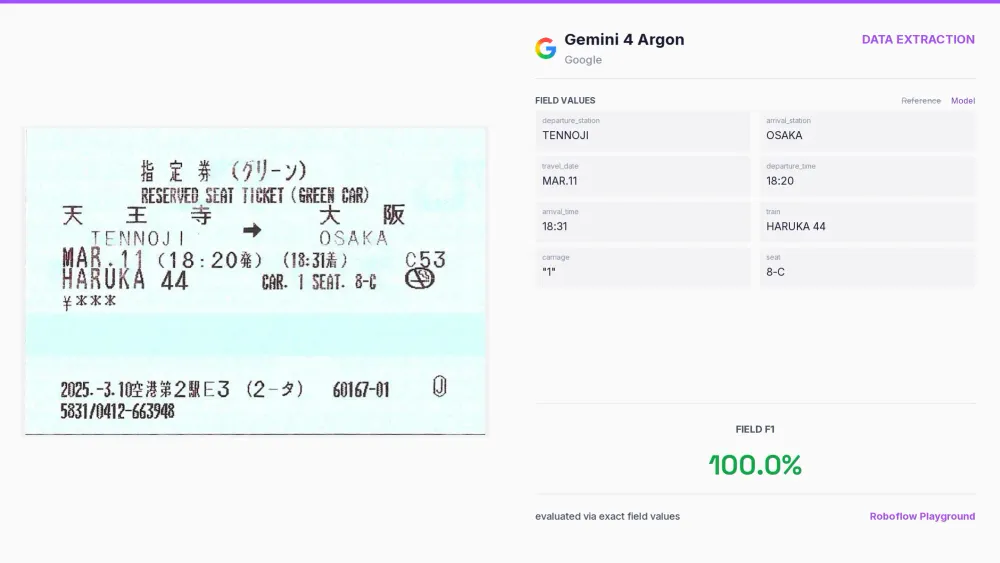
Handwriting continues to be problematic. Examples with handwritten cheques and pharmacy bills illustrate this challenge.
Text Localization and Recognition
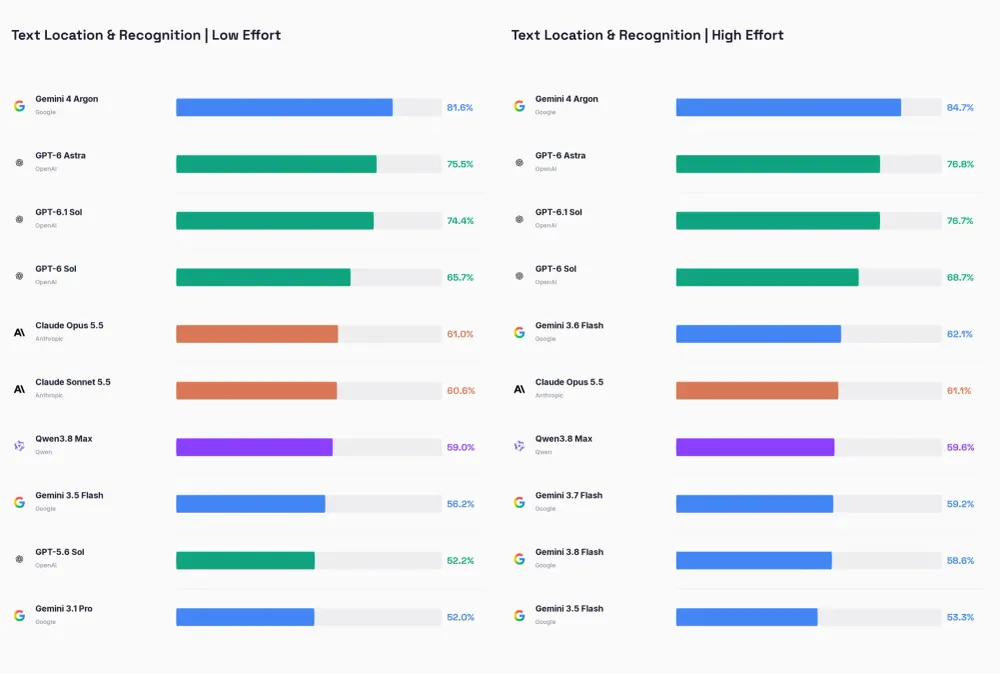
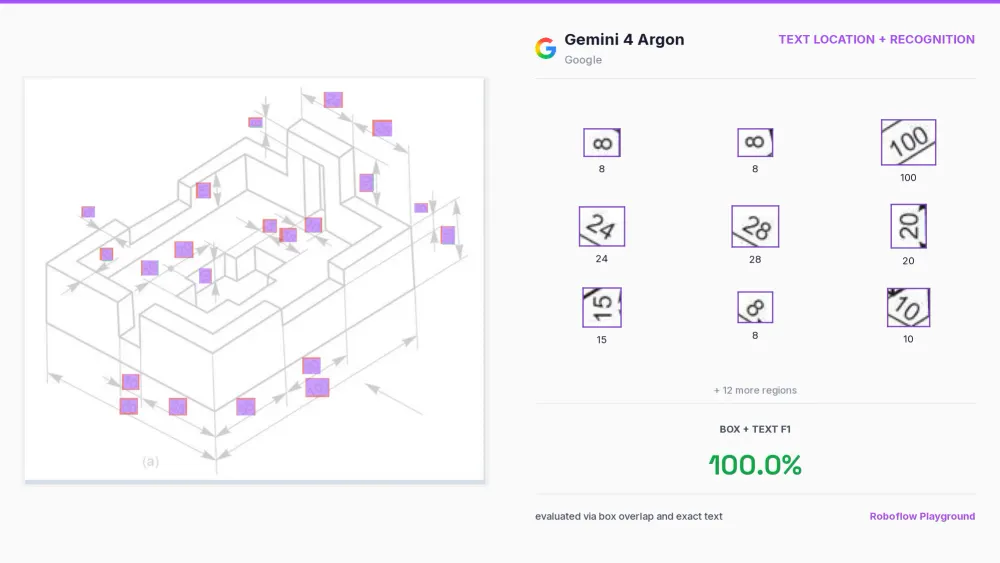
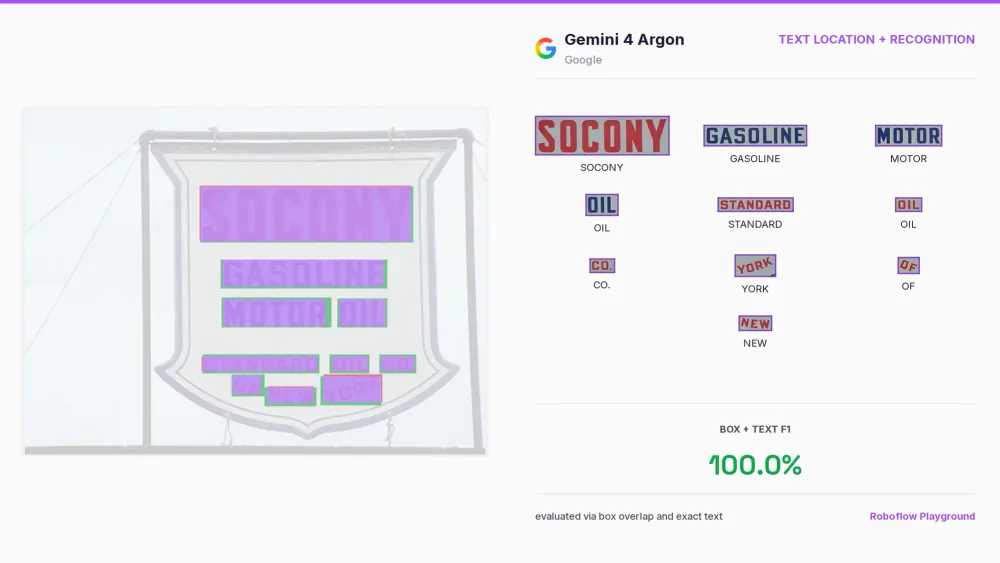
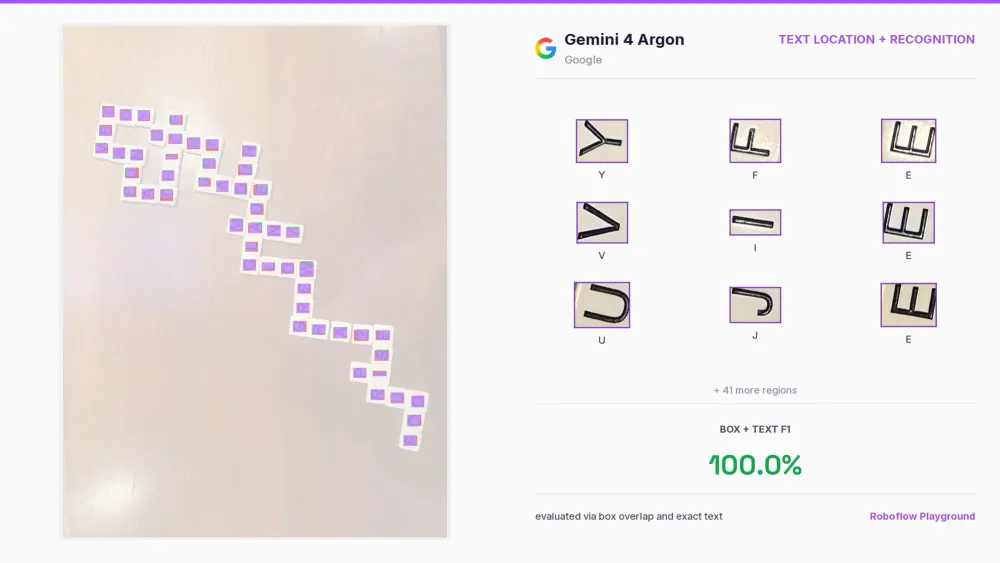
Text localization and recognition is one of the newer tasks in our benchmark. It combines detecting where the text is with reading what it says, so only a handful of models score highly. The latest OpenAI models were ahead of the pack, but Argon now leads at both effort levels.
This task is useful for processing technical drawings, maps, and other images where text is spread across different locations and orientations. The model needs to return both the text and its location, including when the font is unusual or the characters are rotated. The examples below show technical dimensions, a vintage gasoline sign, and rotated letter tiles.
Video Reasoning
Re-identification
We also tested whether Argon could identify the same players across different video frames. We had already performed a similar experiment with Astra and were curious whether we could replicate it with Argon. We gave the model two frames from the same basketball play and asked it to return bounding boxes with consistent player IDs across both images.
Identify all active basketball players in two chronological frames,
<time interval> seconds apart.

Match players by appearance, uniform, jersey number, and accessories,
not position alone. Preserve IDs across frames and never reuse an ID
for different players.

Previous annotations for image 1:
<player IDs and boxes, or none>

Preserve supplied IDs; otherwise, start at 1.
Assign newly visible players IDs above the highest previously used ID.

Include partially visible players. Exclude referees, spectators,
coaches, and bench players. Box visible bodies only.

Return only:
{
  "frames": [
    {
      "frame": 1,
      "players": [
        {"id": 1, "box": [y_min, x_min, y_max, x_max]}
      ]
    },
    {
      "frame": 2,
      "players": [
        {"id": 1, "box": [y_min, x_min, y_max, x_max]}
      ]
    }
  ]
}

Include every visible active player. Use integer box coordinates
normalized to 0–1000 relative to each image.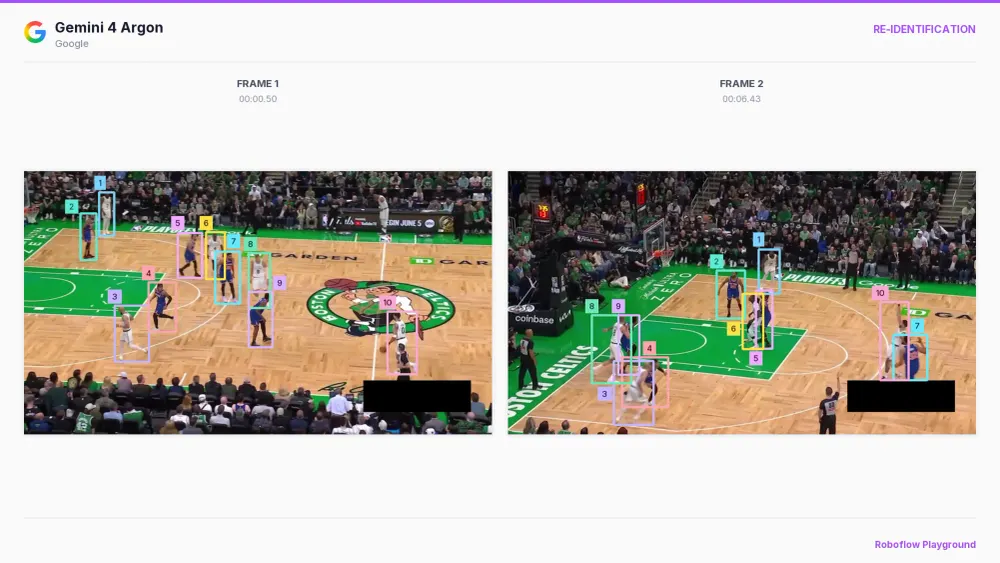
The results were strong, so we took the experiment a step further. We sampled one frame every half second and processed adjacent frame pairs, carrying the previous player IDs and boxes into the next request. This gave us checkpoints throughout the play, with consistent IDs and sparse bounding boxes.
Video 1. Re-identification at half-second intervals.
We then linearly interpolated the boxes between those checkpoints to render the tracking at 30 frames per second. This produced smooth tracking in the selected example, including moments when players overlapped, without asking the model to process every frame. The intermediate boxes are interpolated positions, rather than additional model predictions.
Video 2. Interpolated tracking with attached labels.
Key Points Tracking
Our final video experiment was hand keypoint tracking. We gave the model a reference image showing the numbered points we wanted to detect, together with a frame from the video. We then asked it to return the coordinates of those same points on the hand in the actual frame.
Locate the numbered points shown in the first image
in the second image.

Use the point numbers from the reference image.

Return only JSON with this structure:
{
  "instances": [
    {
      "points": [
        {
          "id": 0,
          "point": [y, x]
        }
      ]
    }
  ]
}

Coordinates must be integers normalized to 0–1000
relative to the second image, in [y, x] order.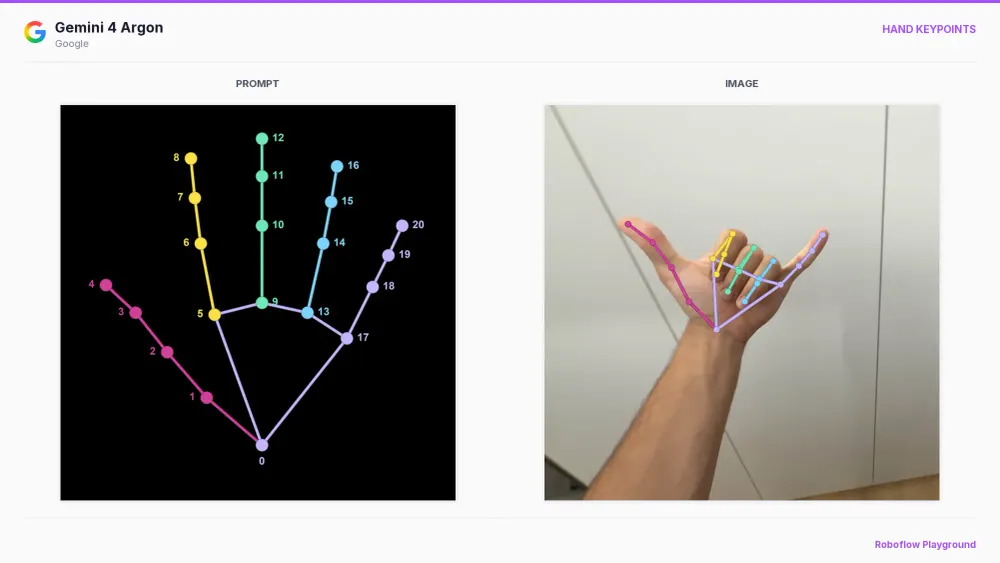
We ran this independently for every frame of the video. The initial results had some jitter, but applying a One Euro filter to the predicted coordinates reduced it considerably. This smoothing step used the existing predictions and did not require additional calls to Argon.
Video 3. Single hand-keypoint video with smoothing.
Video 4. The 4×4 grid of hand-keypoint videos with smoothing.
Trade-offs
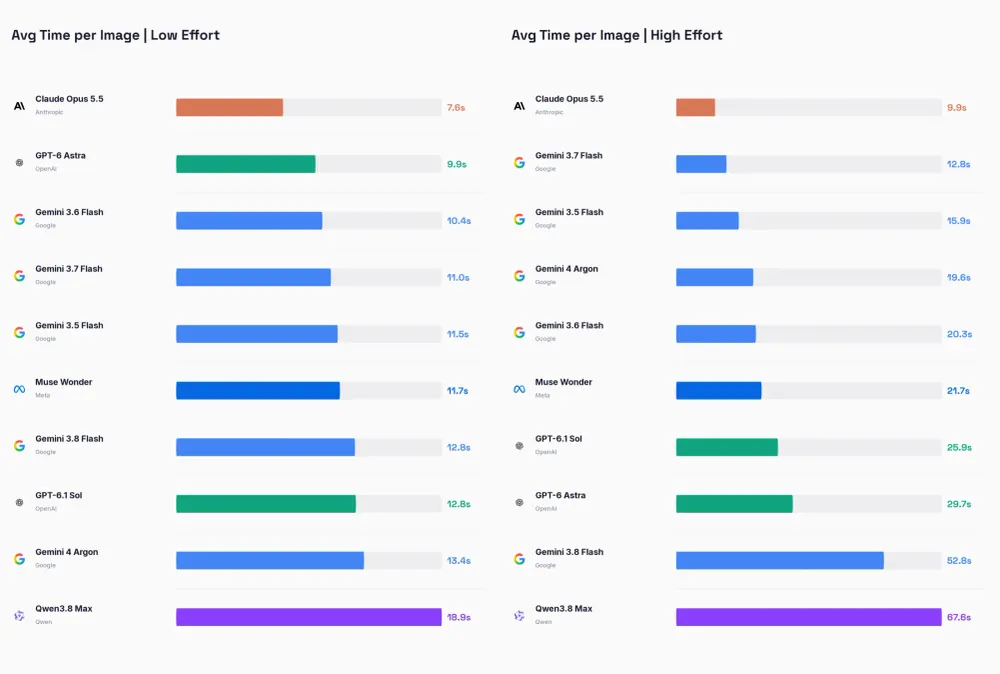
Argon gives us high-quality predictions across many tasks, but it is still a relatively slow model, with requests averaging 13.4 seconds at low effort and 19.6 seconds at high effort in our aggregate results.
Cost is where Argon becomes particularly interesting. Across the evaluated tasks, its average estimated cost per 1,000 images was about $5.80 at low effort and $20.60 at high effort, compared with $33.60 and $73.40 for Astra. That makes Argon approximately 6x cheaper at low effort and 4x cheaper at high effort.
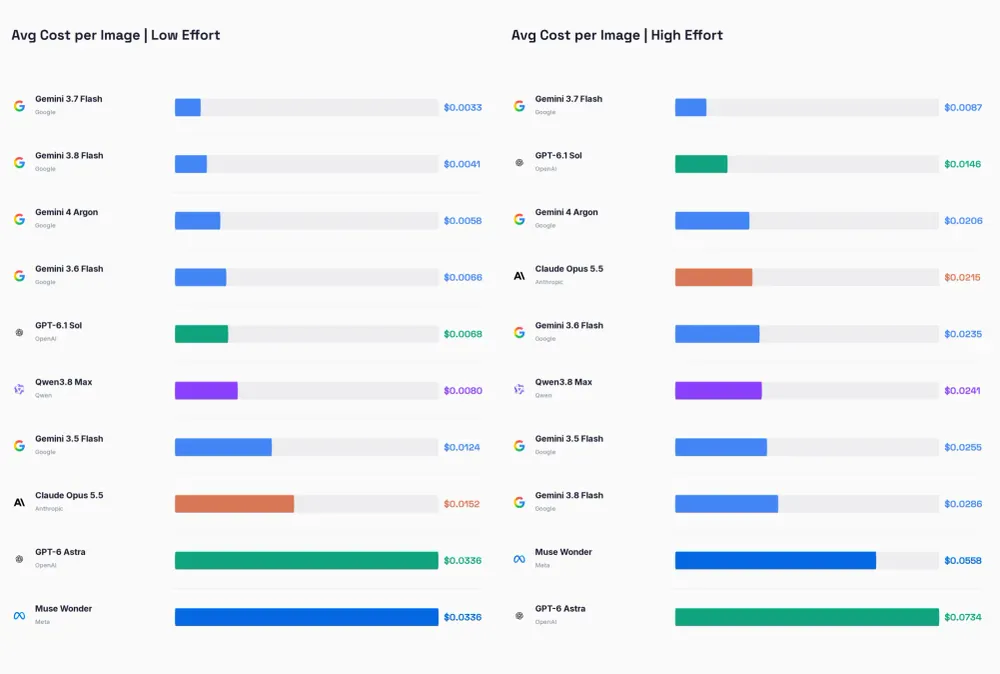
Those figures reflect introductory pricing of $2 per million input tokens and $10 per million output tokens, available through November 30, 2026. Google lists subsequent pricing at $4 and $20, respectively. Even with those doubled rates, Argon would remain cheaper than Astra in our recorded workload, assuming the same token usage.
Takeaways
Google is back. After losing ground to other labs on our vision benchmarks, it now has a model that leads our overall ranking and performs strongly across detection, segmentation, and OCR. Although most of these tasks start with images, our experiments also show useful video applications.
As usual, start with a cheaper model and check whether it solves your problem. A model such as Gemini 3.8 Flash may already be enough, and you can move to a more capable model as the complexity grows. For the multimodal tasks we tested, Argon's combination of prediction quality and lower cost makes it a compelling choice over Astra.