ONVIF vs RTSP

ONVIF finds and controls your cameras. RTSP streams the video. Roboflow uses both.

ONVIF is the standard that lets software find, configure, and control IP cameras from different makers. RTSP is the protocol that streams their video. Most IP cameras support both. Connect them to Roboflow, run a vision model on the stream, and steer PTZ cameras with ONVIF. Over 2 million developers build with Roboflow.
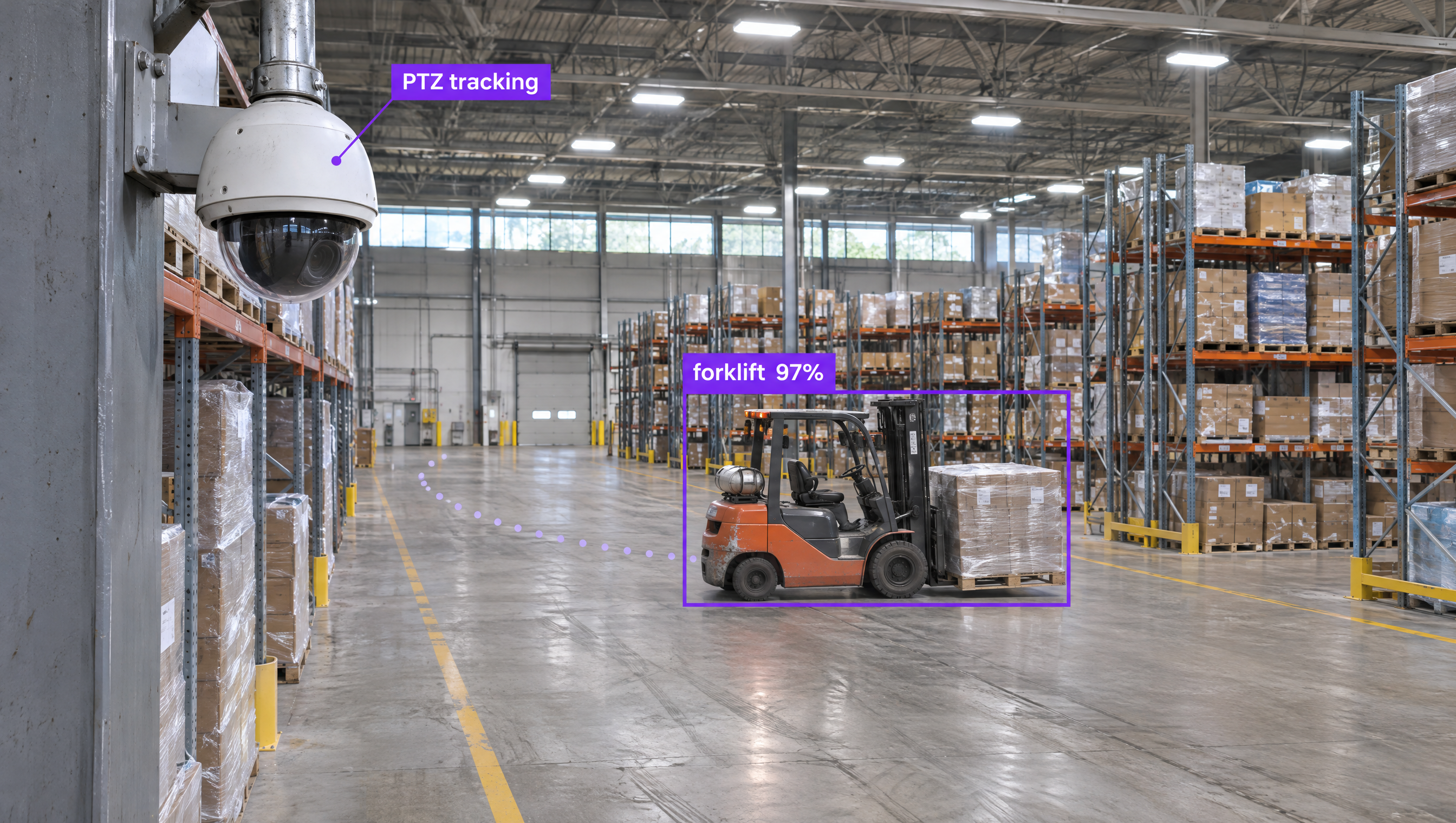
A security dome camera labeled "PTZ tracking" monitors a warehouse aisle, detecting and tracking an orange forklift carrying a pallet with a purple bounding box labeled "forklift 97%".

Why are companies choosing Roboflow?

Roboflow is enterprise vision AI infrastructure, used by more than half of the Fortune 100, with SOC 2 Type II, HIPAA, and air-gapped deployment. Create datasets, train models, and deploy to production.

  • Any IP Camera You Already Own

    Point Roboflow at an RTSP stream and run a vision model on it, on your own hardware or in Roboflow Cloud with no GPU to buy.

  • Finds Cameras for You

    Roboflow devices scan the network for ONVIF cameras and fill in the stream details when you add one.

  • PTZ Cameras That Follow Objects

    The PTZ Tracking block in Workflows uses ONVIF to keep a detected object in frame and return the camera to a preset.

What does each one do for your cameras?

ONVIF and RTSP work together on most IP cameras, and Roboflow runs on top of both.

  • ONVIF: Find and Configure

    Discovers cameras on the network, reads their settings, and hands your software the stream address. Best when you manage many cameras or several brands.

  • RTSP: Stream the Video

    Opens the live feed so a vision model can read every frame. Best when you know the camera's stream URL and just need video.

  • Both: Smart PTZ Cameras

    RTSP feeds the model while ONVIF pans, tilts, and zooms the camera to follow what the model detects.

OK I’m ready, how do I use Roboflow?

Roboflow makes it easy to build, train, and deploy custom computer vision models, even if you’re not a machine learning expert.

Talk to a Vision AI engineer about your IP cameras

Not sure your cameras will work with vision AI? Bring Roboflow your camera models and use case and we'll show you a model running on your stream on the first call.

Ask us about:

  • A plan for connecting your ONVIF and RTSP cameras
  • A live demo of a model trained on your own images
  • Roboflow hardware that runs models next to your cameras
  • Your trained model served over MCP, so frontier models can call it

Over 80,000 organizations build with Roboflow.

  • Rivian
  • Pella
  • Chobani
  • USG Corporation
  • BNSF Railway
  • American Woodmark
Start where you are

Compare ONVIF and RTSP

ONVIF and RTSP both show up on IP camera spec sheets, but they do different jobs, and most cameras use them together.

ONVIF is an interoperability standard, started in 2008 by Axis, Bosch, and Sony, so cameras and software from different makers work together. Software uses ONVIF to find cameras on the network, read their settings, get the stream address, and send pan, tilt, and zoom commands. Its features are grouped into profiles: Profile S for streaming and PTZ, Profile T for advanced streaming including H.265, Profile G for recording, and Profile M for analytics metadata.

RTSP, the Real-Time Streaming Protocol, is the remote control for the video itself. A client opens an rtsp:// address, by default on port 554, and sends commands such as PLAY and PAUSE, while RTP delivers the frames. ONVIF Profile S cameras stream over RTSP, so in practice ONVIF tells your software where the stream is and RTSP delivers it.

Whichever your cameras support, Roboflow handles the vision model. Label images with Auto Label, train a model such as RF-DETR (opens in a new tab), Roboflow's open-source detection, segmentation, and keypoints model, and run it on the stream with Roboflow's open-source Inference server (opens in a new tab), which accepts any RTSP URL. On a Roboflow device, you can scan for ONVIF network cameras (opens in a new tab) and add one as a stream with its details filled in.

Teams can also use Roboflow Workflows to build applications that combine computer vision models with business logic, including PTZ tracking that uses ONVIF to follow a detected object, then run them on NVIDIA Jetson next to your cameras, on-premises infrastructure, or the cloud. With Cloud Streaming, a lightweight connector near your cameras sends RTSP video outbound to Roboflow Cloud, so you don't need to open your network or buy GPUs.

For organizations building production computer vision applications in manufacturing, logistics, robotics, healthcare, or retail, Roboflow offers a complete training-to-deployment solution for the IP cameras you already have.

ONVIF vs RTSP: Feature by Feature

FeatureONVIFRTSP
What it isInteroperability standard from ONVIF, an industry forum started by Axis, Bosch, and Sony in 2008Streaming control protocol from the IETF (RTSP 2.0 is RFC 7826)
Main jobFind, configure, and control camerasStart, pause, and stop a live video stream
Video deliveryGives software the stream address; Profile S cameras stream over RTSPControls the session while RTP carries the frames
How it communicatesSOAP web services over HTTPCommands such as PLAY, PAUSE, and TEARDOWN to an rtsp:// address
Default portsUDP 3702 for discovery; web services usually on HTTP port 80554 (322 for RTSPS over TLS)
Camera discoveryWS-Discovery finds cameras on the local networkNot part of RTSP; you need the camera's stream URL
PTZ controlPan, tilt, zoom, and presets through the ONVIF PTZ serviceNot part of RTSP
Versions and feature setsProfiles: S (streaming, PTZ), T (advanced streaming, H.265), G (recording), M (analytics metadata)RTSP 1.0 (RFC 2326) and RTSP 2.0 (RFC 7826); codec depends on the camera
Works with RoboflowYes, camera scanning on Roboflow devices and the PTZ Tracking block in WorkflowsYes, Roboflow Inference on your own hardware, or Cloud Streaming with no inference hardware

Which One Should You Choose?

  • Use RTSP when you know each camera's stream URL and only need its video in your model.
  • Use ONVIF when you have many cameras to find and set up, or cameras from several makers on one system.
  • Use both for PTZ cameras: RTSP feeds the model, and ONVIF moves the camera.
  • Whichever you use, train and deploy the vision model with Roboflow and run it on the cameras you already have.

More on IP Cameras and Roboflow