Make Sense makes you draw the boxes, Roboflow draws them for you

Make Sense vs. Roboflow? Over 2 million engineers create datasets, train models, and deploy with Roboflow, and every plan, including the Free tier, comes with self-hosted inference, model weights download, and a private workspace.
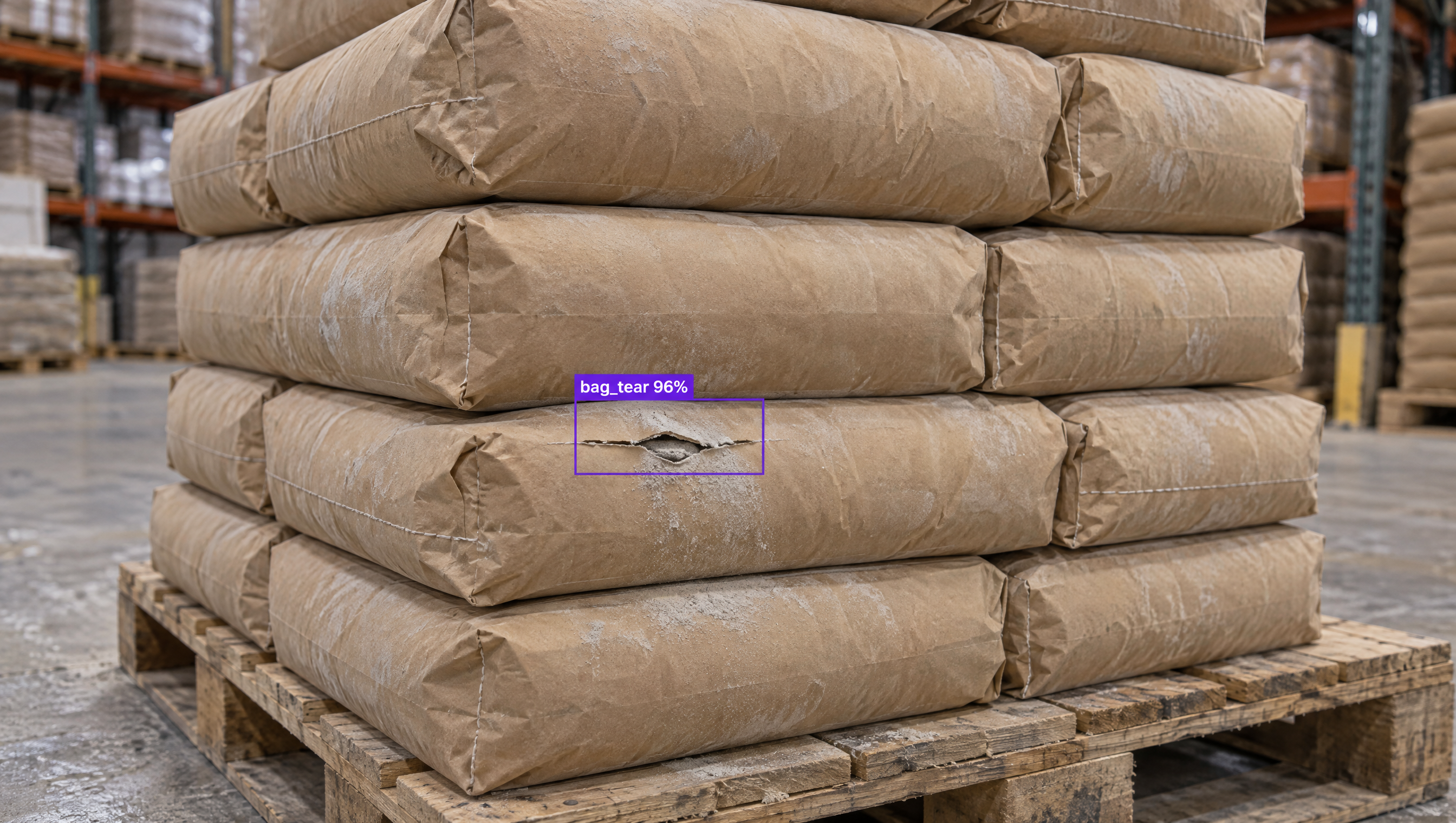
Brown paper bags stacked on a pallet in a warehouse, one bag with an AI-detected tear labeled 'bag_tear 96%'.

Why are companies choosing Roboflow?

The turnkey solution for vision AI. Create datasets, train models, and deploy to production.

  • End-to-End Vision, One Platform

    From labeling to deployment - build, train, and launch with ease.

  • Built for Builders, Ready for Anything

    Interoperable infrastructure for developers to create custom vision solutions.

  • AI at the Edge, Without Limits

    Deploy seamlessly to any edge device and power real-time vision AI.

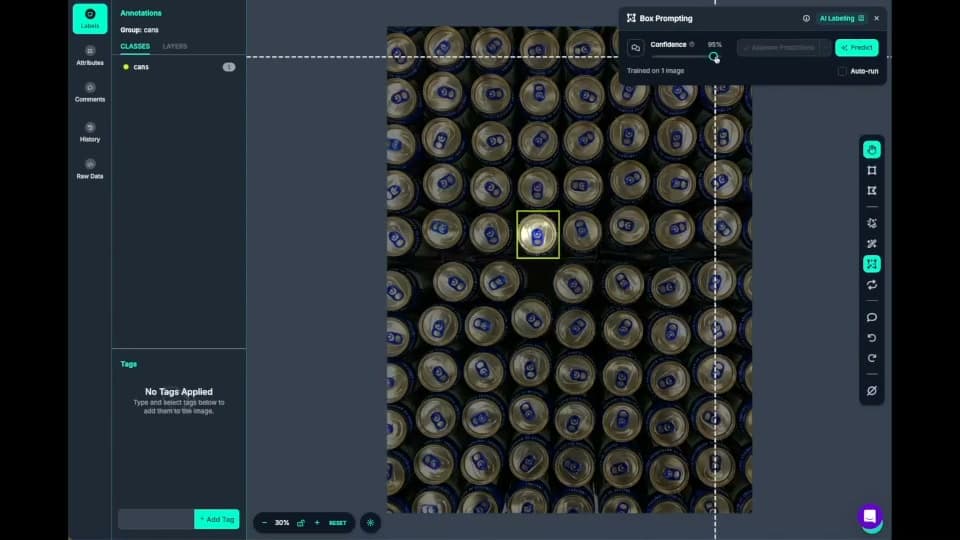
  • Roboflow Annotate labeling cans with AI box prompting

    Fast data labeling

    Label data quickly with a suite of AI-assisted annotation tools to augment human labeling or fully automate your data labeling pipeline.
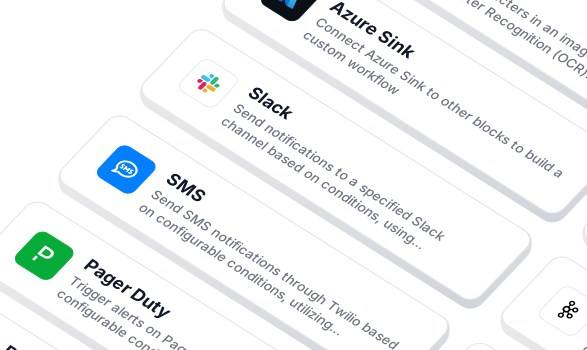
  • Workflow blocks for notifications and integrations

    Build vision AI applications with ease

    Use a low-code open source platform to simplify building and deploying vision AI applications.
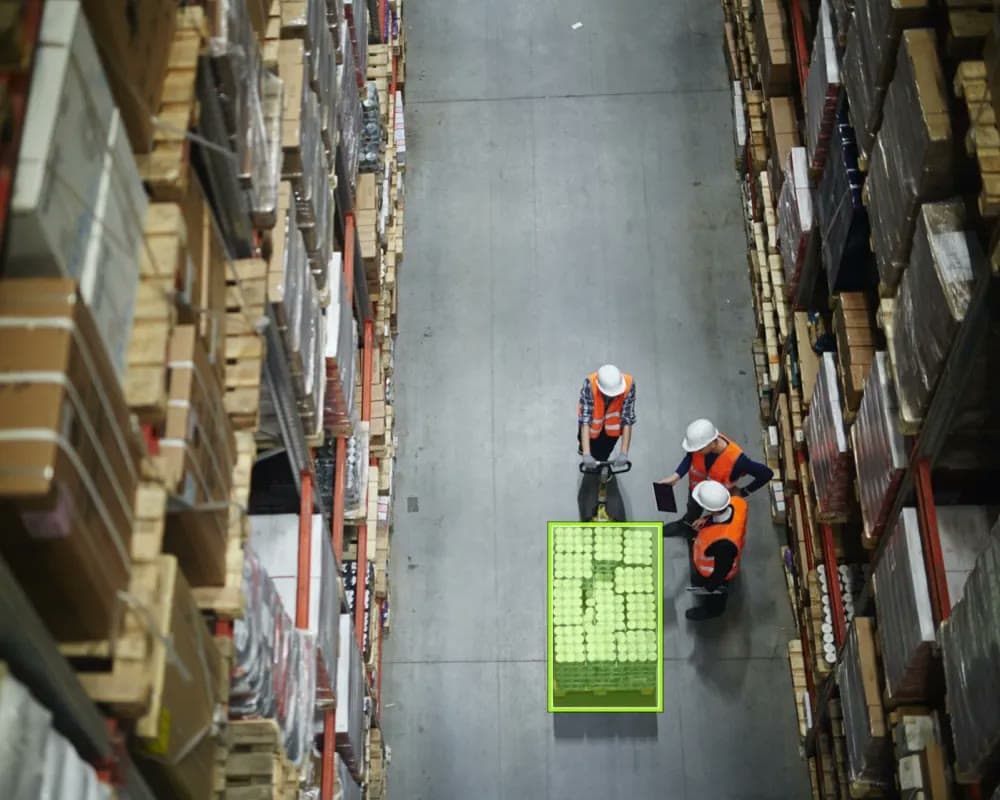
  • A team reviewing a detected pallet in a warehouse aisle

    Machine learning expertise, always

    Work with account-dedicated AI specialists and Field Engineers to accelerate development and optimize performance.
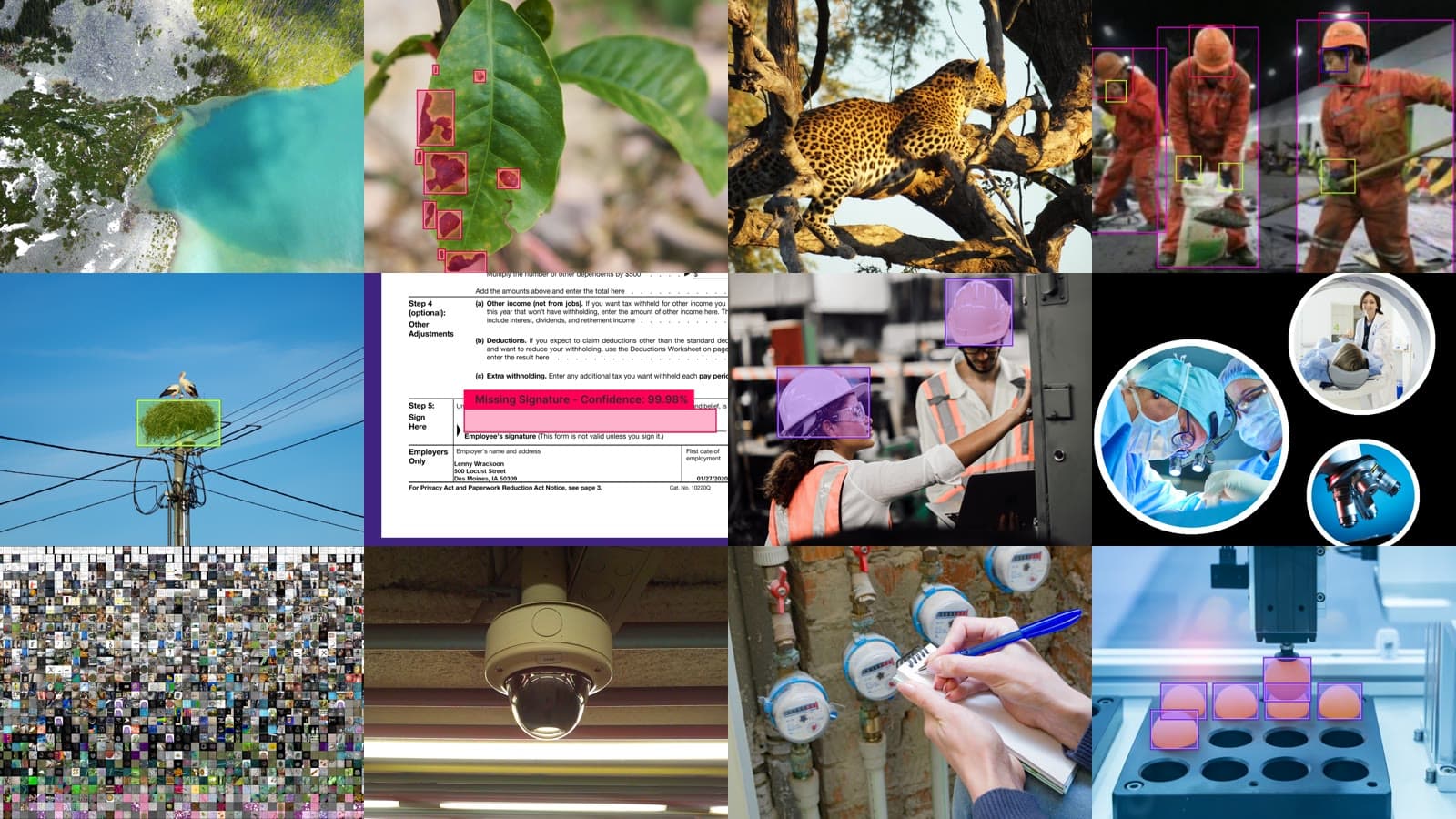
  • Photos from datasets across industries

    Datasets and models for every industry

    Access thousands of datasets and pre-trained models to kickstart your computer vision projects.
  • Logos of OpenAI, Microsoft, Meta, Anthropic, Google and Qwen

    Flexible model licensing

    Choose from a range of licensing options to fit your needs, whether for commercial use, private deployment, or collaboration across teams.

Want to use Make Sense AI and Roboflow?

  • Import images to Roboflow

    Bring data from Make Sense to Roboflow for model training.

  • Deploy with Roboflow

    No matter where you train your model, use Roboflow's trusted deployment solutions.

  • Automate data labeling

    Use AI labeling in Roboflow to automate 90% of human labeling.

OK I’m ready, how do I use Roboflow?

Roboflow makes it easy to build, train, and deploy custom computer vision models, even if you’re not a machine learning expert.

Speak with an AI expert

Our team will help you start solving business problems on the first call.

Ask us about:

  • Solution architecting
  • Live demonstration
  • Pricing and specifications
  • Feasibility assessment

Over 80,000 organizations build with Roboflow.

  • Rivian
  • Pella
  • Chobani
  • USG Corporation
  • BNSF Railway
  • American Woodmark
Start where you are
Stay connected

Get the Latest in Computer Vision First

Unsubscribe at any time. Review our Privacy Policy.

Compare Roboflow and Make Sense

When it comes to comparing Roboflow and Make Sense AI, Make Sense provides an open-source tool for manual image annotation with a focus on local, offline use. Teams building production-ready computer vision systems often choose Roboflow for its full-stack capabilities. Roboflow offers a complete platform that goes beyond annotation - enabling data management, augmentation, model training, deployment, and continuous improvement, all in one place. With Roboflow, engineers can collaborate seamlessly, scale workflows, and deploy models to the edge, cloud, or on-prem, without jumping between tools. Teams use Roboflow because it’s built to support the entire computer vision lifecycle with the speed, security, and flexibility needed to move from prototype to production.

Make Sense vs Roboflow: feature by feature

Both let you draw boxes and polygons in the browser. Roboflow does the rest for you: AI labels your own classes from a text prompt, your work saves automatically, your team labels and reviews together, and the finished dataset trains and deploys a model in the same place. In Make Sense, you label your classes by hand, export before you close the tab, and take the labels somewhere else to train.

FeatureRoboflowMake Sense
Where it runsWeb app, plus customer VPC, on-premises, and air-gapped optionsIn your browser, no sign-up; images stay on your machine by default
Annotation typesBounding boxes, polygons, keypoint skeletons, and image classificationBoxes, polygons, points, lines, and image labels; pixel-mask export not supported
AI labeling for your own classesYes, Auto Label (GPT-6 Astra, Gemini) labels classes you describe in a text promptLimited; COCO-SSD and PoseNet know fixed classes; custom classes need a YOLOv5 model you train and convert elsewhere
Save and resume projectsYes, hosted projects with annotation history and version revertNo; progress is lost when you leave unless you export and re-import labels
Team labeling and reviewYes, Admin, Labeler, and Reviewer roles with assignment trackingNo; one person in one browser session
Import and export formats40+ formats, including COCO, YOLO, and Pascal VOCYOLO, VOC XML, COCO JSON, CSV, and VGG JSON, each limited to certain label types
Dataset versions and augmentationYesNo
Model trainingYes, RF-DETR, YOLO (v8 / v11 / v26), Detectron2, and moreNo
DeploymentYes, hosted API, NVIDIA Jetson and other edge devices, or fully offlineNo
Release activityActive, with a public product changelogLast release December 2022 (1.11.0-alpha)
LicenseCommercial platform; open-source inference server and supervision libraryFree and open source (GPL-3.0)

Roboflow

End-to-end computer vision platform (annotate, train, deploy)

Make Sense

Free, open-source browser tool for image annotation

Scale & Ecosystem

Roboflow

  • 2,000,000+ developers on the platform
  • 1,000,000+ public datasets on Roboflow Universe
  • 100,000+ pre-trained models hosted publicly
  • 80,000+ organizations building with the platform, including more than half of the Fortune 100 (publicly cited: Rivian, Chobani, USG, Pella)
  • Active development with a public product changelog

Make Sense

  • Free and open source under GPL-3.0, with about 3,600 GitHub stars and 587 forks
  • Latest release is 1.11.0-alpha from December 2022; every release is tagged alpha
  • 113 open issues and 19 open pull requests, with new issues still being filed in 2026
  • No public catalog of datasets or pre-trained models

Product Capabilities (Computer Vision)

Roboflow

  • Annotate bounding boxes, polygons, keypoint skeletons, and whole-image classification in one editor
  • Auto Label uses foundation models (GPT-6 Astra, Gemini) to label images for classes you define in a text prompt; Smart Polygon creates one-click polygon annotations powered by Meta AI's Segment Anything
  • Label Assist uses your own trained models to pre-annotate new images
  • Dataset versioning, preprocessing, and augmentation built in
  • Train RF-DETR, YOLO (v8 / v11 / v26), Detectron2, and other current architectures, then deploy with Roboflow Workflows
  • Every trained model is exposed over MCP as a specialized vision sub-agent that GPT-6 Astra and Gemini can call

Make Sense

  • Label bounding boxes, polygons, points, lines, and image-level classes; pixel-mask export is not supported
  • AI pre-labeling runs in the browser with COCO-SSD (fixed COCO classes), PoseNet (human keypoints), or a YOLOv5 model you train and convert to TensorFlow.js yourself
  • No text-prompt or foundation-model auto labeling
  • No dataset versioning, augmentation, model training, or deployment; images only, no video

Developer Experience

Roboflow

  • Python SDK plus REST/HTTP APIs and public documentation
  • Import and export across 40+ annotation formats, including COCO, YOLO, and Pascal VOC
  • Open-source inference server: self-hostable inference for custom and foundation models on NVIDIA Jetson, GPU servers, Raspberry Pi, and x86
  • Open-source supervision library for detections, tracking, annotation, and evaluation

Make Sense

  • Runs in any modern browser with no install or sign-up, with keyboard shortcuts for fast labeling
  • Can be self-hosted with npm or Docker; an open issue reports the Docker setup no longer works
  • Exports YOLO and VOC XML for boxes, COCO JSON and VGG JSON for polygons, and CSV; imports YOLO, VOC XML, and COCO JSON
  • Documentation is described in the README as still under construction

Enterprise & Security

Roboflow

  • SOC 2 Type II compliant, with HIPAA-compliant infrastructure (BAAs available) and PCI DSS (SAQ A and AOC) compliance
  • Deployment options: managed cloud, customer VPC, on-premises, and fully air-gapped / offline (Docker-based)
  • Admin, Labeler, and Reviewer roles, assignment tracking, and annotation history with version revert
  • SSO, custom roles, audit logs, and a data sovereignty guarantee (US or EU) on Enterprise

Make Sense

  • Images stay in the browser by default because the tool has no server-side storage
  • No accounts, roles, SSO, or audit logs
  • Work is not saved between sessions; teams keep progress by exporting and re-importing label files
  • No published compliance certifications or support plans

Sources: roboflow.com, docs.roboflow.com, security.roboflow.com, universe.roboflow.com, github.com/roboflow, makesense.ai, github.com/SkalskiP/make-sense (README, releases, issues). Figures reflect publicly available information as of October 2026.