Computer vision answers · Geospatial
How do I detect property boundaries from aerial images with computer vision?
From the fences, hedges and walls you can see from above.
Short answer
Train an instance segmentation model to outline the features that mark property boundaries in aerial images, such as fences, hedges, walls and driveway edges, with Roboflow for free. Then turn each outline into a polygon you can load into your mapping software and compare with parcel records. A camera only sees what is on the ground, so treat detected lines as the visible boundary and check them against survey or parcel data before relying on them.
Skip the setup. Describe your images.
Describe your images and what you need to find. The agent sets up labeling, training and deployment with you.
Key facts
- What you need
- Aerial or drone images and a segmentation model for boundary features
- What you get
- Fences, hedges and walls outlined as polygons for each image
- Image sources
- Drone orthophotos, aerial surveys and satellite imagery
- Runs on
- Cloud API, or a laptop or server running Docker
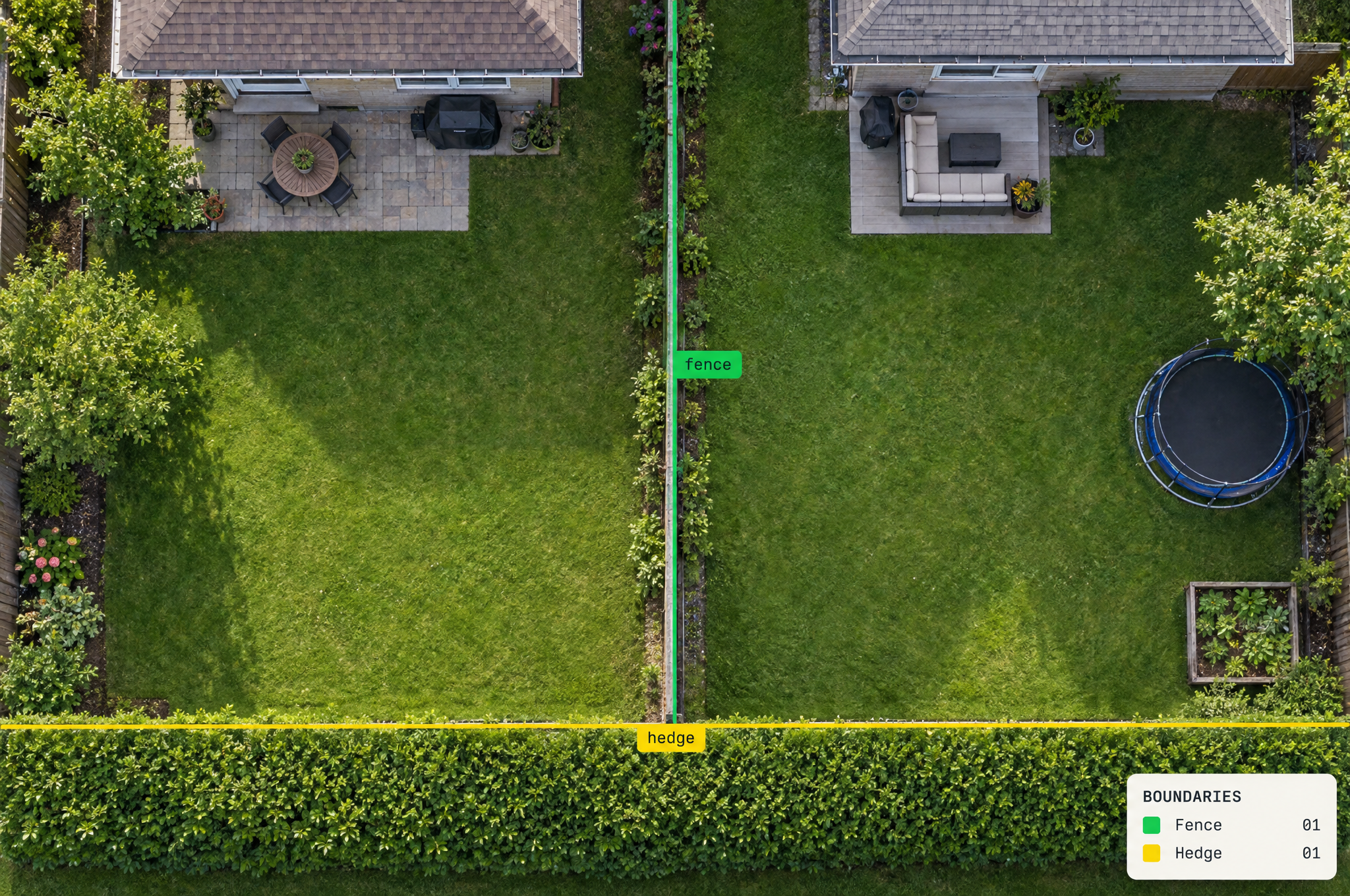
How to build property boundary detection, step by step
Six steps from aerial images to boundary features outlined as polygons.
Connect Roboflow to your coding agent, ChatGPT or Codex
Gather aerial images at one ground resolution
Outline each boundary feature as its own class
Train an instance segmentation model
Turn each outline into a polygon
Pythonimport supervision as sv from inference import get_model model = get_model("your-project/1") result = model.infer("tile_0412.png", confidence=0.4)[0] detections = sv.Detections.from_inference(result) for class_name, mask in zip(detections.data["class_name"], detections.mask): for polygon in sv.mask_to_polygons(mask): print(class_name, len(polygon), "points, starts at", polygon[0].tolist()) # fence 42 points, starts at [118, 36] # hedge 57 points, starts at [402, 210]Rather not write code? Ask the Roboflow agent to set this up for you
Run every tile and load the polygons into your map
Why 2 million engineers build on Roboflow
Label faster
Auto-label with SAM 3 or your own model, then fix the misses instead of drawing every box.
RF-DETR
Roboflow’s open-source real-time detection model, built for accuracy (opens in a new tab) on small objects.
Logic built in
Counting, zones, tracking and alerts are ready-made Workflow blocks, so there is less code to write.
Your model, your weights
Use your trained weights on every plan, including free, through the open-source Inference package.
Run it anywhere
Self-host on a workstation, Docker, an on-prem GPU or an edge device, or call the cloud API.