Action Recognition AI

Label actions on a video timeline, fine-tune NVIDIA Cosmos 3 Edge, and get back a timeline of what happened and when.
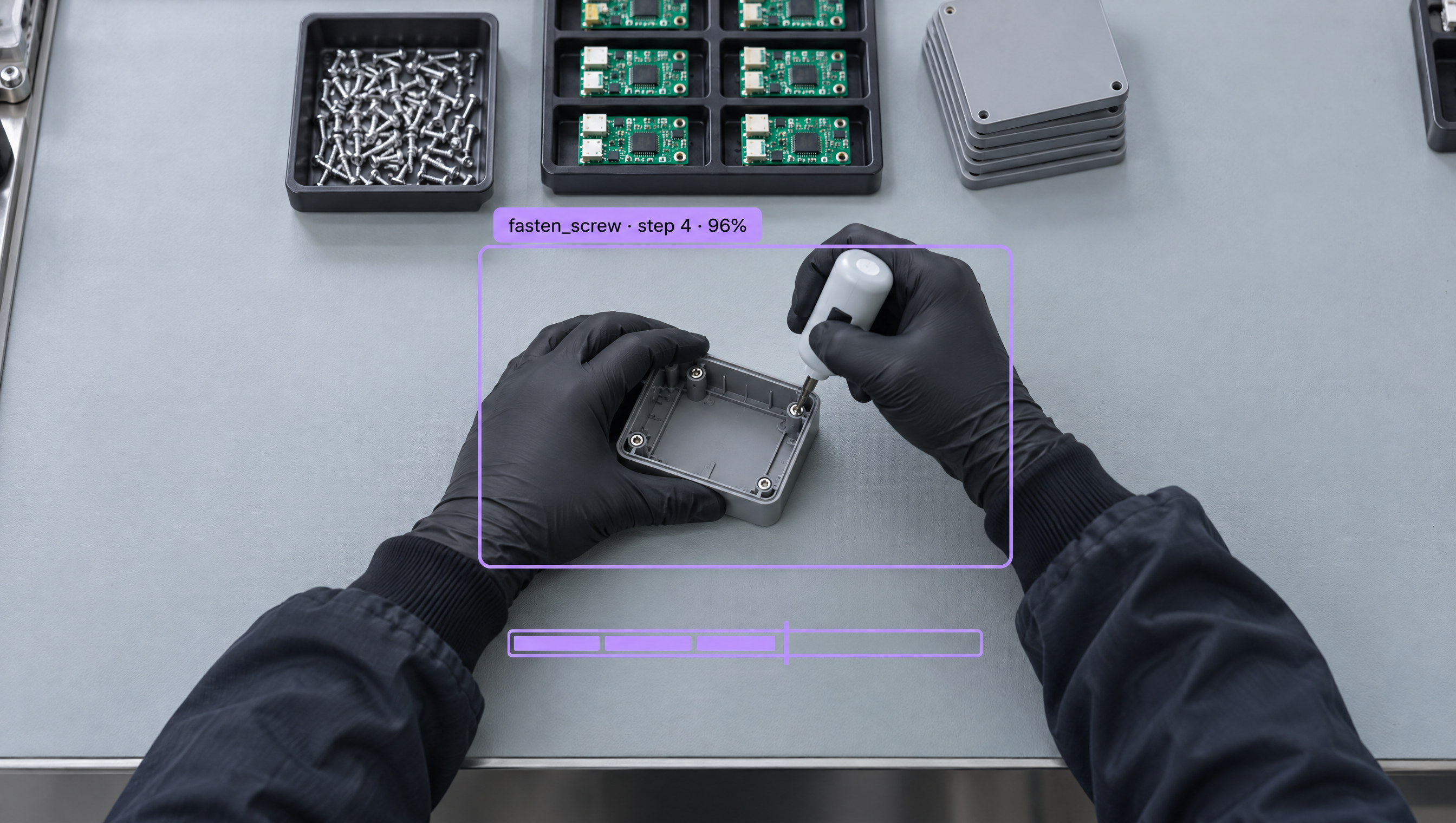
Action Recognition AI, Built Your Way

  • Label Time, Not Boxes

    Drag across a timeline to mark when each action starts and ends, with one row per action class and frame-exact in and out points.

  • Start with a Few Dozen Clips

    A few dozen short clips that each show the full task are enough to train a first model, and the default training settings work for most projects.

  • Run It Your Way

    Send clips to the Serverless Cloud API with the Python SDK, or use the Cosmos 3 block in a Workflow, then pipe the action timeline to a dashboard, alert, or MES.

  • Assembly Step Verification
  • SOP Compliance Checks
  • Action Timelines from Video
  • Missed & Out-of-Order Steps
  • Multi-Action Clips
  • Frame-Exact Segment Labels

Building something bigger? Talk to an engineer.

Scaling past a prototype, or need on-prem, air-gapped, or fleet deployment? We'll help you plan it.

Ask us about:

  • Architecture review for your cameras, pipeline, and edge hardware
  • Help moving a prototype Workflow into production
  • Deployment options: edge, on-prem, air-gapped, or VPC
  • Volume pricing and enterprise support

Over 16,000 organizations build with Roboflow.

  • Rivian
  • Pella
  • Chobani
  • USG Corporation
  • BNSF Railway
  • American Woodmark
Start where you are

Recognize Every Action, from First Clip to Live Timeline

Object detection tells you what is in a frame. Action recognition tells you what happened and when. In Roboflow, action recognition is its own project type: upload video, mark the time range where each action happens, and fine-tune NVIDIA Cosmos 3 Edge, a model that reads several frames at once and scores the action across them.

Label the video:

  • Create an Action Recognition project and upload short clips that each show the full task.
  • Drag across the timeline to label each action segment (opens in a new tab), with one row per action class, so a single clip can hold several actions.
  • Drag a segment's edges to adjust it, or use Set In and Set Out for frame-exact timing.

Train the model:

  • Create a dataset version, choose Cosmos 3 at the Edge size, and start training.
  • By default the model reads 64 frames per window, sampled at 4 fps, which covers about 16 seconds of video, at 360p, adjustable from 240p to 720p.
  • Customize the training recipe when you need to: sampling, resolution, epochs, and a credit cap for the run.

Run and connect:

  • Send a clip to the Serverless Cloud API with the inference_sdk Python client and get back a timeline of the actions it found.
  • Use the Cosmos 3 block in Roboflow Workflows, and run Cosmos 3 Edge (opens in a new tab) on dedicated deployments or self-hosted with Roboflow Inference on an NVIDIA GPU.
  • Compare the action timeline to your standard procedure for SOP compliance and manual assembly monitoring, and send results to a dashboard, a line alert, or your MES.

Start building today. Your first action model is a few dozen clips away.

‍

Frequently asked questions

What is action recognition?

Action recognition finds which actions happen in a video and when. Instead of labeling objects in single frames, you label time ranges, and the model learns to recognize each action from a sequence of frames.

How much video do I need?

A few dozen short clips that each show the full task are enough to start. Add more clips of the actions the model confuses, retrain, and it improves.

How is it different from object detection?

Object detection finds things in one frame, like a part, a tool, or a person. Action recognition looks across many frames to recognize what someone is doing, like picking a part, fastening a screw, or skipping a step.

Where does it run?

Through the Serverless Cloud API and Roboflow Workflows. Cosmos 3 Edge also runs on dedicated deployments and self-hosted with Roboflow Inference on an NVIDIA GPU.

‍

Stay connected

Get the Latest in Computer Vision First

Unsubscribe at any time. Review our Privacy Policy.