Industrial PC vs Jetson

Pick the edge computer that fits your line. Roboflow runs on both.

Industrial PCs bring Windows or Linux, x86 software compatibility, and room for a discrete GPU. NVIDIA Jetson packs a GPU and AI accelerators into a small, low-power module. Train a vision model in Roboflow and deploy it with Roboflow Inference on either one. Over 2 million developers build with Roboflow.
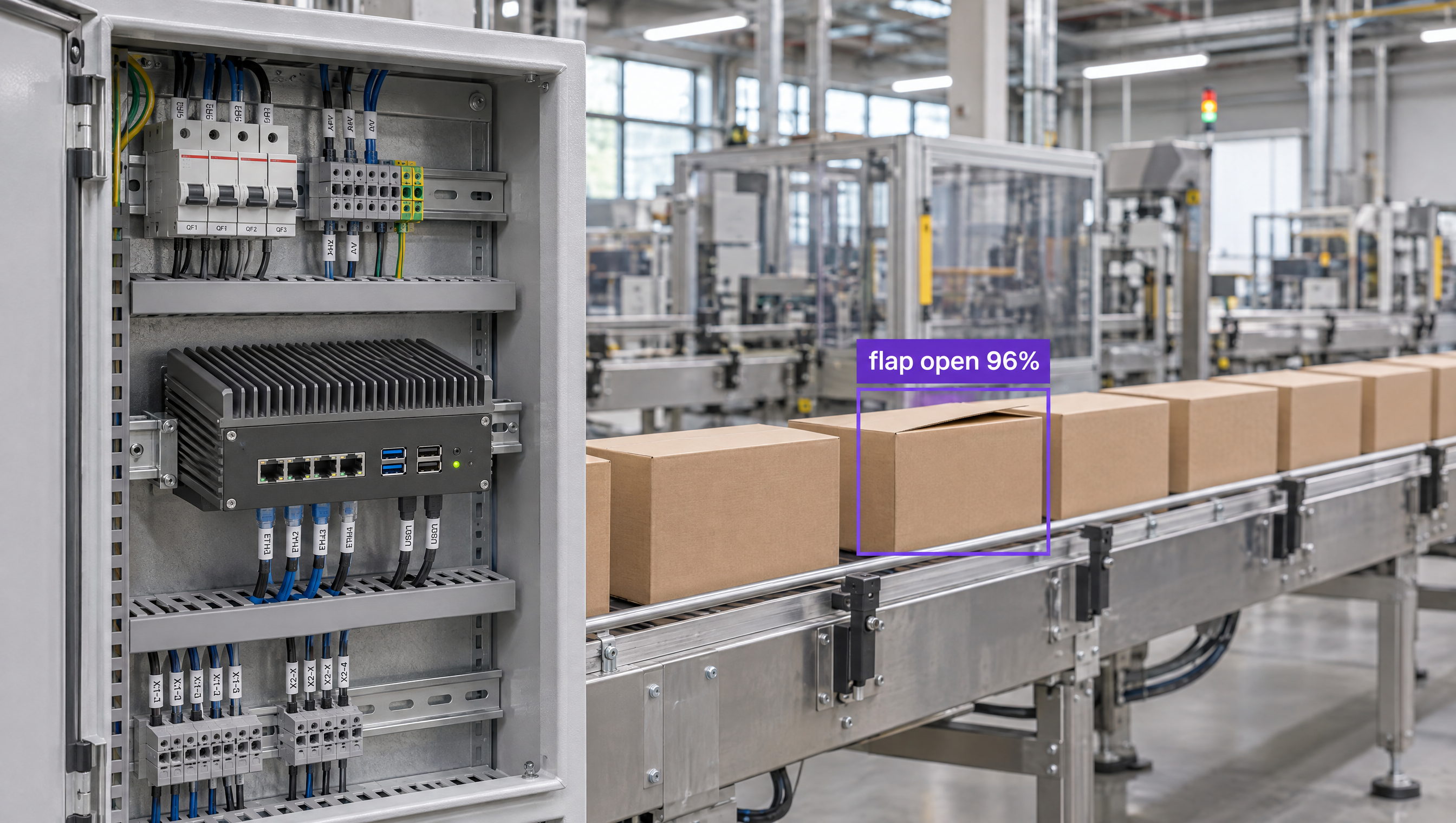
An industrial computer in an open electrical cabinet next to a factory conveyor line, where computer vision detects a defective cardboard box with an open flap.

Why are companies choosing Roboflow?

Roboflow is enterprise vision AI infrastructure, used by more than half of the Fortune 100, with SOC 2 Type II, HIPAA, and air-gapped deployment. Create datasets, train models, and deploy to production.

  • One Model, Any Edge Computer

    Train once in Roboflow and deploy the same model to an x86 industrial PC, an NVIDIA GPU, or a Jetson.

  • Hardware Ready to Ship

    Roboflow ships Jetson-based devices, from the AI1 on Orin NX 8GB to AGX Orin 64GB, so you can skip sourcing and setup.

  • Runs at the Line

    Process video on the edge computer next to your cameras, with TensorRT acceleration on NVIDIA GPUs and Jetson.

Which edge computer fits your line?

Both run the same Roboflow model, so you can choose by site and switch later without retraining.

  • Industrial PC: x86 Software and Big GPUs

    Runs Windows or Linux and takes a discrete NVIDIA GPU. Best when the line already runs x86 software or one box serves many cameras.

  • Jetson: Compact AI at the Machine

    Up to 275 TOPS in a module that draws 7W to 60W. Best for real-time vision on one machine or a few cameras.

  • Both: Stations and a Central Box

    Put a Jetson at each station and an industrial PC with a GPU where you need heavier models or central inference.

OK I’m ready, how do I use Roboflow?

Roboflow makes it easy to build, train, and deploy custom computer vision models, even if you’re not a machine learning expert.

Talk to a Vision AI engineer before you pick an edge computer

Not sure whether your line needs an industrial PC or a Jetson? Bring Roboflow your use case and we'll size the hardware and show you a model running on it on the first call.

Ask us about:

  • A recommendation on an industrial PC, Jetson, or both for your cameras
  • A live demo of a model trained on your own images
  • Roboflow hardware that ships with Jetson inside
  • Your trained model served over MCP, so frontier models can call it

Over 80,000 organizations build with Roboflow.

  • Rivian
  • Pella
  • Chobani
  • USG Corporation
  • BNSF Railway
  • American Woodmark
Start where you are

Compare Industrial PCs and NVIDIA Jetson

Industrial PCs and NVIDIA Jetson both run vision AI on the factory floor, but they're built for different jobs.

An industrial PC is a rugged computer for production environments, usually built on Intel or AMD x86 processors, often fanless, and rated for wider temperatures, shock, and vibration than a desktop. It runs Windows or Linux, so it works with the same software as your other plant systems, and AI acceleration comes from a discrete NVIDIA GPU in an expansion slot. That makes it flexible and upgradeable, but larger and more power-hungry.

NVIDIA Jetson combines a CPU, GPU, and AI accelerators in one compact module running NVIDIA's Linux-based JetPack. Jetson Orin modules range from up to 67 to up to 275 TOPS at 7W to 60W, and industrial vendors build them into fanless, rugged systems for the line.

Whichever you choose, Roboflow handles the vision model. Label images with Auto Label, train a model such as RF-DETR (opens in a new tab), Roboflow's open-source detection, segmentation, and keypoints model, and deploy it with Roboflow's open-source Inference server (opens in a new tab), which runs on x86 CPUs with Windows, Linux, or macOS, on NVIDIA GPUs, and on Jetson with JetPack 4.5 through 6. TensorRT acceleration is available when you need faster models.

Teams can also use Roboflow Workflows to build applications that combine computer vision models with business logic, then run them on an industrial PC, Siemens Industrial Edge devices, or NVIDIA Jetson next to your cameras.

If you'd rather not run inference hardware at all, Roboflow Cloud Streaming runs the same models on cloud GPUs that Roboflow manages. A lightweight connector on a local machine near your RTSP or USB cameras sends video outbound, and it doesn't need a GPU.

For organizations building production computer vision applications in manufacturing, logistics, robotics, healthcare, or retail, Roboflow offers a complete training-to-deployment solution on the edge computer that fits each site.

Industrial PC vs Jetson: Feature by Feature

FeatureIndustrial PCNVIDIA Jetson
What it isRugged computer for production environments, in box, panel, or rack formNVIDIA module with CPU, GPU, and AI accelerators, sold as dev kits or inside rugged systems
ProcessorUsually Intel or AMD x86Arm CPU with an integrated NVIDIA GPU
AI accelerationCPU only, or a discrete NVIDIA GPU added in an expansion slotBuilt in: up to 67, 157, or 275 TOPS on Orin Nano, Orin NX, and AGX Orin
Operating systemWindows, Windows IoT, or LinuxLinux, through NVIDIA JetPack
PowerLow for CPU-only systems; hundreds of watts with discrete GPUs7W to 60W across Orin modules
RuggednessOften fanless, with wide temperature ranges (as wide as -40°C to 85°C on some models), shock, and vibration ratingsSet by the carrier board and enclosure; industrial vendors sell fanless, rugged Jetson systems
Size and upgradesLarger; swap or add GPU cards, RAM, and storageCompact; Orin Nano and Orin NX share a 69.6 x 45 mm footprint, so you can move up a module
Best forLines running x86 software such as SCADA and PLC tools, and many cameras sharing one GPUReal-time vision at the machine where space and power are tight
Runs Roboflow modelsYes, Roboflow Inference on x86 CPUs and NVIDIA GPUs, on Windows or LinuxYes, Roboflow Inference on JetPack 4.5 through 6, plus Roboflow hardware with Jetson inside

Which One Should You Choose?

  • Choose an industrial PC when the line runs Windows or other x86 software, or when one machine with a discrete GPU will serve many cameras.
  • Choose NVIDIA Jetson for compact, low-power vision at each machine or station.
  • Use both when stations need fast local results and a central box handles heavier models.
  • Choose Cloud Streaming when your cameras are RTSP or USB and you'd rather not buy or manage inference hardware.
  • Whichever you pick, train and deploy the model with Roboflow, and move it to different hardware later without retraining.

More on Edge Hardware and Roboflow