Automate End of Line Inspection
 Erik KokaljPublished Sep 9, 2026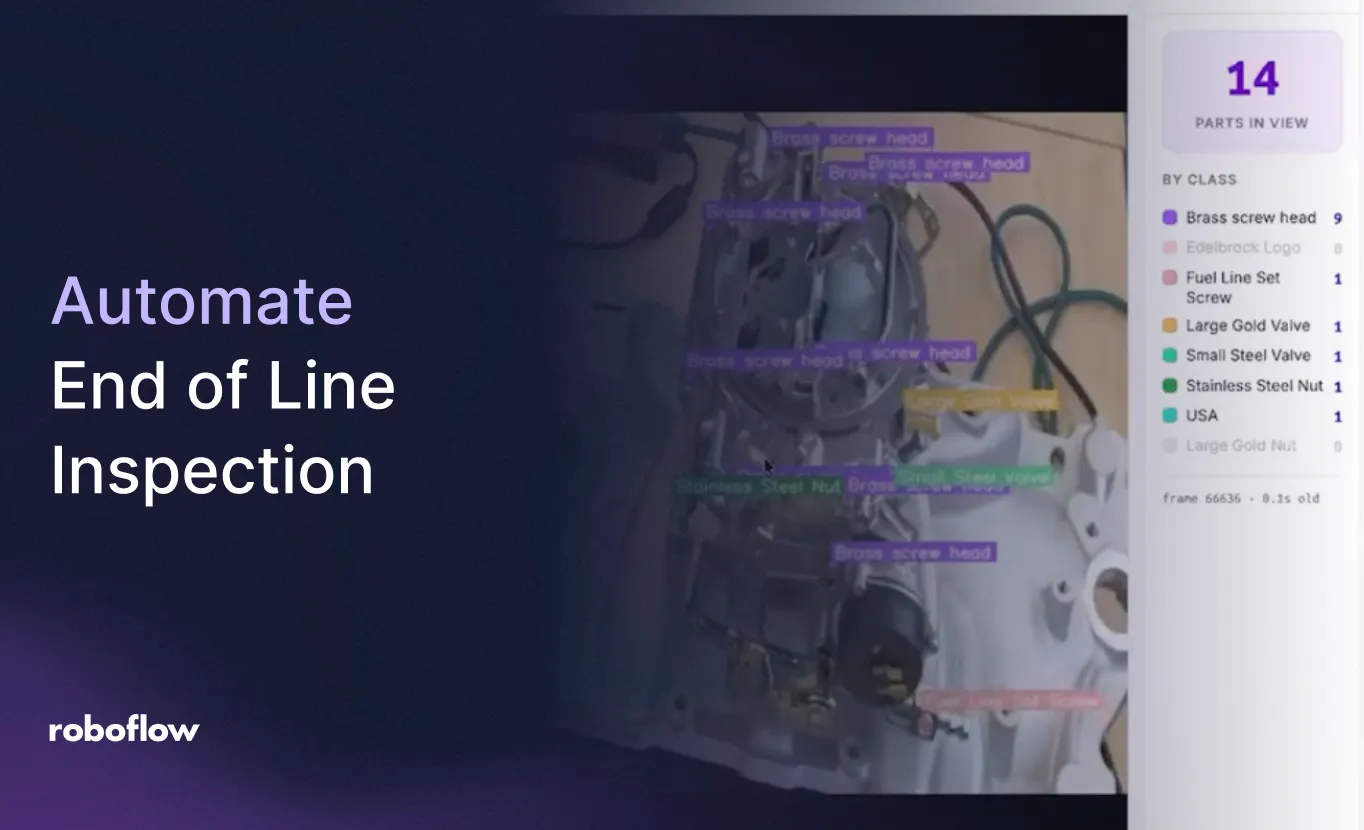
A finished assembly can have dozens of components and still be incomplete. A missing nut, valve, or set screw may be small in the camera frame. But it is exactly the kind of issue end of line inspection needs to catch before shipment.
Vision AI gives manufacturers a way to check visible components and surface missing parts for an operator to review. With Roboflow, those checks can run on a NVIDIA Jetson (opens in a new tab) beside the production line, connecting camera feeds, a custom vision model, and an operator display.
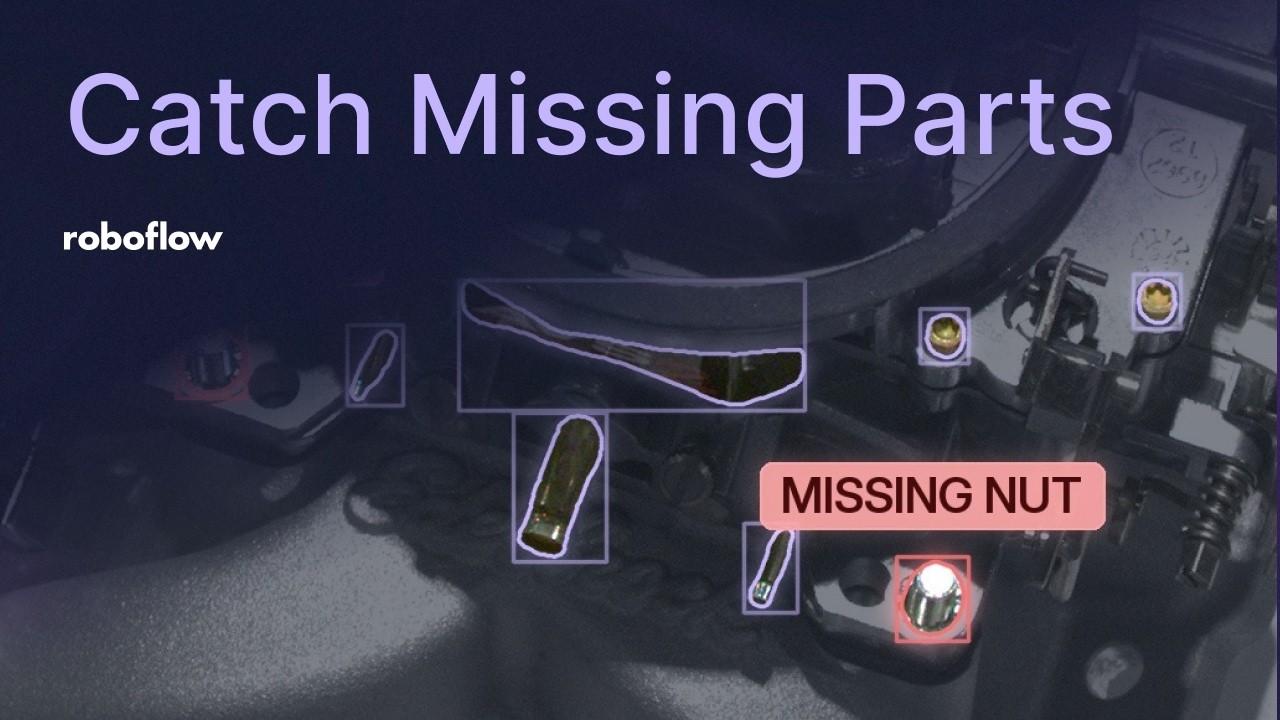
In the Build a Missing Part Detection System with Computer Vision (opens in a new tab)webinar, Aadhav Sivakumar, an Edge AI Engineer at Roboflow, demonstrates that system on a carburetor assembly. He removes components, shows the missing-part alerts appear, and replaces them to clear the warnings. The session then explains the data, model, and deployment behind the live inspection. You can watch it here or follow along below:
What Is End of Line Inspection?
End of line inspection checks a completed product against its requirements before it moves to packaging, shipment, or the next downstream process. Depending on the product, that can include visual checks, dimensional measurements, and functional testing.
This webinar focuses on one visual task: part presence detection.
Are the required components attached to the assembly, and can the system identify a location where a component is absent?
For this application, the inspection model recognizes brass screw heads, stainless steel nuts, valves, a fuel line set screw, and identifying marks. For selected components, it also recognizes a separate missing-part class.
Catch Incomplete Assemblies While They Are Still Accessible
Finding a missing component before shipment gives the team an opportunity to correct the assembly while it is still on site. A useful inspection result also tells the operator what needs attention, rather than leaving them to search the entire product again.
Camera (opens in a new tab) placement is central to that result. A top view may show most of an assembly while hiding components behind taller features. A side view can reveal those locations, but lose visibility elsewhere.
The demo combines a Basler camera looking from the side with a Lucid camera looking from above. A rotating pedestal exposes different faces of the assembly. In a production setting, cameras positioned along a conveyor could provide the necessary views as the product moves through the inspection area.
For your use case, define which components must be inspected, then make sure the camera arrangement can actually see them.
Teach the Model What Present and Missing Look Like
The demo shows how to use RF-DETR Seg (opens in a new tab), Roboflow’s instance segmentation model. Segmentation predicts a mask around each component, following its visible shape rather than enclosing it in a rectangular bounding box. On a crowded assembly, those masks help show operators exactly which feature the system has identified.
The dataset includes examples with components installed and examples with selected components removed. The missing-part labels describe visible regions where those components should be. This gives the model examples of the absence condition itself.
The training data shown in the webinar contains 680 images collected across different views and conditions. Variations in lighting, camera angle, and the apparent size of components help represent the changes the system may encounter. Augmentations (opens in a new tab) add further variation in brightness, exposure, saturation, and small rotations.
The goal is representative variation. Images and augmentations should reflect plausible operating conditions, and evaluation should use held-out examples that test the inspection’s real failure cases.
Labeling also becomes faster as the project develops. The webinar shows SAM 3-powered Smart Select creating initial masks, with corrections where needed. Once a custom model exists, an earlier version can propose annotations for new images. Roboflow’s approach to improving datasets with SAM 3 offers more context on that annotation process.
Turn Model Predictions into an Operator Display
A model prediction becomes useful on the factory floor when it reaches an interface someone can act on. The webinar uses Roboflow Workflows to connect image preprocessing, segmentation, tracking, counts, and visualizations.
ByteTrack associates detections across successive frames as the assembly rotates. A stabilization stage reduces jumpiness, while mask and label visualizations make the predictions visible. The workflow also returns object and class counts for the application to use.
Those outputs feed a human-machine interface, or HMI, showing the camera views and missing-part warnings. The live demonstration connects the physical change to the operator’s experience: remove a component, wait for its location to become visible, and see the warning appear. Reattach it, and the warning clears.
NVIDIA Jetson Quality Inspection at the Edge
For NVIDIA Jetson quality inspection, the computer vision workload runs on hardware near the cameras. Processing frames locally avoids the cloud round trip for each inspection and lets the factory keep image processing within its own environment.
Roboflow Inference (opens in a new tab) provides the runtime for the deployed vision application. In the webinar, the same workflow processes both camera views on a Jetson, and a custom HMI container managed through Deployment Manager displays the results.
The demonstrated setup runs at approximately 8 to 9 frames per second. The session also explores neural architecture search to compare model accuracy and latency.
For deployment, the useful question is whether the complete application can inspect the required views within the time each assembly is available.
For implementation details after watching, see Roboflow’s guide to deploying RF-DETR on an NVIDIA Jetson.
Watch End of Line Inspection in Action
Watch the full webinar (opens in a new tab) to see the missing-part alerts at 1:01, the present-and-missing labeling strategy at 4:03, the inspection workflow at 24:49, and the Jetson deployment at 26:36.
Then build your inspection workflow with Roboflow, using images of your own assemblies to connect part detection with the information your operators need.