Change Detection AI

Compare drone, aerial, and site images over time, and find what was added, removed, or moved, with models and Workflows you build yourself.
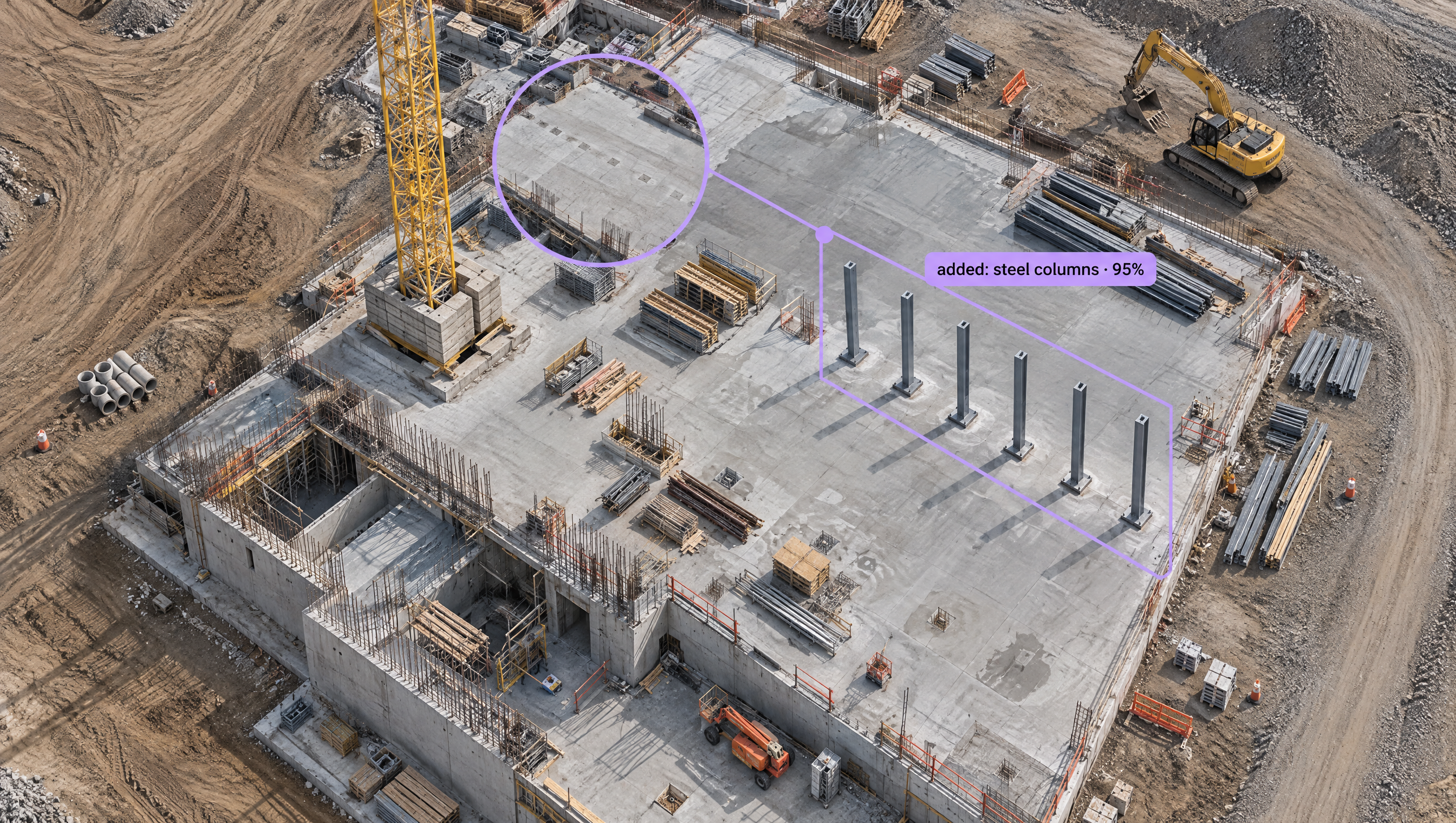
Change Detection AI, Built Your Way

  • Compare What Changed, Object by Object

    Run the same RF-DETR model on before and after images, tile large aerial captures with the Image Slicer, and compare counts and locations across captures.

  • Flag Scene-Level Change

    Compare CLIP embeddings of two captures with the Cosine Similarity block, or check that two images show the same scene with SIFT Comparison.

  • Watch Fixed Cameras for Shifts

    Feed embeddings from a site camera into the Identify Changes block, which flags when the scene changes faster or slower than it normally does.

  • Before & After Comparison
  • Drone & Aerial Imagery
  • Construction Progress Tracking
  • New & Missing Objects
  • Scene Similarity Scores
  • Fixed-Camera Change Alerts

Building something bigger? Talk to an engineer.

Scaling past a prototype, or need on-prem, air-gapped, or fleet deployment? We'll help you plan it.

Ask us about:

  • Architecture review for your cameras, pipeline, and edge hardware
  • Help moving a prototype Workflow into production
  • Deployment options: edge, on-prem, air-gapped, or VPC
  • Volume pricing and enterprise support

Over 16,000 organizations build with Roboflow.

  • Rivian
  • Pella
  • Chobani
  • USG Corporation
  • BNSF Railway
  • American Woodmark
Start where you are

Detect Every Change, from First Flight to Final Walkthrough

Construction, infrastructure, and aerial teams capture the same places again and again: the same site from the same drone path, the same corridor every month, the same yard from a fixed camera. Change detection compares those captures to find what is new, what is gone, and what moved. With Roboflow you build it from models and Workflow blocks, tuned to the changes that matter on your sites.

Object-level change:

Scene-level change:

Stream-level change:

  • Feed embeddings from a fixed site camera into the Identify Changes block, which flags outliers with a percentile and z-score when the scene changes faster or slower than it has historically.
  • Run a Workflow over a whole folder or bucket of drone captures with Batch Processing (opens in a new tab), and export the results as JSONL or CSV.
  • Bring the same pipeline to every flight with vision AI for drones.

Start building today. Your first change report is two captures away.

‍

Frequently asked questions

What is change detection?

Change detection compares images of the same place taken at different times to find what changed, such as new structures, removed equipment, moved materials, or a scene that looks different from normal.

Do my images need to line up exactly?

Consistent flight paths and camera positions help. SIFT Comparison confirms two images show the same scene, and object-level comparison works on what the model detects, so it holds up when the view shifts slightly between captures.

Can I run it on drone flights in bulk?

Yes. Upload a flight's images or point Batch Processing at an S3, Google Cloud Storage, or Azure Blob Storage bucket, run your Workflow, and export the results when the job finishes.

What kinds of change can it find?

Anything you can train a model to see, like new steel, poured slabs, stockpiles, vehicles, and equipment, plus scene-level changes that show up as a drop in embedding similarity.

‍

Stay connected

Get the Latest in Computer Vision First

Unsubscribe at any time. Review our Privacy Policy.