Convert Annotation Formats EASY (26 available Formats 😱)
 Lukas Kelsey-FriedemannPublished Mar 16, 2022
Computer vision datasets come in dozens of annotation formats, and switching between them manually is tedious. Roboflow handles this in two steps: upload your dataset in whatever format you have, and export it in any of 26 supported formats. The platform auto-detects the incoming format, so no manual conversion is needed before you can use the data with a different training framework or tool.
Computer vision datasets come in a wide variety of formats, and sometimes they’re less than ideal. Roboflow solves this problem by offering 26 annotations formats for dataset uploading and downloading.
In two steps you can:
1) upload your dataset to Roboflow
and then,
2) download your dataset in virtually any annotation format.

1 ) Upload Your Dataset
After creating a new workspace, drag & drop or select the folder containing your dataset in the annotation page on your project's page
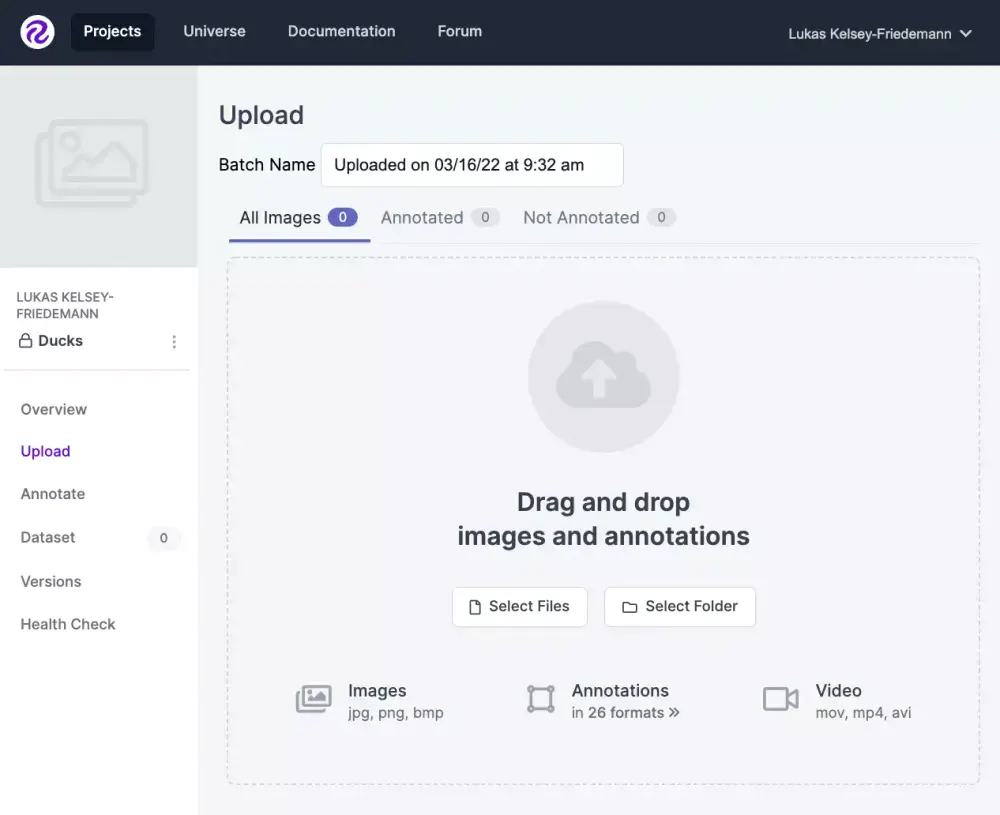
Roboflow will automatically detect the format, so you don't have to worry about anything.
You can then optionally modify your dataset by uploading more images, annotating them, and even combine datasets.
2) Download Your Dataset
Generate a new version of your dataset (or select a pre-existing version) and then click Export. You'll be prompted to choose from the 26 annotation formats available.

That's It!
You have 26 different annotation formats at your finger tips for free with Roboflow. Enjoy!