Key-Value Extraction AI

Pull named fields like totals, dates, lot codes, and IDs from receipts, forms, and labels into structured JSON, and check every value before it reaches your system.
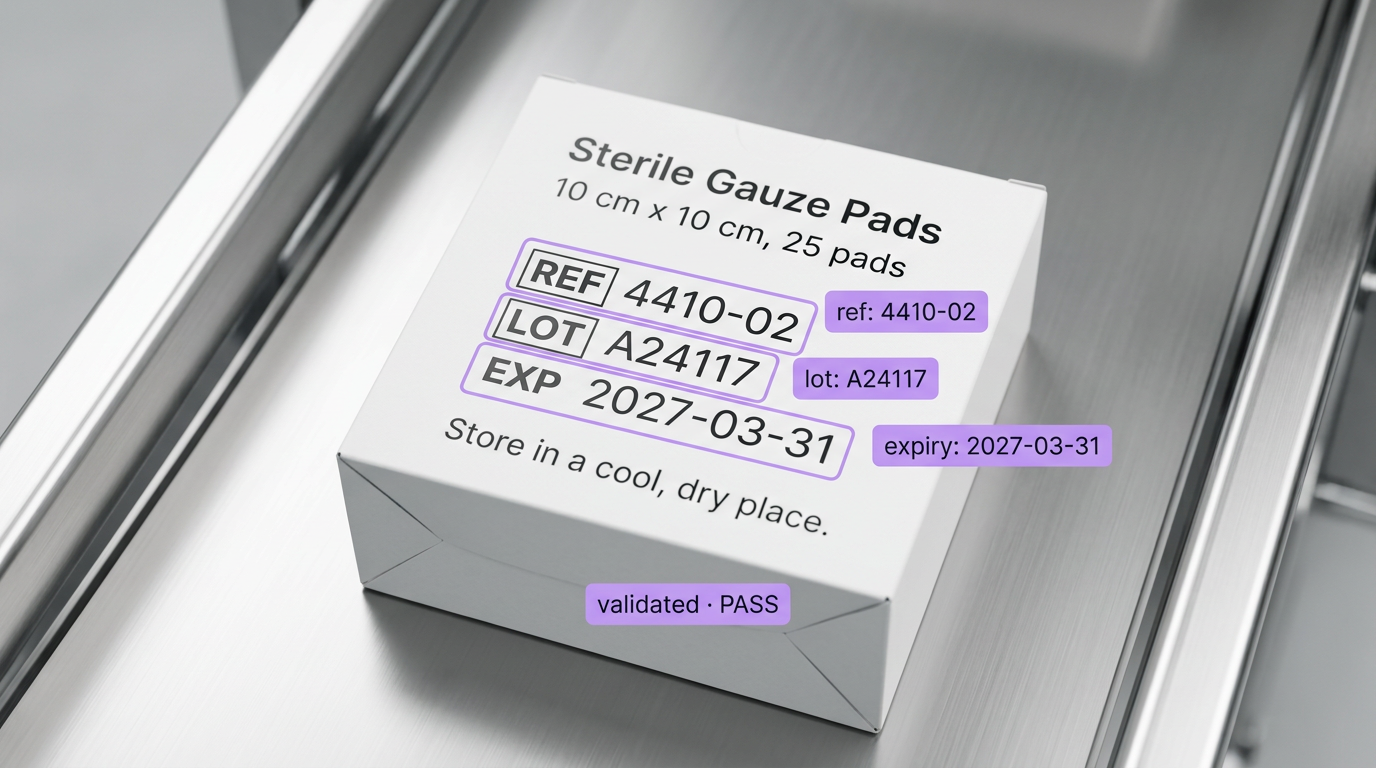
Automated text recognition highlights the reference, lot, and expiry date on a box of Sterile Gauze Pads, marked 'validated - PASS'.

Key-Value Extraction AI, Built Your Way

  • Define the Keys, Get the Values

    Write a JSON schema with the fields and types you need, run a vision-language model with Structured Output Generation, and parse every key with the JSON Parser block.

  • Find, Crop, Then Read

    Train a detector to find the field on a label or form, crop it with Dynamic Crop, and read just that region, so each value lands on the right key.

  • Validate Before You Trust It

    Check formats, dates, and totals with a Python block, return PASS or FAIL, and send the result to your API with the Webhook Sink.

  • Receipt & Invoice Fields
  • Form Field Extraction
  • Lot Code & Expiry Dates
  • JSON Schema Output
  • Field-Level Validation
  • Labels, Tags & Nameplates

Building something bigger? Talk to an engineer.

Scaling past a prototype, or need on-prem, air-gapped, or fleet deployment? We'll help you plan it.

Ask us about:

  • Architecture review for your cameras, pipeline, and edge hardware
  • Help moving a prototype Workflow into production
  • Deployment options: edge, on-prem, air-gapped, or VPC
  • Volume pricing and enterprise support

Over 16,000 organizations build with Roboflow.

  • Rivian
  • Pella
  • Chobani
  • USG Corporation
  • BNSF Railway
  • American Woodmark
Start where you are

Extract Every Field, from Raw Image to Validated JSON

Key-value extraction turns a document or label into pairs your code can use: total becomes $42.18, expiry_date becomes 2027-03-31. Reading the text is the easy part. The hard part is matching every value to the right key, every time, in a format you can trust. Roboflow Workflows give you the pieces to do both.

Define the schema:

  • Write a JSON schema with typed fields, like strings for merchant and date, numbers for subtotal and total, and an array for line items, then extract structured JSON with the OpenAI or Google Gemini block set to Structured Output Generation.
  • Add the JSON Parser block so every key is available to the next step in your Workflow.

Locate and read:

  • Train RF-DETR to find each field region, keep the classes you need with Detections Filter, and isolate them with Dynamic Crop, the same pipeline used for lot code and expiry date verification.
  • Read each crop with a vision-language model, or with an OCR block such as OCR Model (DocTR), PP-OCR, or GLM-OCR when the field is short and its position is known.

Validate and send:

  • Check every value in a Python block: regex for lot code and ID formats, date parsing for expiry dates, and arithmetic so subtotal plus tax equals total.
  • Send validated fields to your own API with the Webhook Sink block, or to a channel your team watches, like this Workflow that reads receipts and posts to Slack.
  • Run the whole Workflow over the API, or locally (opens in a new tab) with Roboflow Inference when fields include sensitive data.

Start building today. Your first validated field is a few blocks away.

‍

Frequently asked questions

What is key-value extraction?

Key-value extraction reads a document, form, or label and returns each named field with its value, like invoice_no: INV-0427 or lot: A24117, as structured data your software can use.

How do I make sure each value matches the right key?

Give the model a JSON schema that names every key and type, and for fixed layouts like labels, detect and crop each field before reading it, so the model only sees one field at a time.

Should I use a vision-language model or OCR?

Use a vision-language model when it needs to understand the layout and decide which value belongs to which key. Use OCR on a cropped field when you already know where the value is and just need the characters, fast.

How do I catch bad extractions?

Validate every field in a Python block, from formats and dates to totals that must add up, and route anything that fails to a person for review with the original image attached.

‍

Stay connected

Get the Latest in Computer Vision First

Unsubscribe at any time. Review our Privacy Policy.