Dataset Cleaning AI

Find missing annotations, merge messy classes, catch mislabeled images, and ship a clean dataset version to training, free.
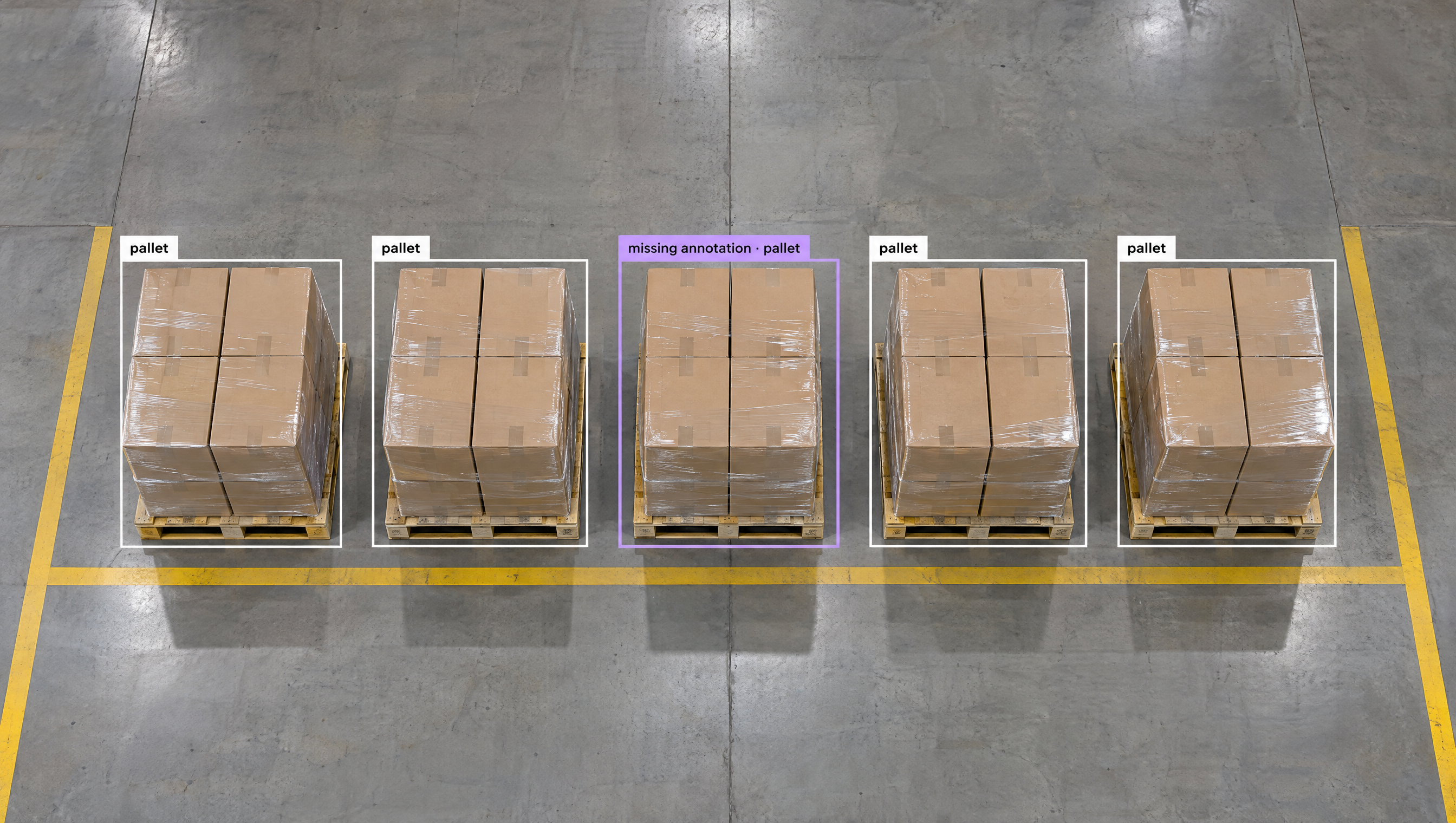
Overhead view of five pallets stacked with boxes on a concrete floor with yellow lines. Four pallets are outlined in white and labeled "pallet," while one is outlined in purple and labeled "missing annotation - pallet."

Dataset Cleaning AI, Built Your Way

  • See What's Wrong at a Glance

    Health Check shows missing and null annotations, class counts across train, valid, and test, image dimensions, and an annotation heat map.

  • Fix Classes Everywhere at Once

    Rename a class across every image, merge classes by renaming them to the same name, and lock classes so labelers can't add new ones.

  • Ship Clean Versions

    Filter nulls, filter by tag, and omit or rename classes per dataset version, without touching the underlying dataset.

  • Missing & Null Annotations
  • Class Merging & Renaming
  • Mislabeled Image Detection
  • Class Balance Across Splits
  • Duplicate Upload Skipping
  • Clean Dataset Versions

Building something bigger? Talk to an engineer.

Scaling past a prototype, or need on-prem, air-gapped, or fleet deployment? We'll help you plan it.

Ask us about:

  • Architecture review for your cameras, pipeline, and edge hardware
  • Help moving a prototype Workflow into production
  • Deployment options: edge, on-prem, air-gapped, or VPC
  • Volume pricing and enterprise support

Over 16,000 organizations build with Roboflow.

  • Rivian
  • Pella
  • Chobani
  • USG Corporation
  • BNSF Railway
  • American Woodmark
Start where you are

Clean Every Dataset, from First Upload to Training-Ready Version

A model is only as good as its labels. Missing boxes, inconsistent class names, mislabeled images, and duplicate frames all quietly cost accuracy. Roboflow gives you a tool to find and fix each one, so the dataset you train on is the dataset you meant to build.

Find the problems:

  • Open Dataset Health Check (opens in a new tab) for missing and null annotation counts, the class breakdown across train, valid, and test, Dimension Insights, the Histogram of Object Count by Image, and the Annotation Heat Map.
  • Pull up the images that need work with Dataset Search (opens in a new tab): max-annotations:0 for unlabeled images, class filters, annotation counts, and AND, OR, and NOT logic.
  • Catch likely mislabeled images by comparing a CLIP embedding of each annotation to the average for its class, then review the outliers in Roboflow Annotate.

Fix them:

Ship a clean version:

  • Shape each dataset version with preprocessing (opens in a new tab): Modify Classes to omit or rename classes, Filter Null to set the share of null images, and Filter by Tag to include or exclude images.
  • Apply Auto-Orient so every image is stored the way it displays, with no surprise EXIF rotations at training time.
  • Working with rare classes? See what actually moved accuracy when we tested fixes for class imbalance on a 50:1 dataset.

Start building today. Your cleanest dataset is one Health Check away.

‍

Frequently asked questions

What is dataset cleaning?

Dataset cleaning is finding and fixing the problems in your images and labels before you train: missing or wrong annotations, inconsistent class names, duplicate images, and unbalanced classes.

What is the difference between missing and null annotations?

A null image has been reviewed and marked as containing none of your objects, which is useful training data. A missing annotation is an image that has not been labeled yet. Health Check counts both, so you can label the gaps and keep the true negatives.

Can I clean a dataset without changing my original data?

Yes. Modify Classes, Filter Null, and Filter by Tag apply to a generated dataset version, so the underlying dataset stays as it is and you can try different versions side by side.

How do I find mislabeled images?

Compare a CLIP embedding of each annotation to the average for its class. Annotations far from their class average are likely mislabeled, so you can review just those in Roboflow Annotate instead of every image.

‍

Stay connected

Get the Latest in Computer Vision First

Unsubscribe at any time. Review our Privacy Policy.